9 Instagram Reel Ideas That Need No Camera Crew | SchedulifyX
Discover 9 brilliant Instagram Reel ideas that need no camera crew. Learn how to create engaging video content using screen recordings, AI, and simple formats.
SchedulifyX is the AI-powered social media command center built for creators, businesses, and agencies. Schedule posts across 10+ platforms, generate content with 9 specialized AI agents, collaborate with your team using approval workflows, analyze performance with deep analytics, and manage all social engagement from a unified inbox. Trusted by professionals worldwide — free plan available, paid plans from
Maintaining a consistent presence on Instagram often feels synonymous with running a full-scale production studio. The pressure to script, light, film, and edit talking-head videos can quickly become a bottleneck for solopreneurs, small business owners, and busy marketing teams. However, the platform's algorithm rewards consistent video content, leaving many creators searching for a sustainable middle ground.
The good news is that high-quality, engaging video content does not require a production team, professional lighting, or even showing your face on camera. By leveraging clever formats, existing assets, and smart editing techniques, you can build a compelling video strategy that scales alongside your business.
In this guide, we will explore 9 Instagram Reel ideas that need no camera crew, allowing you to maintain a robust content calendar without the stress of daily filming.
The Foundations
Why Crew-Less Reels Are Effective
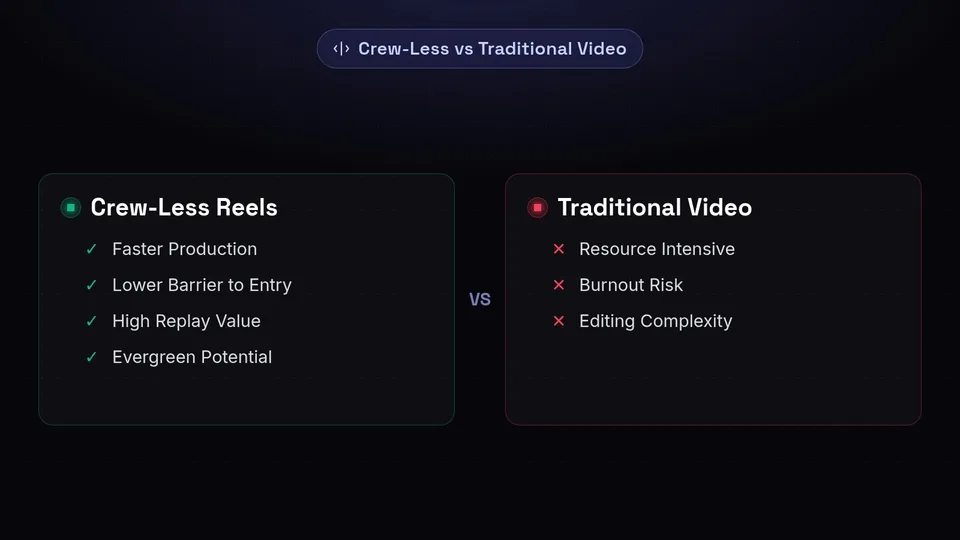
Before diving into the specific ideas, it is important to understand the mechanics of why these formats perform well on Instagram. When you remove the talking head, the focus shifts entirely to the value of the information provided, the visual aesthetic, or the audio experience.
✔ Advantages of Crew-Less Reels
- Faster Production: Create content in minutes rather than hours.
- Lower Barrier to Entry: No need for ring lights, microphones, or makeup.
- High Replay Value: Text-heavy or visually dense videos often encourage looping.
- Evergreen Potential: Less reliant on current trends or personal appearances.
✗ Traditional Video Challenges
- Resource Intensive: Requires dedicated time, space, and equipment.
- Burnout Risk: Constantly being "on camera" can lead to creator fatigue.
- Editing Complexity: Cutting out mistakes and balancing audio takes longer.
To ensure your crew-less videos look professional, keep these standard platform specifications in mind:
Creative Concepts
1. Aesthetic B-Roll with Text Overlays
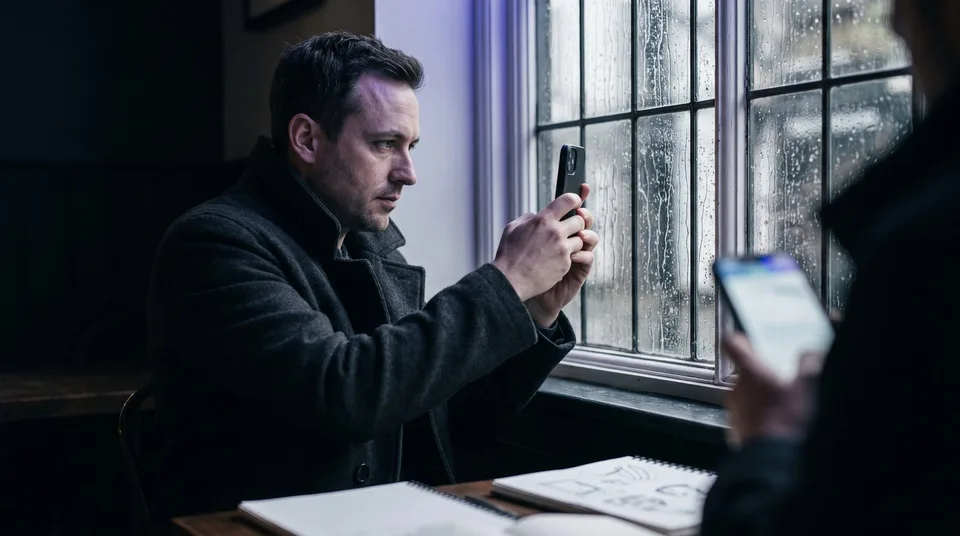
One of the most popular and easiest formats to produce is the B-roll text video. This involves taking a short, aesthetically pleasing, looping video and placing a compelling piece of text over it. The text serves as the hook, while the caption provides the detailed value.
How to Execute
Record 5-10 seconds of mundane but visually calming activities: typing on a laptop, pouring coffee, walking through a city, or rain on a window. Store these clips in your media library for easy access.
Why it Works
Because the text takes time to read, the short video loops in the background multiple times. This signals to the algorithm that viewers are engaged, potentially increasing the Reel's reach.
2. Screen Recordings and Digital Tutorials
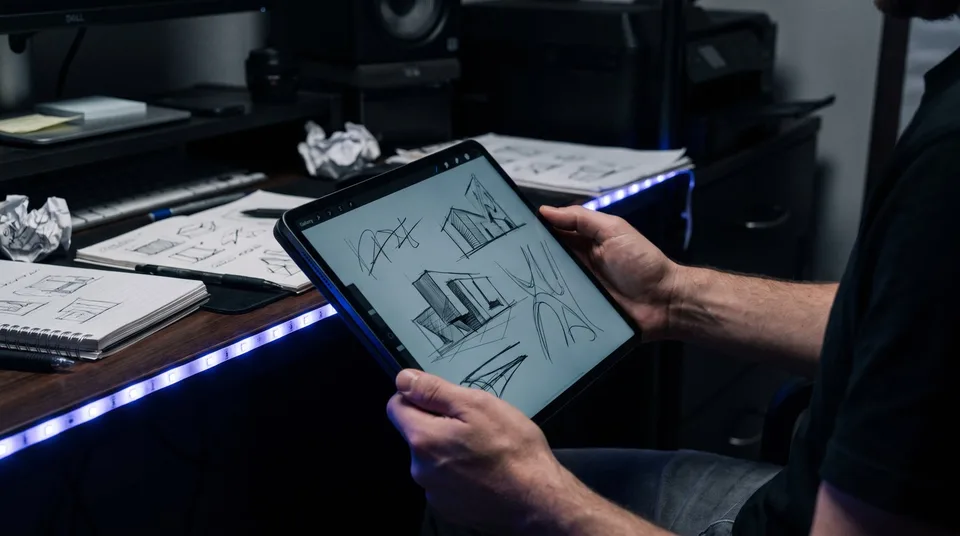
If you offer a digital product, software, or digital service, screen recordings are invaluable. You do not need a camera to show people how to achieve a specific result on their computer or smartphone.
- Software Walkthroughs: Show exactly where to click to solve a common industry problem.
- Resource Sharing: Record yourself scrolling through a valuable website or tool.
- Process Breakdowns: Document how you organise your files, plan your week, or edit a photo.
Pro Tip: Use the native screen recording feature on iOS or Android, or desktop tools to capture the footage. Speed the footage up slightly in your editing app to keep the pace dynamic and retain viewer attention.
3. Stop Motion Animation
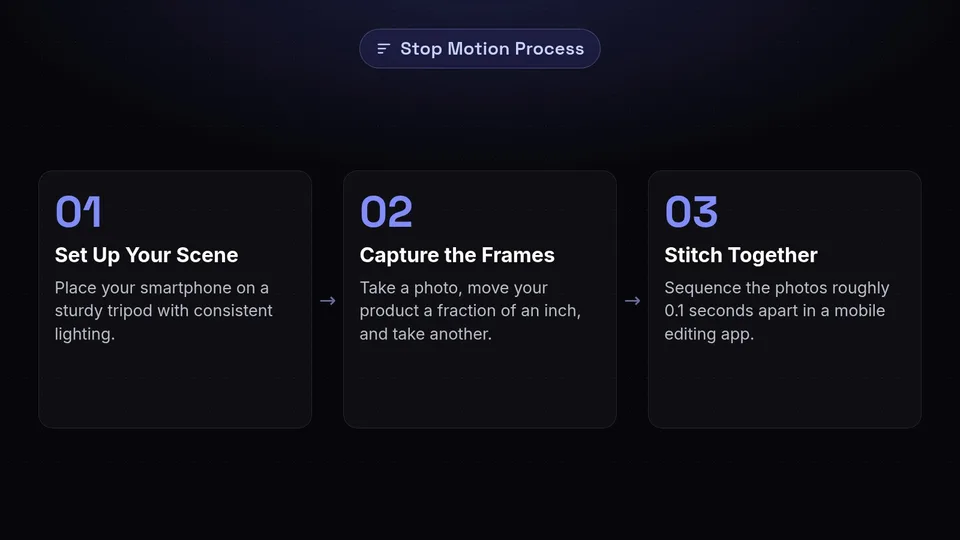
Stop motion animation brings inanimate objects to life. It is particularly effective for e-commerce brands, artists, and product-based businesses. While it requires patience, it requires absolutely no film crew—just a smartphone, a tripod, and a quiet room.
Set Up Your Scene
Place your smartphone on a sturdy tripod. Consistent lighting (even natural light from a window) is crucial to avoid flickering.
Capture the Frames
Take a photo, move your product a fraction of an inch, and take another photo. Repeat this process until the movement is complete.
Stitch Together
Use a mobile editing app to sequence the photos together, setting the duration of each image to roughly 0.1 seconds.
4. Voiceovers on Curated Stock Footage
If you have a compelling story to tell, advice to give, or an opinion to share, you can record a high-quality voice note and pair it with relevant stock video footage. This format relies heavily on the quality of the script and the auditory experience.
By utilising royalty-free stock video platforms, you can find cinematic footage that matches the tone of your audio perfectly. This allows you to create highly professional, documentary-style mini-videos without ever touching a video camera.
Streamline Your Instagram Strategy
Plan, schedule, and publish your crew-less Reels seamlessly alongside your other social media content with SchedulifyX.
Start Scheduling Today →5. Animated Quotes and Tweets
Repurposing written content into video format is a highly efficient way to populate your content calendar. If you have a high-performing post on X/Twitter or LinkedIn, you can turn it into a Reel.
Instead of posting a static screenshot, use design tools to animate the text, add a subtle moving background, or introduce the text line by line. Syncing the appearance of the text to the beat of trending audio adds a layer of polish that static images lack.
6. Dynamic Photo Montages
Reels do not strictly have to be video files. A rapid-fire sequence of photographs synced perfectly to a beat creates a highly engaging video experience. This is ideal for showcasing a portfolio, summarising an event, or displaying a product catalogue.
Key Takeaway
The success of a photo montage Reel relies entirely on the audio sync. Ensure that each photo transitions exactly on the beat of the music to create a satisfying viewing experience.
7. The Fixed-Camera Time-Lapse
While this technically involves a camera, it requires zero crew and zero active filming. A time-lapse condenses hours of work into seconds of highly engaging video. This format appeals to the viewer's desire to see a project through from start to finish quickly.
| Industry | Time-Lapse Idea |
|---|---|
| Artists & Designers | A blank canvas transforming into a finished piece. |
| E-commerce | Packing a large batch of customer orders. |
| Service Providers | Organising a workspace or setting up for an event. |
| Software Developers | Writing code (screen recorded time-lapse). |
8. Meme Formats and Green Screen
Instagram's native green screen filter is a powerful tool for creators who want to add commentary without setting up a full recording space. You can overlay yourself (or just relevant images and text) onto screenshots of articles, other videos, or meme templates.
Furthermore, utilising established video meme templates (often found in editing apps) allows you to overlay your own industry-specific text onto a trending video clip. This taps into existing cultural moments without requiring original footage.
9. AI-Generated Imagery and Video
The rapid advancement of artificial intelligence has opened up entirely new avenues for video creation. You can now generate unique backgrounds, abstract art, or even short video clips using text prompts. By integrating tools like SchedulifyX's AI Studio into your workflow, you can generate the visual assets needed for your Reels without leaving your desk.
Visuals
Generate unique, brand-aligned background images to use behind text overlays.
Scripts
Use AI to assist in writing compelling scripts for your voiceover Reels.
Ideation
Generate endless variations of hooks and calls-to-action for your captions.
Workflow
Managing Your Video Strategy
Creating the content is only half the battle; distributing it effectively is where you see results. When you transition to creating crew-less Reels, you will likely find that you can produce content in batches much faster than traditional filming allows.
To maximise this efficiency, it is crucial to use robust scheduling tools. By batch-creating your B-roll, screen recordings, and graphics, you can upload them to your platform, write your captions, and schedule them out for the weeks ahead.
- Batch Creation: Dedicate one afternoon a month to gathering all your visual assets.
- Consistent Posting: Schedule your Reels to go live at optimal times for your audience.
- Performance Tracking: Use analytics to determine which of the 9 crew-less formats resonates best with your followers.
- Team Alignment: Utilise team collaboration features to have team members review and approve scripts or visuals before scheduling.
By removing the friction of complex video production, you free up resources to focus on what truly matters: the message, the value, and engaging with your growing community.
Get started free — no credit card required.
