How to Build a Social Media Content Calendar from Scratch
SchedulifyX Team · June 15, 2026
Learn how to build a social media content calendar from scratch. Discover content pillars, batch creation, and scheduling workflows using SchedulifyX.
In today's hyper-connected digital landscape, showing up inconsistently on social media is the quickest way to lose your audience's attention. Brands that thrive online don't just post randomly and hope for the best; they rely on meticulous content planning and a robust social media content calendar. Whether you are a solo entrepreneur, a growing agency, or an established enterprise, understanding how to strategically map out your content is the cornerstone of sustainable digital growth.
Welcome to the ultimate content calendar tutorial. In this comprehensive guide, we will walk you through the exact steps to build a highly effective social media content calendar from scratch. We will dive deep into defining your content pillars, establishing optimal posting frequencies, mastering batch content creation, and executing flawless social media scheduling workflows using the AI-powered capabilities of SchedulifyX.
By the end of this tutorial, you will have a clear, actionable roadmap to transform your chaotic posting habits into a streamlined, stress-free engine of digital growth.
Table of Contents
- What is a Social Media Content Calendar?
- Why You Need a Social Media Content Calendar
- Step 1: Audit Your Current Social Media Presence
- Step 2: Define Your Content Pillars
- Step 3: Determine Your Posting Frequency and Channels
- Step 4: Establish a Batch Content Creation Workflow
- Step 5: Setting Up Your Calendar in SchedulifyX
- Step 6: Automating Your Social Media Scheduling
- Step 7: Analyzing, Iterating, and Improving
- Common Pitfalls to Avoid in Content Planning
- Conclusion: Take Control of Your Social Media with SchedulifyX
What is a Social Media Content Calendar?

A social media content calendar is a centralized document, dashboard, or software platform used to plan, organize, and schedule social media posts across various platforms in advance. Think of it as the master blueprint for your brand's digital communication strategy. It outlines exactly what you are going to publish, where you are going to publish it, and when it will go live.
The Anatomy of a Content Calendar
While spreadsheets were once the standard, modern content calendars like SchedulifyX offer dynamic, visual interfaces. Regardless of the tool, a comprehensive calendar typically tracks the following elements for each post:
- Date and Time: The exact moment the post will be published.
- Platform/Network: Where the post will live (e.g., LinkedIn, Instagram, X, TikTok, Facebook).
- Content Format: The type of media being shared (e.g., Reel, Carousel, Text post, Poll).
- Visual Assets: Links or attachments to the images, graphics, or videos.
- Copy/Caption: The actual text accompanying the post.
- Tags and Links: Relevant hashtags, mentions, and destination URLs.
- Status: The current stage of the post (e.g., Idea, Drafting, Needs Approval, Scheduled, Published).
- Content Pillar: The core theme or category the post falls under.
By visualizing these elements over a weekly, monthly, or quarterly timeline, a social media content calendar brings order to the otherwise chaotic world of digital marketing.
Why You Need a Social Media Content Calendar
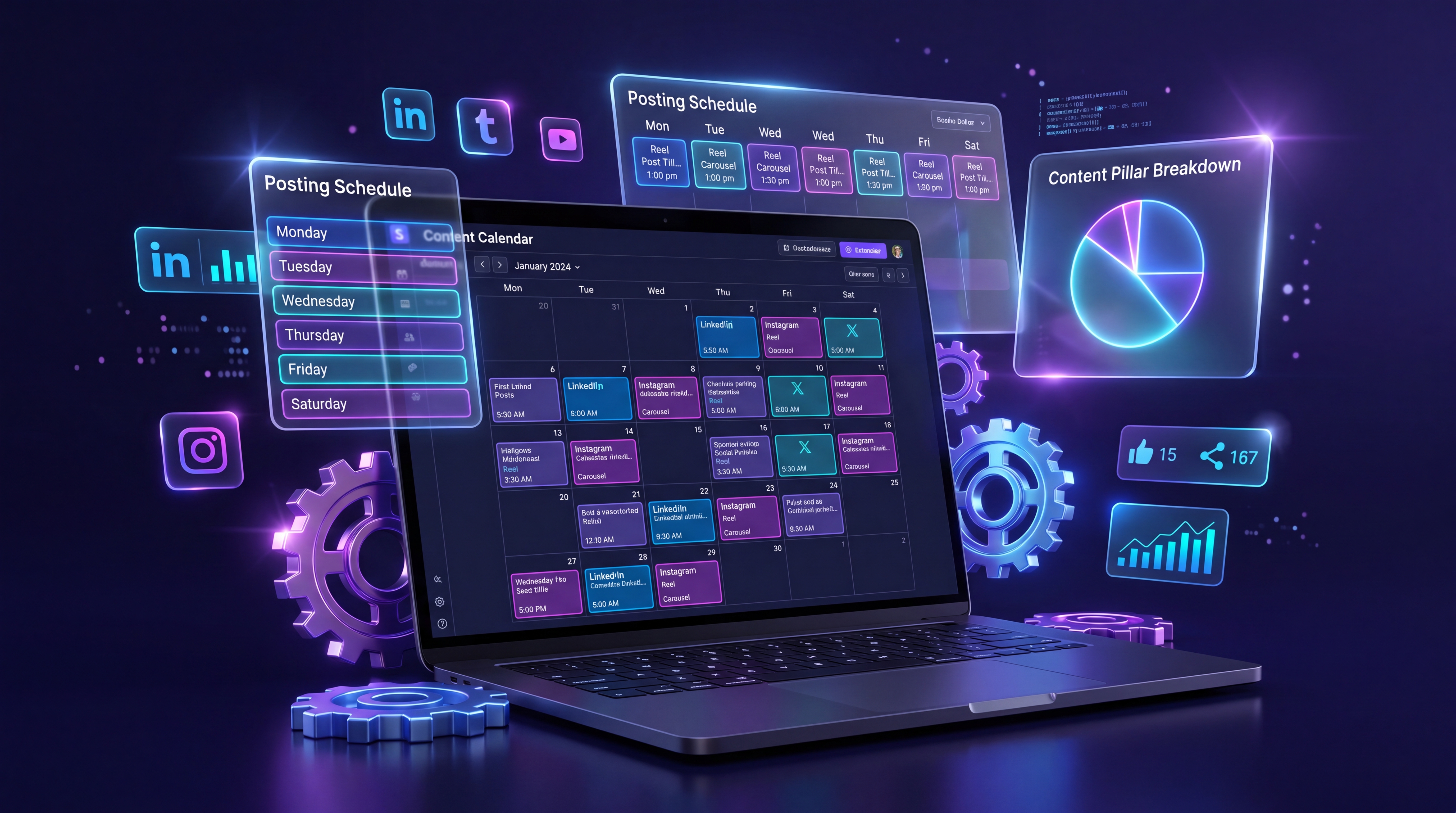
If you are still logging into each platform daily to figure out what to post, you are losing valuable time and likely leaving engagement on the table. Here is why adopting a formal content planning system is non-negotiable for serious brands.
1. Ensures Brand Consistency
Consistency is the primary metric by which social media algorithms judge your account. Platforms reward creators and brands that keep users on the app regularly. A content calendar ensures you never miss a day due to "writer's block" or a busy schedule. Furthermore, it ensures your brand voice, visual aesthetics, and messaging remain cohesive across all touchpoints.
2. Eliminates Daily Stress and Burnout
The daily scramble to find an image, write a clever caption, and research hashtags is exhausting. By shifting to a proactive model, you remove the daily friction of content generation. You wake up knowing your marketing is already working for you, freeing up mental bandwidth to focus on engaging with your community rather than stressing over what to post.
3. Facilitates High-Level Strategic Planning
When you plan weeks in advance, you can align your social media efforts with broader business goals. Are you launching a new product next month? Hosting a webinar? Running a holiday sale? A calendar allows you to build anticipation systematically, dropping breadcrumbs and teasers exactly when they will have the most impact.
4. Enables Seamless Team Collaboration
If you work with graphic designers, copywriters, or a legal compliance team, a centralized calendar is essential. It creates a single source of truth where stakeholders can review drafts, leave feedback, and approve content before it goes live, ensuring nothing slips through the cracks.
"A goal without a timeline is just a dream. A social media strategy without a content calendar is just a series of random posts."
Step 1: Audit Your Current Social Media Presence

Before you build a new social media content calendar, you must understand where you currently stand. An audit provides the baseline data necessary to make informed decisions about your future content planning.
Assess Your Active Platforms
Start by listing every social media profile associated with your brand. Are there platforms you haven't updated in months? Are there imposter accounts you need to report? Evaluate the health of each channel. You may discover that while you spend 80% of your time on Instagram, 80% of your website traffic actually comes from LinkedIn. Use this data to reallocate your energy to the platforms that drive real business results.
Identify Top-Performing Content
Dive into your native analytics or use SchedulifyX's reporting dashboard to identify your top 10 posts from the past quarter. Look for patterns:
- Did video content outperform static images?
- Did long-form storytelling captions generate more saves and shares?
- What time of day did these posts go live?
- Which hashtags brought in the most non-follower reach?
Conversely, identify your worst-performing posts. Understanding what your audience ignores is just as valuable as knowing what they love.
Conduct a Competitive Analysis
Identify 3-5 direct competitors or aspirational brands in your niche. Analyze their social presence. What content formats are they leaning into? How frequently do they post? More importantly, look for content gaps—topics or formats they are ignoring that you can capitalize on to differentiate your brand.
Step 2: Define Your Content Pillars

One of the most critical steps in this content calendar tutorial is defining your content pillars. Content pillars (also known as content buckets or categories) are the 3-5 core themes that your brand will consistently discuss online. They form the foundation of your entire social media strategy.
Why Content Pillars Matter
Pillars give your brand structure and authority. If you post about marketing one day, fitness the next, and dog training the day after, the algorithm—and your audience—will have no idea what your brand stands for. Pillars ensure you become known for specific topics, making it easier to attract a highly targeted, engaged following.
Examples of Effective Content Pillars
Depending on your industry, your pillars will vary. However, a balanced strategy usually incorporates a mix of the following broad categories:
- Educational/Value-Driven: Tips, tutorials, how-tos, and industry insights that solve your audience's problems.
- Inspirational/Motivational: Quotes, success stories, behind-the-scenes struggles, and triumphs that resonate emotionally.
- Community/Engagement: Polls, questions, user-generated content, and interactive posts designed to spark conversation.
- Promotional/Conversion: Product highlights, testimonials, case studies, and direct calls-to-action (CTAs) that drive sales.
- Entertaining/Relatable: Memes, trending audio reels, and humorous takes on industry-specific pain points.
Applying the 80/20 Rule
When mapping your pillars to your social media content calendar, adhere to the 80/20 rule: 80% of your content should educate, entertain, or inspire, while only 20% should overtly promote your products or services. If every post is a sales pitch, your audience will quickly hit the unfollow button.
Pro Tip: Inside SchedulifyX, you can create custom color-coded tags for each of your content pillars. This allows you to look at your monthly grid and instantly ensure you have a healthy, balanced mix of content themes.
Step 3: Determine Your Posting Frequency and Channels
With your pillars defined, the next step is deciding how often to post and where. There is no one-size-fits-all answer here; your ideal frequency depends on your available resources, the platform algorithms, and your audience's appetite.
Platform-Specific Best Practices (2026 Guidelines)
Algorithms evolve constantly, but current best practices suggest the following cadences for optimal growth:
- X (formerly Twitter): 2-4 times per day. The lifespan of a post here is incredibly short, so volume and timeliness are key.
- LinkedIn: 1-2 times per day. LinkedIn heavily favors consistency, native document carousels, and thought-provoking text posts. Avoid posting multiple times within a few hours, as the algorithm will cannibalize your own reach.
- Instagram: 1 time per day (Feed/Reels) + 3-5 Stories. Instagram requires a mix of discovery content (Reels) and nurturing content (Stories).
- TikTok: 1-3 times per day. TikTok is a volume game driven by trends, authentic lo-fi video, and rapid iteration.
- Facebook: 1 time per day. Focus on community building, group interactions, and highly shareable content.
Quality Over Quantity
While the guidelines above represent optimal growth strategies, the golden rule of content planning is this: Never sacrifice quality for quantity. If you only have the bandwidth to create three highly valuable, well-researched posts per week, that is far better than posting seven mediocre pieces of content. Determine a frequency you can maintain consistently for the next six months without burning out.
Step 4: Establish a Batch Content Creation Workflow
The secret weapon of every successful social media manager is batch content creation. Batching involves grouping similar tasks together and doing them all at once, rather than switching context constantly. This method drastically reduces cognitive load and skyrockets productivity.
The 4-Phase Batching Framework
To implement batch content creation effectively, break your workflow into four distinct phases. Dedicate specific days or time blocks to each phase.
Phase 1: Ideation and Research
Set aside two hours at the beginning of the month purely for brainstorming. Do not write captions or design graphics during this time. Look at your content pillars, review industry news, check trending topics, and use SchedulifyX's AI idea generator to come up with 15-30 raw post concepts. Dump these ideas into your calendar as "Drafts."
Phase 2: Asset Creation
This is your production day. If you are creating video content, set up your camera, lighting, and microphone once, and record 10 short-form videos back-to-back. If you are creating graphics, open your design software and create all your carousels, infographics, and quote cards for the month. By staying in the "visual creation" mindset, you will work much faster.
Phase 3: Copywriting and SEO
On a separate day, sit down to write all your captions. Because you already have the visual assets and the core ideas, the writing process will flow smoothly. Focus on crafting strong hooks (the first line of your caption), providing deep value in the body, and ending with a clear Call to Action (CTA). This is also the time to research your SEO keywords and hashtags.
Phase 4: Scheduling and Approval
The final phase is loading everything into your scheduling tool. This is where you assign specific dates, times, and platform tags, ensuring your content is queued up and ready to deploy automatically.
Step 5: Setting Up Your Calendar in SchedulifyX
Now that you have a strategic foundation and a batch of fresh content, it is time to bring your social media content calendar to life using SchedulifyX. As an AI-powered platform, SchedulifyX is designed to minimize manual data entry and maximize your strategic output.
Connecting Your Profiles and Workspaces
Begin by integrating all your social media accounts into your SchedulifyX workspace. The platform supports native API connections with LinkedIn, X, Instagram, Facebook, TikTok, and Pinterest. If you manage multiple brands or clients, utilize the "Workspaces" feature to keep each brand's calendar entirely separate, preventing any accidental cross-posting.
Customizing Your Calendar View
SchedulifyX offers multiple ways to visualize your strategy:
- Monthly Grid: Best for high-level content planning. Use this view to ensure your content pillars are balanced and that major campaigns are properly sequenced.
- Weekly/Daily Timeline: Ideal for granular scheduling, allowing you to see exactly how your posts overlap across different platforms on a given day.
- Kanban Board: Perfect for teams. Track the status of each post as it moves from "Idea" to "In Progress" to "Pending Approval" to "Scheduled."
Leveraging AI for Content Enhancement
One of the standout features of SchedulifyX is its integrated AI assistant. When uploading your batched assets, you can use the AI to:
- Generate multiple caption variations tailored to the specific tone of each platform (e.g., professional for LinkedIn, casual and emoji-heavy for Instagram).
- Suggest trending, high-reach hashtags based on your image or video content.
- Automatically format your text with line breaks and bullet points for maximum readability.
By utilizing these AI tools, you can cut your Phase 3 (Copywriting) time in half while maintaining high-quality output.
Step 6: Automating Your Social Media Scheduling
With your content loaded into SchedulifyX, you are ready to master social media scheduling. Automation is the key to maintaining a consistent presence while you sleep, work on other projects, or take a much-needed vacation.
Finding Your Best Time to Post
While general guidelines suggest posting during morning commutes or lunch breaks, your specific audience's behavior may differ. SchedulifyX's "Best Time to Post" algorithm analyzes your historical account data to recommend the exact times your followers are most active online. Scheduling your posts during these peak windows can significantly increase your initial engagement velocity, which in turn signals the platform algorithms to push your content to a wider audience.
Creating Evergreen Content Queues
Not all content is time-sensitive. Educational tips, inspirational quotes, and core brand stories are "evergreen"—meaning they are relevant regardless of when they are posted. In SchedulifyX, you can set up Evergreen Queues. Simply add your best timeless content to a specific folder, and the software will automatically cycle through these posts to fill any gaps in your calendar. This ensures your feed never goes dormant, even if you fall behind on creating new content.
Tailoring Content per Platform
A major mistake in social media scheduling is blasting the exact same message across every platform simultaneously. What works on X will look clunky on LinkedIn. SchedulifyX allows you to upload a core piece of content and easily customize the caption, tags, and image aspect ratio for each specific network before scheduling. This platform-native approach drastically improves engagement rates.
Step 7: Analyzing, Iterating, and Improving
A social media content calendar is not a "set it and forget it" tool; it is a living document that should evolve based on data. Step 7 of our content calendar tutorial involves closing the feedback loop through rigorous analytics.
Conducting Monthly Reviews
At the end of every month, before you begin your next batch content creation cycle, open your SchedulifyX Analytics dashboard. Look beyond vanity metrics like follower count and focus on actionable data:
- Reach and Impressions: Which posts were pushed to non-followers? These are your growth drivers.
- Engagement Rate: Which posts generated the most comments, saves, and shares? These indicate high resonance with your core community.
- Click-Through Rate (CTR): Which posts successfully drove traffic to your website or landing pages?
A/B Testing Your Strategy
Use your calendar to run deliberate experiments. For example, in Week 1, try posting educational carousels in the morning. In Week 2, post them in the evening. In Week 3, test short-form video against the same topic. By tracking these experiments in your calendar, you can definitively determine what formats and timings yield the best ROI for your specific audience.
Iterating Your Content Pillars
If the data shows that your "Motivational" content pillar consistently underperforms while your "Educational" pillar goes viral, it is time to adjust. Don't be afraid to retire failing pillars and double down on what works. Your calendar should reflect the current desires of your audience, not your assumptions from six months ago.
Common Pitfalls to Avoid in Content Planning
Even with a robust tool like SchedulifyX, marketers can stumble. Keep an eye out for these common content planning mistakes:
1. Being Too Rigid
While a calendar provides structure, you must remain agile. If a major industry news event breaks or a highly relevant trend emerges, don't be afraid to pause your scheduled posts and insert real-time, timely content. Rigidity can make your brand appear tone-deaf.
2. Ignoring the "Social" in Social Media
Scheduling your content does not mean you can abandon the platform. Automation handles the publishing, but human interaction is required for community building. Allocate 15-30 minutes a day to reply to comments, engage with other accounts in your feed, and participate in industry conversations. A calendar frees up your time to do exactly this.
3. Siloing Your Content
Your social media calendar should not exist in a vacuum. It must integrate with your email marketing, blog publication schedule, and paid advertising efforts. Ensure your social media manager is communicating with the rest of your marketing team so all channels amplify the same core message simultaneously.
Conclusion: Take Control of Your Social Media with SchedulifyX
Building a social media content calendar from scratch may seem daunting at first, but it is the most impactful investment you can make in your digital marketing strategy. By auditing your current presence, defining clear content pillars, embracing batch content creation, and leveraging advanced social media scheduling tools, you transform social media from a daily chore into a predictable growth engine.
Remember, consistency is the currency of the digital age. You don't need to be online 24/7; you just need a system that works for you 24/7.
Ready to streamline your content planning and eliminate social media burnout? Try SchedulifyX today. With our AI-powered ideation, intuitive visual calendar, and automated publishing workflows, executing a flawless social media strategy has never been easier. Start your free trial and take control of your digital presence now!