Public Portfolios: a Shareable Page for Your Social Media Work
SchedulifyX Team · May 8, 2026
A portfolio you assemble yourself - projects, skills, services and experience - published at a public link.
What a portfolio is here

A portfolio is a public page you assemble in the app: projects with descriptions and images, skills, services, experience, achievements, and an optional CV. You choose every item on it - nothing is pulled automatically from your connected accounts, which means nothing appears publicly that you did not deliberately put there.
The public link

Your page lives at schedulifyx.com/p/your-username. It is public by design - the point is a link you can put in a bio, a proposal or an application - and everything on it is content you entered.
Building one that reads well
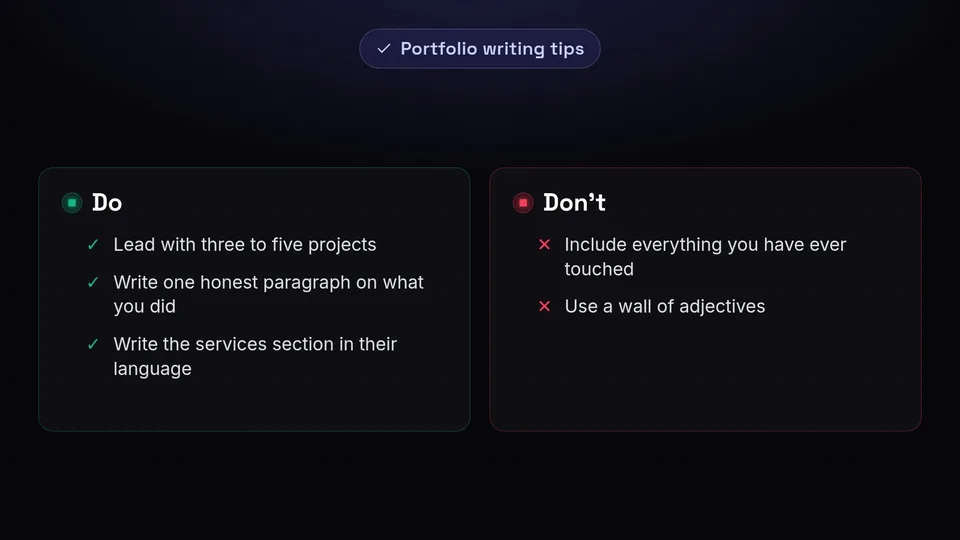
Lead with three to five projects rather than everything you have ever touched. For each, one honest paragraph on what you did and what changed beats a wall of adjectives. The services section is where prospective clients look first; write it in their language, not yours.
What it does not do
It does not embed live posts from platforms, track visitors, or password-protect pages. It is a clean, fast, public page you control completely - and for a link in a bio, that is usually exactly the job.
You can try everything described here on the free plan - create an account and it is all in the left-hand menu.
