10 Quick Instagram Story Ideas (Under 5 Minutes)
SchedulifyX Team · July 25, 2026
Short on time? Discover 10 engaging, easy-to-implement Instagram Story ideas that take 5 minutes or less to create and keep your audience captivated.
In today's fast-paced digital landscape, maintaining a consistent presence on social media is non-negotiable for brands and creators. With over 500 million users interacting with Instagram Stories daily, this ephemeral format has become the undisputed king of audience engagement, community building, and direct sales. However, a common hurdle plagues almost every social media manager, small business owner, and content creator: the relentless demand for time. Creating high-quality, engaging content day in and day out can quickly lead to burnout. But what if you could maintain an active, captivating presence without spending hours designing graphics or shooting professional video?
The secret lies in leveraging quick Instagram stories that rely on interactivity, authenticity, and smart formatting rather than high production value. You don't need a professional studio or a degree in graphic design to stop the scroll. By utilizing Instagram's native stickers, text tools, and your smartphone camera, you can create compelling narratives that drive clicks, replies, and shares. In this comprehensive guide, we will explore 10 easy-to-implement Instagram story ideas that take exactly 5 minutes or less to create. Whether you are looking for mid-week engagement boosters or casual weekend story ideas, these strategies will transform your approach to daily posting.
We will dive deep into why these specific formats work, the psychology behind audience interaction, and provide step-by-step instructions so you can execute them immediately. From poll templates to behind-the-scenes snapshots, these easy story content ideas are designed to maximize your output while minimizing your effort. Let's reclaim your time and supercharge your instagram engagement stories.
1. The "This or That" Poll Template
One of the most effective and universally loved instagram story ideas is the "This or That" poll. This format presents your audience with two distinct choices and asks them to vote for their favorite. It is visually appealing, incredibly easy to digest, and requires only a micro-commitment from the user—just a single tap on the screen.
Why This Works
Human beings are naturally drawn to expressing their opinions, especially when the stakes are low and the choices are clear. From an algorithmic standpoint, every single vote on a poll is registered by Instagram as an active engagement. When the algorithm sees that users are pausing to read and tapping to interact, it categorizes your account as highly engaging and pushes your subsequent stories to the front of your followers' feeds. Furthermore, polls provide invaluable, instant market research. You can gauge product preferences, content desires, or simply build rapport through fun, relatable debates.
Step-by-Step: Create in Under 5 Minutes
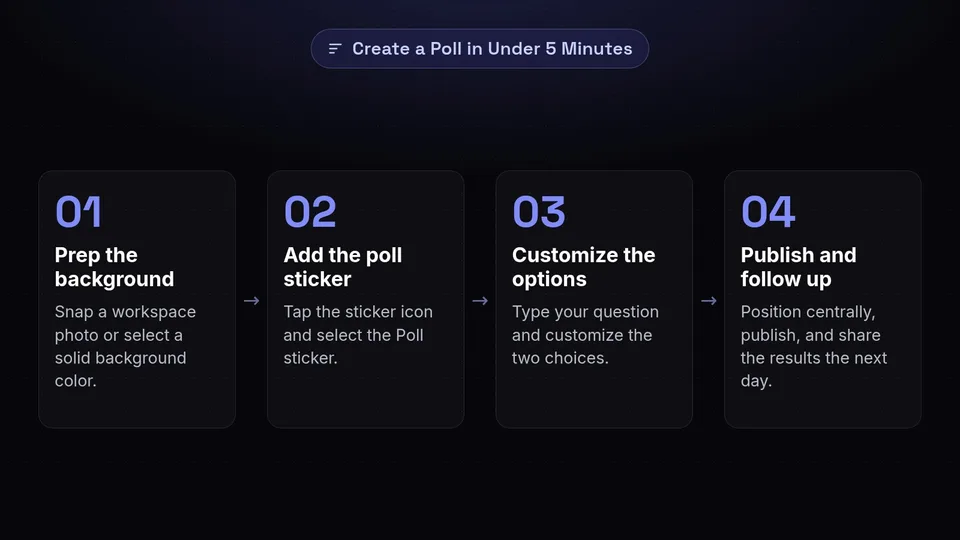
- Open the Instagram Story camera and snap a photo of your workspace, or select a solid background color using the drawing tool.
- Alternatively, use a pre-made "This or That" template from Canva or Pinterest (save a few to your camera roll for future use).
- Tap the sticker icon and select the Poll sticker.
- Type in your question (e.g., "Morning essential?") and customize the two options (e.g., "Iced Coffee" vs. "Hot Tea").
- Position the sticker clearly in the center of the screen and hit publish.
Industry Examples
- E-commerce: "Which new colorway should we launch next? Neon Pink vs. Matte Black."
- Service Providers: "What's your biggest struggle right now? Time Management vs. Lead Generation."
- Creators/Influencers: "Weekend vibe? Staying in & reading vs. Going out with friends."
Pro Tip: Follow up the next day by sharing the results of the poll in a new story. Thank your audience for voting and explain how their choice will influence your upcoming content or product lines. This makes them feel heard and valued.
2. The Unfiltered Behind-the-Scenes (BTS) Snapshot
In an era dominated by highly curated, heavily edited feeds, authenticity has become the ultimate currency. The Unfiltered Behind-the-Scenes (BTS) snapshot is the perfect antidote to perfection fatigue. It involves sharing a raw, unpolished look at what goes on behind the curtain of your brand or daily life.
Why This Works
BTS content humanizes your brand. It breaks down the corporate wall and allows your audience to connect with the real people, processes, and messy desks that make the magic happen. This type of easy story content builds immense trust. When followers see the effort that goes into packaging an order or the reality of a chaotic brainstorming session, they form a deeper emotional attachment to your brand. It is also one of the best weekend story ideas, as weekends often involve casual prep work, relaxing environments, or relatable downtime.
Step-by-Step: Create in Under 5 Minutes
- Look around your current environment. Are you packing orders? Staring at a complex spreadsheet? Drinking your third cup of coffee?
- Open the Instagram Story camera and take a quick, unedited photo or a 5-second video pan of the scene.
- Add a brief text overlay explaining what is happening. Use a conversational tone (e.g., "Fulfilling the last of the weekend orders! You guys sold us out!").
- Add a timestamp sticker or a location tag to ground the story in reality.
- Post it directly. No filters needed.
Industry Examples
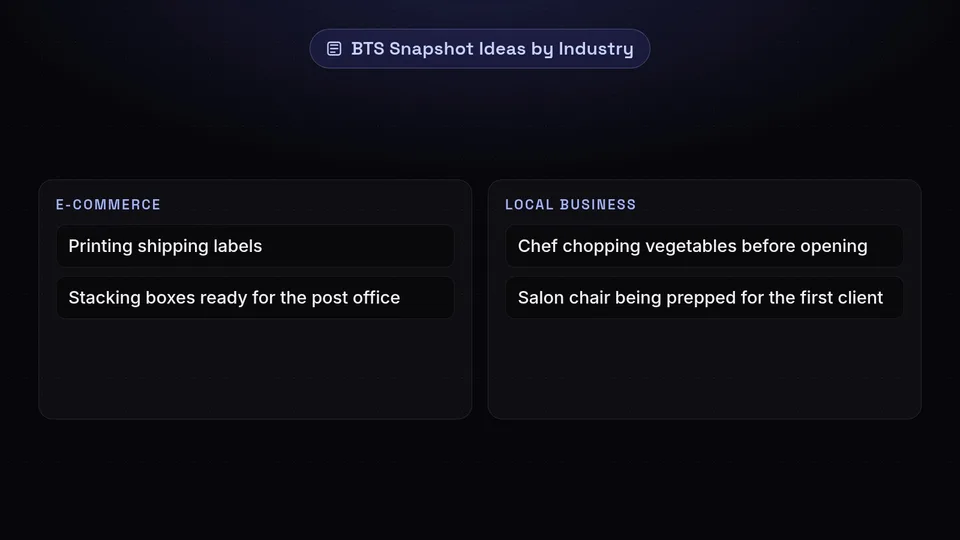
- E-commerce: A quick video of printing shipping labels or stacking boxes ready for the post office.
- B2B/Agencies: A photo of a whiteboard covered in messy mind maps for a new client campaign.
- Local Business: The chef chopping vegetables before the restaurant opens, or the salon chair being prepped for the first client.
Pro Tip: Use the "Sound On" sticker if your BTS video includes satisfying ASMR sounds, like packing tape ripping or coffee brewing. Sensory details significantly increase viewer retention.
3. User-Generated Content (UGC) Reposts with a Twist

If your customers or followers are already posting about your brand, you are sitting on a goldmine of quick instagram stories. User-Generated Content (UGC) involves taking a post or story that someone else has created featuring your product or service and sharing it to your own story.
Why This Works
UGC is the digital equivalent of word-of-mouth marketing. It serves as powerful social proof. When potential customers see real people enjoying your offerings, it validates their purchasing decision far more effectively than any branded advertisement could. Reposting UGC also rewards your most loyal fans by giving them a shoutout on your platform, which encourages others to post about you in hopes of being featured. It is the ultimate low-effort, high-reward strategy for instagram engagement stories.
Step-by-Step: Create in Under 5 Minutes
- Check your Instagram notifications or your dedicated brand hashtag for tags and mentions.
- Find a high-quality post or story from a customer.
- Tap the paper airplane icon (share button) and select "Add to story".
- The Twist: Don't just share it plainly. Tap the background and use the draw tool to change the background to your brand color.
- Add a text overlay thanking the user (e.g., "We love seeing how @username styles our summer tote! 😍").
- Add a GIF (search "New Post" or "Tap Here") to direct attention to the original creator's content.
Industry Examples
- Restaurants: Reposting a customer's aesthetic flat-lay photo of their brunch spread.
- Software/SaaS: Sharing a tweet or post from a user praising a new feature update.
- Fitness Coaches: Reposting a client's sweaty post-workout selfie and celebrating their consistency.
Pro Tip: Create a dedicated "Highlight" on your Instagram profile specifically for UGC (e.g., "Community" or "Happy Customers"). Save all these reposted stories there so new profile visitors can immediately see a reel of glowing testimonials.
4. The Hype-Building Countdown Sticker
When you have something exciting on the horizon, whether it is a product launch, a new blog post, a live stream, or a weekend flash sale, the Countdown sticker is your best friend. It is a dynamic, interactive tool designed specifically to build anticipation.
Why This Works
The Countdown sticker leverages the psychological principle of scarcity and FOMO (Fear Of Missing Out). By visually representing time ticking away, it creates a sense of urgency. The true power of this sticker, however, lies in its interactivity. Followers can tap the countdown to set a reminder. When the timer hits zero, Instagram automatically sends a push notification to everyone who subscribed, driving an immediate surge of traffic back to your profile or link. This makes it an incredibly potent tool for launching weekend story ideas or time-sensitive promotions.
Step-by-Step: Create in Under 5 Minutes
- Select a visually appealing background image related to what you are launching (e.g., a blurred photo of a new product).
- Tap the sticker icon and select the Countdown sticker.
- Name the countdown clearly (e.g., "Summer Collection Drop!" or "Live Q&A Starts").
- Set the end date and time. (Ensure the "All Day" toggle is off if you want a specific launch hour).
- Tap the color wheel at the top to change the sticker color to match your branding.
- Add text instructing users to tap: "Tap the clock to get a reminder so you don't miss out!"
Industry Examples
- Retail: A countdown to a 24-hour flash sale or Black Friday event.
- Content Creators: A countdown to the release of a new YouTube video or podcast episode.
- Event Planners: A countdown to the opening of ticket sales for an upcoming workshop or conference.
Pro Tip: Share the countdown sticker multiple times leading up to the event. For a Friday launch, share it on Wednesday, Thursday, and Friday morning to capture different segments of your audience who may have missed the first post.
5. The "Test Your Knowledge" Quiz Format
Gamification is a phenomenal way to transform passive scrollers into active participants. The Quiz sticker allows you to ask a multiple-choice question, provide up to four options, and set a correct answer that reveals itself with a burst of virtual confetti when selected.
Why This Works
People love testing their knowledge and the instant gratification of getting an answer right. Quizzes are inherently engaging and keep viewers on your story longer as they read through the options and make their selection. Beyond just being fun, quizzes are an excellent educational tool. You can use them to subtly educate your audience about your products, your industry, or common misconceptions, positioning your brand as an authority while providing easy story content.
Step-by-Step: Create in Under 5 Minutes
- Start with a clean, branded background or a relevant photo.
- Tap the sticker icon and select the Quiz sticker.
- Type out a compelling question (e.g., "Guess what our best-selling product of 2023 was?").
- Fill in 2 to 4 options.
- Tap the correct option so it turns green (this sets the answer for the system).
- Add a fun, related GIF or emoji to make the story visually pop.
- Post and watch the engagements roll in.
Industry Examples
- Skincare Brands: "Which of these ingredients is best for hydration? A) Salicylic Acid B) Hyaluronic Acid C) Retinol."
- Real Estate Agents: "True or False: You need a 20% down payment to buy a house in today's market?"
- Travel Bloggers: "Guess where I am traveling to next weekend! (Hint: It's in Europe)."
Pro Tip: Follow up the quiz with a story that elaborates on the correct answer. If they guessed the wrong skincare ingredient, provide a quick 2-sentence explanation of why Hyaluronic Acid is the winner. This turns a simple game into a valuable micro-learning moment.
6. The "Ask Me Anything" (AMA) Question Box
The Question Box sticker is the ultimate tool for fostering two-way communication. Instead of broadcasting a message to your audience, you are inviting them to steer the conversation. Hosting a quick "Ask Me Anything" (AMA) or a targeted Q&A session is a staple for instagram engagement stories.
Why This Works
The Question Box removes the friction of sending a Direct Message. It provides a structured, inviting space for followers to express their curiosities, doubts, or feedback. When you answer these questions publicly (anonymously, of course), you provide immense value to the silent majority of your audience who likely had the exact same question but were too shy to ask. It builds community, establishes your expertise, and generates a massive amount of content ideas for future posts.
Step-by-Step: Create in Under 5 Minutes
- Take a selfie, a video of yourself waving, or use a calm, aesthetic background video (like coffee pouring).
- Tap the sticker icon and select the Questions sticker.
- Customize the prompt. Instead of the generic "Ask me a question," be specific. (e.g., "I have 15 mins! Ask me anything about SEO," or "What are you struggling with this week?").
- Place the sticker in the lower-middle section of the screen where it is easy to reach with a thumb.
- Post the story.
Industry Examples
- Coaches/Consultants: "Drop your website URL in the box and I'll give you a 1-sentence audit!"
- E-commerce: "Questions about sizing or fit for the new collection? Ask away!"
- Local Services: "What's one myth about plumbing you want me to bust today?"
Pro Tip: If you are a new account or have lower engagement, don't be afraid to "seed" the first few questions yourself. You can type a question into your own box and answer it to get the momentum going. Once people see you answering, they are more likely to submit their own.
7. The Quick Tip or Mini-Tutorial
Value-driven content is the cornerstone of a loyal following. You don't always need a 10-minute YouTube video to teach something impactful. A "Quick Tip" or mini-tutorial delivered via Instagram Stories is a brilliant way to provide immediate, actionable value in a bite-sized format.
Why This Works
In the age of short attention spans, micro-learning is highly effective. When you share a quick tip that solves a specific problem for your audience, they are highly likely to save the story, screenshot it, or share it with a friend. These actions are massive positive signals to the Instagram algorithm. Furthermore, consistently sharing your expertise cements your reputation as a go-to resource in your niche, making this one of the most powerful quick instagram stories you can deploy.
Step-by-Step: Create in Under 5 Minutes
- Identify one small, actionable piece of advice related to your niche. (e.g., A keyboard shortcut, a quick recipe substitution, a photo editing hack).
- Open Stories and select the text tool.
- Type out a catchy headline (e.g., "🔥 Quick Tip Tuesday:"). Make it bold and large.
- Below the headline, type the tip in clear, concise language. Use bullet points or emojis for readability.
- Ensure the text contrasts well with the background. Use the text background highlight tool if necessary.
- Add a relevant graphic or sticker to make it visually engaging, and post.
Industry Examples
- Photographers: "How to instantly improve lighting: Always face the window, never put the window behind you."
- Financial Advisors: "The 50/30/20 rule explained in 3 sentences. Screenshot this for your next payday!"
- Fitness Trainers: A 3-second looping video showing the correct vs. incorrect posture for a deadlift.
Pro Tip: Add a subtle Call-to-Action (CTA) at the bottom of the tip, such as "Reply to this story if you want the full PDF guide!" This transitions passive readers into active leads in your DMs.
8. The Curiosity-Inducing Sneak Peek
Humans are naturally curious creatures. We are hardwired to want to know what is hidden behind the curtain. The Sneak Peek strategy leverages this psychological trait by showing just enough of a new project, product, or piece of content to spark interest, without giving away the whole surprise.
Why This Works
Curiosity creates an "information gap" in the brain, which viewers feel compelled to close. By obscuring part of an image or showing a highly zoomed-in detail, you force the audience to stop scrolling, look closely, and wonder what they are looking at. This increases the time spent on your story. It is an excellent strategy for teasing upcoming launches, new blog posts, or even dropping hints about weekend story ideas and events.
Step-by-Step: Create in Under 5 Minutes
- Upload a photo of the item, project, or person you want to tease.
- Tap the three dots in the top right corner and select the Draw tool.
- Select the first marker tool, choose a color from your brand palette at the bottom, and tap and hold the center of the screen for 3 seconds. The entire screen will fill with that solid color, hiding the photo.
- Switch to the Eraser tool (the last icon at the top).
- Carefully erase a small section of the color to reveal a tiny, intriguing part of the hidden photo underneath.
- Add text: "Something big is coming... Can you guess what it is?"
Industry Examples
- Authors/Writers: Revealing just the corner of a new book cover design.
- Apparel Brands: Showing a zoomed-in shot of the fabric texture or a unique zipper on an unreleased jacket.
- Podcasters: Blurring out the face of the upcoming guest and asking the audience to guess who it is based on a clue.
Pro Tip: Combine this strategy with the Question Box sticker (Idea #6). Add a box saying "Drop your best guess here!" to drive direct messages and engagement simultaneously.
9. The "Day in the Life" Time-Lapse
Sometimes the most mesmerizing content is the easiest to create. A time-lapse video condenses minutes or even hours of work into a fast-paced, visually dynamic 15-second clip. It is a fantastic way to show the scale of your work or the reality of your daily routine without requiring the audience to watch a long, drawn-out video.
Why This Works
Movement captures attention. As users tap rapidly through their stories, a hyper-speed video immediately breaks the pattern of static images and talking heads. It is visually satisfying to watch a task go from start to finish in a matter of seconds. Time-lapses showcase productivity, dedication, and the sheer volume of effort behind your brand. Because you simply set up your phone and let it record while you work, it is the definition of easy story content.
Step-by-Step: Create in Under 5 Minutes (of active effort)
- Find a stable place to prop up your phone (a cheap tripod, a stack of books, or a coffee mug).
- Open your phone's native camera app and swipe to the Time-Lapse or Hyperlapse setting.
- Frame the shot so your workspace or the area of action is clearly visible.
- Hit record and go about your task for 15 to 30 minutes (e.g., typing emails, painting, organizing inventory).
- Stop recording. The phone automatically compresses this into a short video.
- Upload the video to your Instagram Story, add an upbeat music track from the Instagram library, and post!
Industry Examples
- Artists/Illustrators: A time-lapse of a blank canvas turning into a finished sketch.
- Event Coordinators: A time-lapse of an empty banquet hall being transformed with tables, chairs, and centerpieces.
- Office Workers: A time-lapse of the sun setting out the office window while clearing out the inbox for the weekend.
Pro Tip: Time-lapses can sometimes be dizzying. To anchor the viewer's eye, add a static text box in the center of the screen explaining what is happening (e.g., "Packing 50 orders before noon!"). The text stays still while the background moves rapidly.
10. The Emoji Slider Reaction Prompt
When you want to gauge sentiment or simply get the easiest, lowest-friction engagement possible, the Emoji Slider is unmatched. This sticker allows users to drag an emoji along a scale to express their level of excitement, agreement, or love for whatever you are posting.
Why This Works
The sliding motion is tactile and satisfying for mobile users. It requires zero typing and less cognitive effort than reading a poll or answering a quiz. For the algorithm, every slide is registered as an interaction, boosting your story's ranking. It is perfect for vibe checks, outfit ratings, or measuring excitement for upcoming weekend story ideas. Because it is so visually expressive, it adds a layer of fun and personality to otherwise standard photos or videos.Step-by-Step: Create in Under 5 Minutes
- Capture a photo or video of something visually stimulating (a delicious meal, a new outfit, a beautiful sunset, a clean workspace).
- Tap the sticker icon and select the Emoji Slider sticker.
- Type a prompt if desired (e.g., "How much do we love this new packaging?").
- Choose an emoji that fits the mood. Don't just stick to the default heart eyes! Use the fire emoji 🔥, the mind-blown emoji 🤯, or even the 100 emoji 💯.
- Place the slider prominently on the screen where it won't be obstructed by the reply bar at the bottom.
- Publish and let the reactions slide in.
Industry Examples
- Interior Designers: Posting a photo of a newly staged living room with a "How cozy is this setup?" slider using the 🛋️ emoji.
- Musicians: Sharing a 10-second audio snippet of an unreleased track with a "Vibe check?" slider using the 🎧 emoji.
- Bakeries: A close-up video of a chocolate croissant being pulled apart with a "Craving level?" slider using the 🤤 emoji.
Pro Tip: You can use the slider creatively as a makeshift poll. Place text saying "No" on the left side of the slider and "Yes" on the right side. Users can slide all the way to the right for a resounding yes, or stay left for a no, adding nuance to traditional binary polls.
Bonus: Automate Your Stories with SchedulifyX
While these 10 ideas are designed to take under 5 minutes each, the daily mental load of remembering to post, logging in, and creating content on the fly can still be draining. The ultimate hack for dominating instagram engagement stories without the daily stress is batch creation and automated scheduling.
This is where SchedulifyX revolutionizes your workflow. As an AI-powered social media scheduling platform, SchedulifyX allows you to design, plan, and schedule your Instagram Stories days, weeks, or even months in advance. Imagine taking just one hour on a Monday morning to batch-create all 10 of these quick story ideas. With SchedulifyX, you can seamlessly upload your graphics, videos, and poll concepts into the dashboard, select your optimal posting times, and let the software do the heavy lifting.
Furthermore, SchedulifyX's AI capabilities can help generate engaging captions, suggest the best times to post based on your unique audience analytics, and even provide fresh weekend story ideas when you are experiencing creator's block. By moving from a reactive "what should I post today?" mindset to a proactive, scheduled strategy, you ensure a consistent, high-quality presence that the Instagram algorithm loves, while freeing up your time to focus on growing your actual business.
Conclusion
Maintaining an engaging, active presence on Instagram doesn't require a Hollywood production budget or hours of your precious time. By leveraging these 10 quick instagram stories—from interactive polls and quizzes to authentic behind-the-scenes glimpses and time-lapses—you can consistently capture your audience's attention in 5 minutes or less. These easy story content formats are proven to boost interactivity, build community trust, and send positive signals to the algorithm.
Remember, the goal of Instagram Stories is connection, not perfection. Your audience wants to interact with the real you, voice their opinions, and consume bite-sized value. Start implementing these ideas today, mix and match them to keep your feed dynamic, and watch your engagement metrics soar.
Ready to take your social media strategy to the next level and reclaim your time? Stop creating content on the fly and start scheduling for success. Sign up for SchedulifyX today and discover how AI-powered scheduling can transform your Instagram presence effortlessly.
