How to Schedule Posts to Bluesky Using SchedulifyX
SchedulifyX Team · April 23, 2026
Learn how to connect your account and master Bluesky scheduling with SchedulifyX. Discover step-by-step instructions, best practices, and AI-powered tips.
The social media landscape is undergoing a massive transformation, and decentralized platforms are leading the charge. Among these emerging networks, Bluesky has quickly become a powerhouse for creators, brands, and thought leaders looking for a fresh, engaging environment. However, as your presence on the platform grows, managing your content manually becomes an unsustainable chore. That is where bluesky scheduling comes into play.
In this comprehensive tutorial, we will explore exactly how to connect your account and schedule posts to Bluesky using SchedulifyX. Whether you are a solo entrepreneur, a digital marketing agency, or an enterprise brand, mastering schedulifyx bluesky integration will save you countless hours, optimize your posting times, and ensure your content strategy remains consistent and impactful.
The Rise of Bluesky Social Media
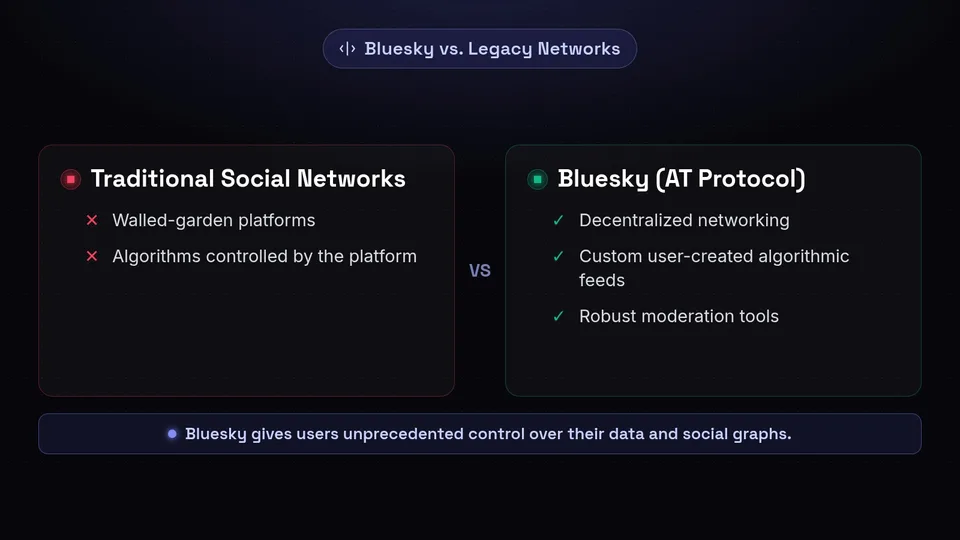
Before diving into the technical steps of scheduling, it is crucial to understand why bluesky social media has captured the attention of millions. Originally conceptualized by Twitter co-founder Jack Dorsey, Bluesky operates on the AT Protocol (Authenticated Transfer Protocol). This open-source framework allows for decentralized networking, meaning users have unprecedented control over their algorithms, data, and social graphs.
What Makes Bluesky Different?
Unlike traditional, walled-garden social networks, Bluesky offers a unique user experience characterized by custom feeds, robust moderation tools, and a highly engaged, conversational community. Users can subscribe to algorithmic feeds created by other users, allowing for niche community building that is virtually impossible on legacy platforms.
"The future of social media is decentralized. Brands that establish an early, consistent presence on platforms like Bluesky are positioning themselves at the forefront of the next digital revolution."
Because the platform values authenticity and real-time conversation, many marketers mistakenly believe that automation has no place here. However, effective bluesky scheduling is not about robotic broadcasting; it is about freeing up your time so you can engage in meaningful, real-time conversations while your core content is delivered consistently to your audience.
Why You Need a Bluesky Scheduling Strategy
Managing multiple social media profiles is a demanding task. As you add bluesky social media to your marketing mix, the sheer volume of content creation, formatting, and publishing can quickly become overwhelming. Here is why implementing a dedicated scheduling strategy with SchedulifyX is essential for your brand's success.
1. Consistency is Key to Algorithmic Success
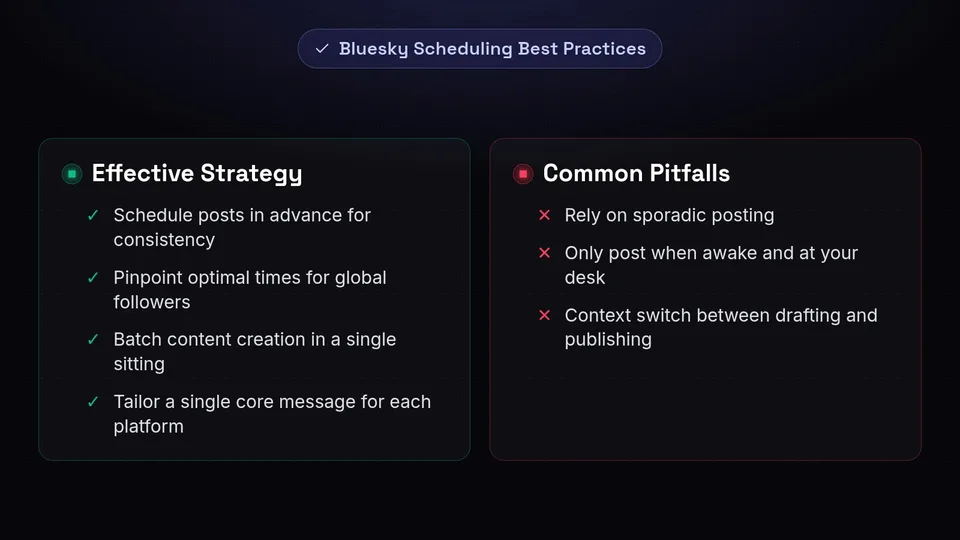
While Bluesky allows for custom feeds, the default "Discover" and "Following" feeds still reward accounts that post high-quality content on a regular basis. Sporadic posting leads to a drop in engagement and visibility. By scheduling your posts in advance, you ensure a steady stream of content, keeping your brand top-of-mind for your followers.
2. Reaching a Global Audience
Your audience is likely spread across multiple time zones. If you only post when you are awake and at your desk, you are missing out on connecting with international followers. Bluesky scheduling allows you to pinpoint the optimal times your audience is active and queue your posts to go live exactly at those moments, maximizing reach and engagement.
3. Time Management and Resource Allocation
Context switching—moving from drafting a post, to logging into an app, to publishing, and then back to your primary work—kills productivity. Batching your content creation and using the schedulifyx bluesky integration allows you to plan a week or a month's worth of content in a single sitting. This operational efficiency is critical for lean marketing teams.
4. Cross-Platform Synergy
Chances are, Bluesky is not your only social channel. SchedulifyX enables you to manage your Bluesky presence alongside your X (formerly Twitter), LinkedIn, Facebook, and Instagram accounts. You can easily tailor a single core message for each specific platform, maintaining a cohesive brand voice while respecting the unique culture of each network.
Step 1: Generating an App Password in Bluesky
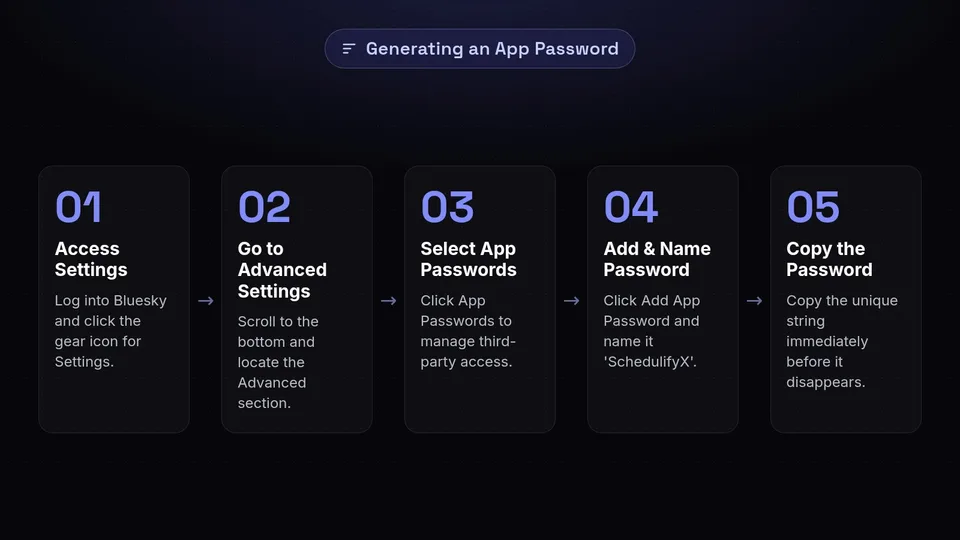
Security is a fundamental pillar of the AT Protocol. To connect third-party applications like SchedulifyX to your Bluesky account safely, you must use an "App Password." This ensures that SchedulifyX can publish on your behalf without ever needing access to your master account password. Here is a detailed, step-by-step guide to generating your App Password.
Navigating the Bluesky Settings
- Log into Bluesky: Open the Bluesky mobile app or navigate to bsky.app on your desktop browser and log into your account.
- Access Settings: Click or tap on the gear icon labeled Settings in the left-hand navigation menu.
- Go to Advanced Settings: Scroll down to the bottom of the settings menu and locate the Advanced section.
- Select App Passwords: Click on App Passwords. This is the dedicated area where you manage third-party access to your account.
Creating the Password
- Add a New Password: Click the button that says Add App Password.
- Name Your Password: You will be prompted to give the password a name. We highly recommend naming it "SchedulifyX" so you can easily identify what this specific password is used for in the future.
- Copy the Password: Bluesky will generate a unique, randomized password string (e.g., xxxx-xxxx-xxxx-xxxx). Copy this password immediately. For security reasons, Bluesky will only show you this password once. If you lose it, you will need to revoke it and generate a new one.
Now that you have your secure App Password, you are ready to bridge the gap between your Bluesky account and your SchedulifyX dashboard.
Step 2: Connecting Bluesky to SchedulifyX
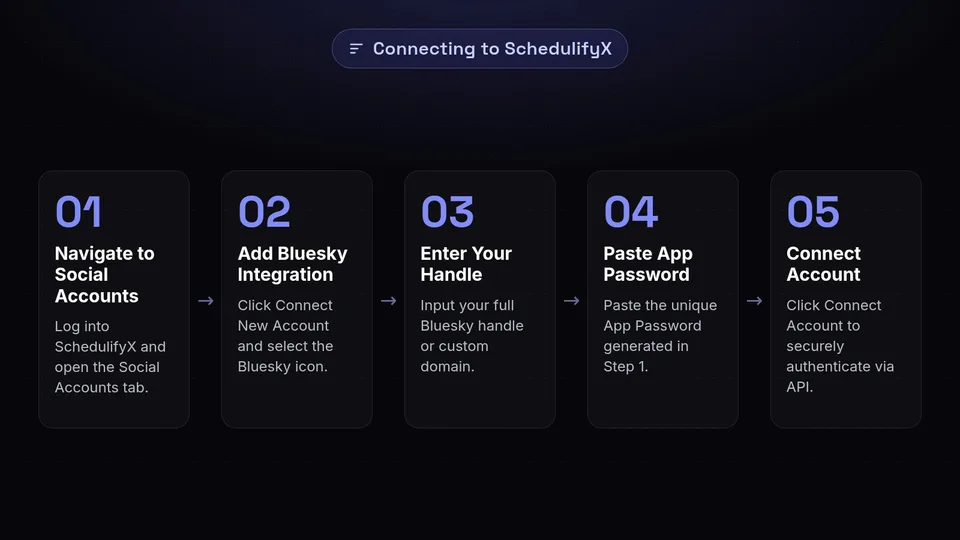
The schedulifyx bluesky integration has been designed to be as seamless and user-friendly as possible. Follow these instructions to link your accounts and unlock powerful scheduling capabilities.
Accessing Your SchedulifyX Workspace
First, log into your SchedulifyX account. If you manage multiple brands or clients, ensure you are in the correct Workspace. Navigate to the Social Accounts tab located in the main left-hand dashboard menu. This is your central hub for managing all your connected platforms.
Adding the Bluesky Integration
- Click the prominent Connect New Account button.
- A grid of supported social media platforms will appear. Locate and click on the Bluesky icon.
- A secure connection modal will pop up, prompting you for your Bluesky credentials.
Entering Your Credentials
In the connection modal, you will need to provide two pieces of information:
- Your Bluesky Handle: Enter your full Bluesky handle (e.g., yourbrand.bsky.social or your custom domain if you have set one up).
- Your App Password: Paste the unique App Password you generated in Step 1. Remember, do not use your main account password here!
Click Connect Account. SchedulifyX will securely authenticate with the Bluesky API. Within seconds, you will see a success message, and your Bluesky profile will appear in your list of active social accounts. You are now fully equipped for bluesky scheduling.
Step 3: Crafting and Scheduling Your First Post
With the technical setup complete, it is time to move on to the creative phase. SchedulifyX’s unified composer makes drafting content for bluesky social media an intuitive and highly visual process.
Opening the Composer
Click the Create Post button at the top right of your SchedulifyX dashboard. In the account selector dropdown, check the box next to your newly connected Bluesky profile. You can also select other platforms if you wish to cross-post, but for this tutorial, we will focus solely on Bluesky.
Drafting Your Content
Bluesky currently has a 300-character limit per post. As you type in the SchedulifyX composer, you will notice a real-time character counter specifically calibrated for Bluesky's limits. This ensures you never draft a post that will fail to publish due to length restrictions.
When crafting your message, keep the conversational tone of the platform in mind. Bluesky users appreciate authenticity, humor, and insightful commentary. Avoid overly corporate jargon or aggressive sales pitches.
Adding Media and Link Cards
Text alone rarely captures maximum attention. To make your scheduled posts stand out, you should incorporate rich media.
- Images: Click the media upload icon to attach up to four images per post. SchedulifyX supports high-resolution JPEG and PNG files.
- Alt Text: Accessibility is highly valued in the Bluesky community. SchedulifyX provides a dedicated field to enter Alt Text for every image you upload. Be descriptive and concise to ensure visually impaired users can fully engage with your content.
- Link Cards: If you paste a URL into your post, SchedulifyX will automatically generate a rich link preview card, pulling in the meta title, description, and featured image of the destination page. You can customize how this card appears before scheduling.
Setting the Schedule
Once your post is perfectly crafted, it is time to schedule it. You have three primary options in SchedulifyX:
- Publish Now: Send the post to Bluesky immediately.
- Schedule for Later: Select a specific date and time from the interactive calendar. SchedulifyX will hold the post in its secure servers and publish it exactly when requested.
- Add to Queue: If you have set up predefined posting times in your SchedulifyX settings, you can simply add the post to your queue. The platform will automatically slot it into the next available time slot, ensuring a consistent drip of content.
Select your preferred option and click the primary action button. Congratulations! You have successfully mastered basic bluesky scheduling.
Leveraging AI for Bluesky Content
What sets SchedulifyX apart from traditional scheduling tools is its deep integration of artificial intelligence. The schedulifyx bluesky synergy allows you to overcome writer's block, optimize your messaging, and scale your content production effortlessly.
AI-Powered Caption Generation
Staring at a blank screen can be daunting. With SchedulifyX's AI Assistant, you can simply input a brief prompt or a URL, and the AI will generate multiple variations of a Bluesky post. You can instruct the AI to adopt specific tones—such as professional, witty, informative, or casual—to match your brand's unique voice.
Smart Hashtag Suggestions
While Bluesky relies heavily on custom feeds rather than traditional hashtag algorithms, strategic use of hashtags still aids in discoverability. SchedulifyX analyzes the text and images in your draft and suggests highly relevant, trending hashtags that can expand your reach beyond your immediate followers.
Content Repurposing
If you have a high-performing blog post or a lengthy YouTube video, you can use the SchedulifyX AI to summarize that long-form content into a series of bite-sized, 300-character posts. This allows you to create an engaging thread on Bluesky, driving traffic back to your primary content hubs with minimal manual effort.
Advanced Bluesky Scheduling Features
As you become more comfortable with the platform, you will want to explore the advanced features that make SchedulifyX an enterprise-grade solution for bluesky social media management.
The Visual Content Calendar
Planning a cohesive campaign requires a bird's-eye view of your strategy. SchedulifyX features a robust, drag-and-drop visual calendar. Here, you can view all your scheduled Bluesky posts alongside content for other platforms. If you need to adjust a date, simply drag the post to a new day. This visual approach ensures you maintain a balanced content mix and avoid over-posting or extended silences.
Bulk Uploading
For agencies or social media managers handling massive volumes of content, the bulk upload feature is a game-changer. You can prepare an entire month's worth of Bluesky posts in a CSV file—including dates, times, text, and image URLs—and upload it to SchedulifyX in one click. The system will automatically parse the file and populate your calendar, saving you hours of manual data entry.
Evergreen Content Recycling
Not all content is tied to a specific date or news cycle. Evergreen content—such as foundational tips, brand stories, or key product features—remains relevant year-round. SchedulifyX allows you to mark specific Bluesky posts as "Evergreen." Once published, these posts are automatically added back to the end of your queue, ensuring your best content continues to work for you indefinitely.
Best Practices for Bluesky Growth
Mastering the technical mechanics of bluesky scheduling is only half the battle. To truly succeed on bluesky social media, your content strategy must align with the platform's unique culture and community expectations.
1. Embrace Authenticity Over Polish
Bluesky users are highly sensitive to overly polished, corporate "brand speak." They prefer raw, authentic, and conversational content. When scheduling your posts in SchedulifyX, ensure your tone is approachable. Ask questions, share behind-the-scenes insights, and do not be afraid to show a little personality.
2. Participate in Custom Feeds
Custom feeds are the lifeblood of Bluesky. Whether it is "ScienceSky," "BookSky," or "MarketingSky," these algorithmic feeds aggregate content based on specific keywords, emojis, or user lists. Research which custom feeds your target audience subscribes to, and tailor your scheduled content to include the necessary triggers to appear in those feeds.
3. Schedule Time for Real-Time Engagement
The ultimate goal of using the schedulifyx bluesky integration is to free up your time. Use that reclaimed time to engage actively on the platform. Reply to comments on your scheduled posts, repost valuable content from industry peers, and participate in trending conversations. A successful strategy balances automated publishing with genuine, human interaction.
4. Prioritize Accessibility
As mentioned earlier, accessibility is a core value of the Bluesky community. Always use the Alt Text feature in SchedulifyX when scheduling images. Additionally, if you use emojis, try to place them at the end of your sentences, as screen readers can disrupt the flow of text if emojis are scattered throughout.
Analyzing Your Bluesky Performance
To continuously improve your strategy, you must rely on data rather than intuition. SchedulifyX provides comprehensive analytics to help you measure the impact of your bluesky scheduling efforts.
Key Metrics to Track
- Engagement Rate: This is the most critical metric. Track the number of likes, reposts, and replies your scheduled content receives relative to your follower count. High engagement indicates that your content is resonating with your audience.
- Follower Growth: Monitor how your follower count trends over time. Look for spikes in growth and correlate them to specific scheduled campaigns or high-performing posts.
- Best Times to Post: SchedulifyX’s analytics dashboard will analyze your historical data and suggest the optimal times to schedule future content based on when your audience is most active and likely to engage.
Iterating Your Strategy
Set aside time at the end of each month to review your SchedulifyX analytics reports. Identify your top-performing Bluesky posts and analyze what made them successful. Was it the tone? The inclusion of a specific image? The time of day it was scheduled? Use these insights to refine your upcoming content calendar, doubling down on what works and pivoting away from what doesn't.
Conclusion
The transition to decentralized social networks represents a massive opportunity for forward-thinking brands and creators. By establishing a strong presence on Bluesky now, you can build a highly engaged, loyal community without being entirely at the mercy of opaque, corporate algorithms.
Mastering bluesky scheduling is the key to maintaining consistency, scaling your efforts, and freeing up your valuable time for real-time engagement. With its secure API integration, AI-powered content generation, and intuitive visual calendar, SchedulifyX is the ultimate tool for dominating bluesky social media.
Stop jumping between tabs and struggling to keep up with the demands of multi-platform social media management. Leverage the power of the schedulifyx bluesky integration today to streamline your workflow, elevate your content, and accelerate your growth on the internet's most exciting new social network.
Ready to take your Bluesky strategy to the next level? Sign up for SchedulifyX today and experience the future of AI-powered social media scheduling. Connect your accounts, generate brilliant content, and watch your community grow—all from one powerful dashboard.