The Ultimate Guide to Creating a Social Media Content Calendar
SchedulifyX Team · August 30, 2026
Discover how to make a content calendar that works. Learn agile planning horizons, avoid common failure modes, and get a flexible content calendar template.
Imagine logging into your social media accounts on a Tuesday morning with absolutely no idea what to post. The cursor blinks on a blank screen, the clock is ticking, and the pressure to maintain an active, engaging online presence mounts. If this scenario sounds familiar, you are experiencing the chaotic, stressful reality of flying blind in digital marketing. The antidote to this daily panic is a robust, well-structured content calendar.
A social media content calendar is much more than a simple spreadsheet with dates and times. It is the central nervous system of your digital marketing strategy. It aligns your daily output with your long-term business goals, ensures your brand voice remains consistent, and prevents your team from burning out under the constant demand for fresh content. However, not all calendars are created equal. Many teams build overly rigid systems that collapse at the first sign of a trending topic, while others build structures so loose that nothing ever gets published on time.
In this comprehensive guide, we will explore exactly how to make a content calendar that holds up under pressure. We will dive into what belongs in your calendar (and what doesn't), why hybrid planning horizons beat rigid three-month grids, how to build in slack for reactive posts, and the critical review and approval paths that keep teams aligned. We will also examine the common failure modes that kill calendars and provide a highly practical, downloadable-style content calendar template structure that you can implement today.
What is a Social Media Content Calendar?

At its core, a social media content calendar is a centralized document or software platform used by marketing teams, freelancers, and creators to plan, organize, and schedule content across various social platforms. It serves as a single source of truth for what is being published, when it is being published, who is responsible for it, and where it will live.
A well-maintained calendar transforms abstract marketing strategies into actionable daily tasks. It bridges the gap between high-level conceptual planning (like a Q3 product launch) and ground-level execution (like a specific Instagram Reel going live at 10:00 AM on a Tuesday). Without this bridge, marketing teams often fall victim to inconsistency, missed opportunities, and a disjointed brand narrative that confuses their audience.
"Failing to plan is planning to fail. In the realm of social media, failing to plan means sacrificing your brand's voice to the chaos of the daily feed."
Whether you are a solo entrepreneur managing three platforms or a massive enterprise team coordinating global campaigns across a dozen networks, the fundamental purpose of the calendar remains the same: to provide clarity, ensure accountability, and guarantee strategic alignment.
What Belongs in a Content Calendar (and What Doesn't)?
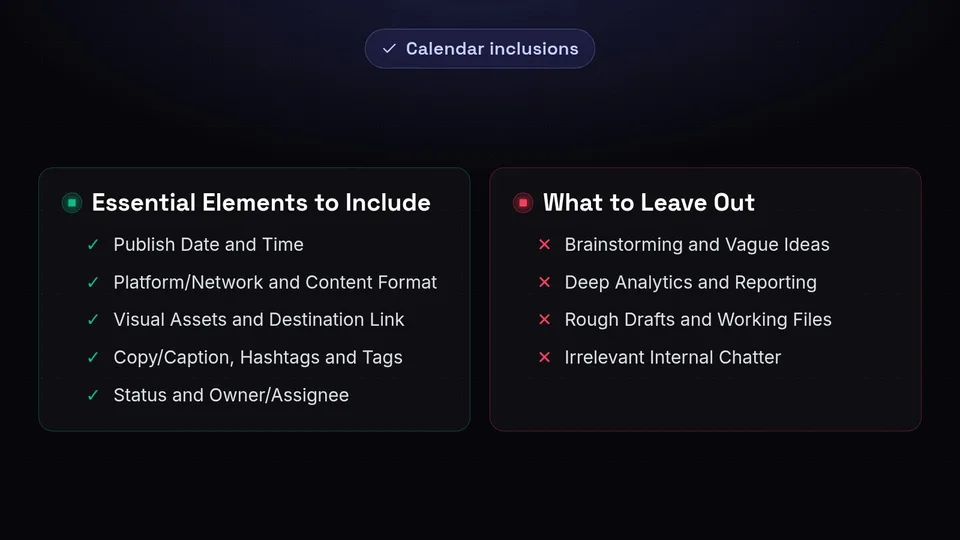
One of the most common mistakes marketers make when learning how to make a content calendar is treating it like a digital junk drawer. When a calendar becomes cluttered with half-baked ideas, analytical data, and irrelevant notes, it ceases to be a functional tool and becomes a source of anxiety. To maintain an effective system, you must be ruthless about what gets included and what gets left out.
Essential Elements to Include
Your calendar should be focused strictly on execution and workflow. Every entry should contain the following critical elements:
- Publish Date and Time: The exact moment the post is scheduled to go live.
- Platform/Network: Where the content will live (e.g., LinkedIn, TikTok, X, Instagram).
- Content Format: Is it a Carousel, a Story, a short-form video, or a text thread?
- Visual Assets: Links to the finalized images, graphics, or videos.
- Copy/Caption: The exact text that will accompany the post, including emojis.
- Hashtags and Tags: Specific accounts to mention and hashtags to include.
- Destination Link: The URL the post is driving traffic to (if applicable).
- Status: The current stage in the workflow (e.g., Drafting, In Review, Approved, Scheduled).
- Owner/Assignee: The specific team member responsible for pushing the post across the finish line.
What to Leave Out
To keep your social media content calendar streamlined and actionable, keep the following elements out of your primary view:
- Brainstorming and Vague Ideas: "Maybe do something about summer" is not a calendar entry. Keep a separate "Idea Backlog" or "Brainstorming Board" for concepts that haven't been fully fleshed out. Only move them to the active calendar when they are assigned a date and an owner.
- Deep Analytics and Reporting: While it's helpful to know what performed well, your execution calendar is not a reporting dashboard. Keep your metrics, ROI calculations, and engagement rates in a dedicated analytics tool or spreadsheet.
- Rough Drafts and Working Files: Do not use the calendar to write your first, messy draft or store fifty variations of a graphic. Link only to the final, polished assets ready for publication.
- Irrelevant Internal Chatter: Keep long debate threads about brand voice out of the calendar cells. Use communication tools like Slack or dedicated comment threads within your project management software to handle discussions.
Planning Horizons: The Quarterly Theme + Weekly Detail Approach
When building a content calendar template, teams often struggle with the planning horizon. How far in advance should you plan? The traditional approach dictates planning every single post three to six months in advance. However, in the fast-paced world of modern social media, this approach is fundamentally flawed.
Why Rigid Three-Month Grids Fail
Imagine meticulously planning three months of daily TikToks and X posts. Six weeks into your plan, a major industry shift occurs, a new platform feature is released, or a global event shifts the cultural conversation. Suddenly, your pre-planned content feels tone-deaf, irrelevant, or obsolete.
Rigid, long-term grids fail because they assume the digital landscape is static. They lock teams into a production cycle that cannot adapt to trends, user feedback, or breaking news. When a team is forced to adhere to a rigid three-month grid, they often experience "sunk cost fallacy"—publishing irrelevant content simply because they spent time creating it weeks ago.
The Agile Approach: Quarterly Themes
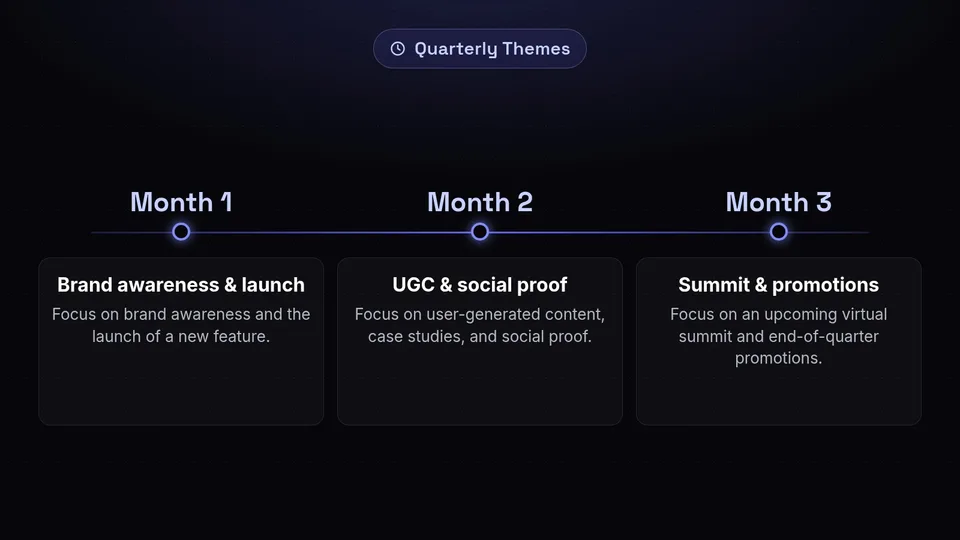
The solution is a hybrid approach that combines macro-level planning with micro-level execution. At the macro level, you should plan your Quarterly Themes. This involves looking at the next three months and identifying the major pillars, campaigns, and business objectives you need to hit.
- Month 1: Focus on brand awareness and the launch of a new feature.
- Month 2: Focus on user-generated content, case studies, and social proof.
- Month 3: Focus on an upcoming virtual summit and end-of-quarter promotions.
By establishing these quarterly themes, you create a strategic umbrella. You know the general direction of your content, the key messages you need to convey, and the major milestones you are working toward. However, you are not locking in the exact captions and graphics for a post 80 days in the future.
The Micro Approach: Weekly Detail
With your quarterly themes acting as a guide, you then move to micro-level execution: the Weekly Detail. This is where you actually fill out your social media content calendar with specific posts, captions, and assets.
Ideally, you should be working two to three weeks ahead for your detailed execution. During your weekly planning meetings, you take the overarching quarterly theme and break it down into specific, actionable posts for the upcoming weeks. This approach provides the perfect balance: your content is strategically aligned with long-term business goals, but you remain agile enough to pivot, capitalize on a sudden trend, or adjust your messaging based on what performed well last week.
Building in Slack: The Art of Reactive Posting
A common misconception about using a content calendar is that every single thing you post must be scheduled in advance. In reality, the most engaging brands on social media master the balance between proactive (planned) and reactive (spontaneous) content.
Why You Need a Buffer
If your calendar is packed to the brim with five scheduled posts a day, you have zero room to breathe. When a viral trend emerges that perfectly aligns with your brand, or when a customer asks a brilliant question that warrants a dedicated post, you won't have the bandwidth or the calendar space to address it without derailing your entire schedule.
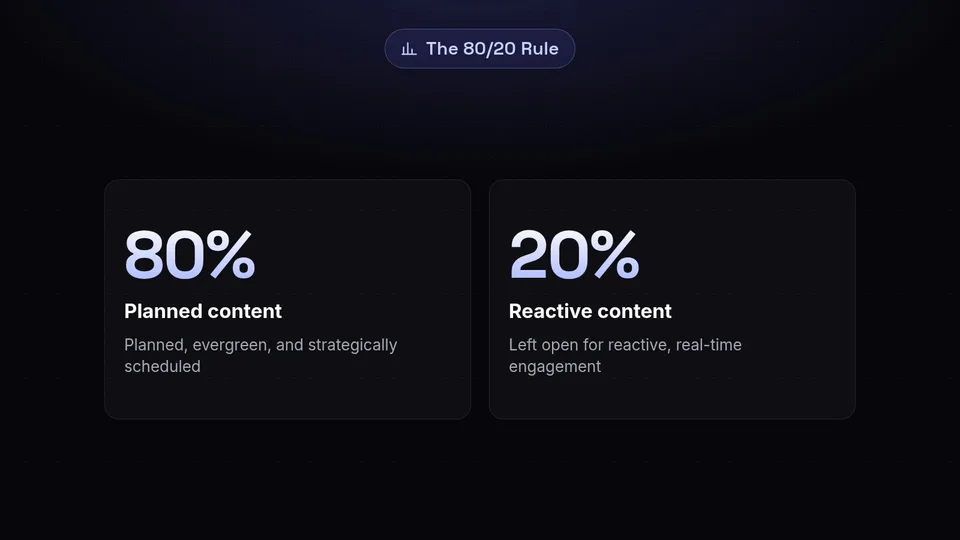
Building in "slack" or a buffer means intentionally leaving gaps in your calendar. It is the application of the 80/20 rule to social media management: 80% of your content should be planned, evergreen, and strategically scheduled. The remaining 20% should be left open for reactive, real-time engagement.
How to Schedule for Spontaneity
How do you plan to be spontaneous? It sounds like an oxymoron, but it requires deliberate structural choices in your calendar:
- Designate "Open Slots": In your calendar template, literally leave specific times or days marked as "Reactive Slot" or "Trend Opportunity." If nothing relevant happens, you can fill it with a backup evergreen post, but the primary goal is to keep it open for real-time inspiration.
- Monitor the Pulse: Assign a team member to actively monitor industry news, trending audio on TikTok/Reels, and platform conversations. Their job is to find the 20% reactive content that fits into your open slots.
- Optimize Your Timing: When you do strike with a brilliant reactive post, make sure you aren't shouting into the void. Use data to your advantage. Ensure you are hitting maximum visibility by utilizing a best time to post tool to determine exactly when your audience is online and ready to engage.
The Review and Approval Path
A content calendar is only as good as the workflow that powers it. If you have a beautiful spreadsheet but no system for getting content from "draft" to "published," your calendar will quickly become a graveyard of missed deadlines. Establishing a clear review and approval path is critical for maintaining quality and consistency, especially in larger teams or regulated industries.
Establishing Clear Roles
To avoid confusion and bottlenecks, every piece of content must pass through clearly defined roles. Typically, a robust workflow involves three key players:
- The Creator: The copywriter, graphic designer, or video editor responsible for generating the initial draft and assets.
- The Editor: The social media manager or content lead who reviews the draft for brand voice, grammatical accuracy, and strategic alignment.
- The Approver: The client, legal team, or marketing director who gives the final "green light" before the content goes live.
Streamlining the Workflow
Your calendar must visually represent this workflow. This is usually achieved through a "Status" column. A standard progression looks like this:
- Idea Backlog -> (Moved to Calendar)
- Drafting (Creator is working on it)
- In Review (Editor is checking it)
- Pending Approval (Waiting for final sign-off)
- Approved (Ready to be scheduled)
- Scheduled (Loaded into the publishing tool)
- Published (Live on the platform)
By enforcing this path, you eliminate the frantic "Did the client approve this yet?" messages and ensure that no unvetted content accidentally makes its way onto your brand's public channels. If you are using a dedicated tool with built-in content calendar features, this workflow can often be automated, notifying the next person in the chain the moment a status changes.
The Failure Modes That Kill Content Calendars
Even with the best intentions, many teams watch their content strategies fall apart. Understanding how to make a content calendar also requires understanding how they break. Here are the three most common failure modes that kill calendars, and how to avoid them.
Overplanning
Also known as "The 365-Day Trap." Some ambitious marketers attempt to plan every single post for an entire year. They spend weeks building a massive, intricate spreadsheet. The result? Burnout. By the time they reach month two, the energy required to maintain the rigid structure outweighs the benefits. The team becomes resentful of the calendar, and eventually, they abandon it entirely. Solution: Stick to the Quarterly Theme + Weekly Detail approach.
The "No Owner" Syndrome
If a calendar entry lacks an assigned owner, it will not get done. This is the bystander effect applied to digital marketing. If the team sees a post scheduled for Friday, but no specific person is tagged as the Creator or Publisher, everyone assumes someone else is handling it. Friday arrives, the post doesn't go live, and fingers are pointed. Solution: Never allow a post to enter the "Drafting" phase without a specific name attached to the "Owner" column.
Zero Buffer for the Unexpected
As discussed earlier, a calendar packed so tightly that a single delay ruins the whole week is a brittle strategy. If your video editor gets sick, or a platform goes down for an afternoon, a rigid calendar collapses like a house of cards. Solution: Build in slack. Keep a library of "Evergreen Emergency Posts" that can be deployed instantly if a scheduled piece of content falls through.
How to Make a Content Calendar: The Ultimate Content Calendar Template
Now that we have covered the philosophy, the pitfalls, and the workflows, it is time to build your actual system. You do not need to download a gated PDF to get started. You can build this highly effective, flexible content calendar template right now in Google Sheets, Airtable, Notion, or your preferred project management tool.
The Column-by-Column Breakdown
Create a new database or spreadsheet and set up the following columns from left to right. This structure is designed to support the agile, workflow-driven approach we have discussed.
- Column A: Publish Date. Use a standard date format. Sort your calendar chronologically by this column so you can easily see what is coming up next.
- Column B: Publish Time. The exact time the post goes live. (Remember to consult your timing tools to optimize this).
- Column C: Platform. Use a dropdown menu (e.g., LinkedIn, Instagram, X, TikTok, Facebook, Pinterest).
- Column D: Content Pillar / Theme. Use a dropdown menu to categorize the post (e.g., Educational, Promotional, Behind-the-Scenes, User-Generated Content). This helps ensure your weekly mix is balanced.
- Column E: Visual Assets. A direct hyperlink to the Google Drive folder, Canva design, or Dropbox file containing the final image or video. Do not paste the image directly into the cell; it makes the calendar messy and slow to load.
- Column F: Copy / Caption. The actual text of the post. If the text is very long, consider using a text-wrap feature or linking to a separate Google Doc for long-form content like LinkedIn articles.
- Column G: Links & Tags. The URL you are driving traffic to, and a list of any accounts (@mentions) or specific hashtags that must be included.
- Column H: Status. A color-coded dropdown menu (Drafting, In Review, Pending Approval, Approved, Scheduled, Published). This is the most important column for managing your workflow.
- Column I: Owner. The name of the person responsible for the current status of the post.
- Column J: Notes / Instructions. A space for specific directives (e.g., "Make sure to pin this to the top of the profile," or "Tag the CEO in the comments").
By implementing this exact structure, you create a social media content calendar that is both comprehensive enough to handle complex campaigns and simple enough to adapt to daily changes. It provides total visibility for your team, ensures nothing falls through the cracks, and keeps your marketing strategy moving forward smoothly.
Conclusion: Elevate Your Strategy with SchedulifyX
Learning how to make a content calendar is the foundational step toward social media success. By moving away from rigid, long-term grids in favor of quarterly themes and weekly details, building in slack for reactive moments, and enforcing a strict review and approval path, you can transform your social media presence from a source of daily stress into a well-oiled, growth-driving machine.
While building a manual template in a spreadsheet is a fantastic way to start, scaling your strategy eventually requires powerful automation. You shouldn't have to manually copy and paste captions from a spreadsheet into five different social networks at 8:00 AM every morning.
That is where SchedulifyX comes in. Our AI-powered social media scheduling platform takes the concepts of the perfect content calendar and automates them. With intuitive, built-in content calendar features, automated publishing, collaborative approval workflows, and AI-driven insights to help you find the optimal posting times, SchedulifyX allows you to focus on what truly matters: creating incredible content that resonates with your audience.
Stop fighting with messy spreadsheets and start executing your strategy with precision. Elevate your brand's digital presence today with SchedulifyX.
