How to Batch Create Social Media Posts in Just 2 Hours
SchedulifyX Team · July 19, 2026
Learn how to batch create social media posts for the entire week in under two hours with this relaxed Sunday content creation and AI scheduling routine.
If you are a social media manager, a small business owner, or a digital creator, you already know the overwhelming feeling of waking up on a Tuesday morning, staring at a blank screen, and realizing you have absolutely nothing to post. The daily scramble to conceptualize, design, write, and publish content is not only exhausting, but it also drains the creative energy you need to actually grow your business. The solution? You need to learn how to batch create social media posts. By dedicating just a small, focused window of time during your weekend, you can completely transform your workflow, eliminate daily stress, and ensure a consistent, high-quality online presence.
Welcome to the ultimate relaxed weekend guide to weekly content batching. In this comprehensive breakdown, we are going to show you exactly how to execute a flawless Sunday content creation routine that yields an entire week's worth of social media content in under two hours. Grab your favorite cup of coffee, put on a lo-fi playlist, and let's dive into the ultimate system for unstoppable social media productivity.
Why You Need a Sunday Content Creation Routine
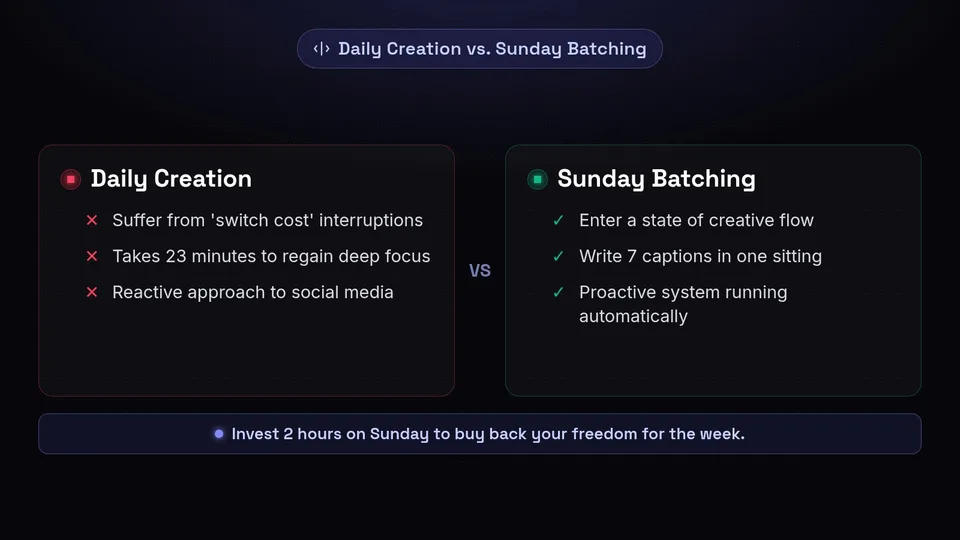
Before we break down the exact two-hour workflow, it is crucial to understand why weekly content batching is the gold standard for social media productivity. Human brains are not naturally wired for constant context switching. When you stop your primary work to design a graphic, write a caption, research hashtags, and publish a post, you suffer from what psychologists call a 'switch cost.' It takes an average of 23 minutes to regain your deep focus after an interruption. If you are creating posts daily, you are losing hours of productive time every single week just transitioning between tasks.
Batching solves this by grouping similar tasks together. When you batch create social media posts, you enter a state of creative flow. You are not just writing one caption; you are writing seven. You are not just designing one graphic; you are designing an entire carousel and several single-image posts in one sitting. The momentum builds, your speed increases, and the quality of your content becomes far more cohesive.
The Magic of Sunday
Why Sunday? For many creators and entrepreneurs, Sunday offers a quiet, uninterrupted pocket of time before the chaos of the workweek begins. A Sunday content creation routine allows you to approach your marketing strategy with a clear head. There are no urgent client emails, no sudden meetings, and no immediate fires to put out. It is a proactive, rather than reactive, approach to your social media presence.
'The secret to mastering social media is not being on it 24/7. It is building a system that makes it look like you are on it 24/7.'
By investing just two hours on a Sunday morning or afternoon, you buy back your freedom for Monday through Friday. You can spend your week engaging with your audience, closing deals, and refining your products, knowing that your content engine is running automatically in the background.
The 2-Hour Weekend Batching Breakdown
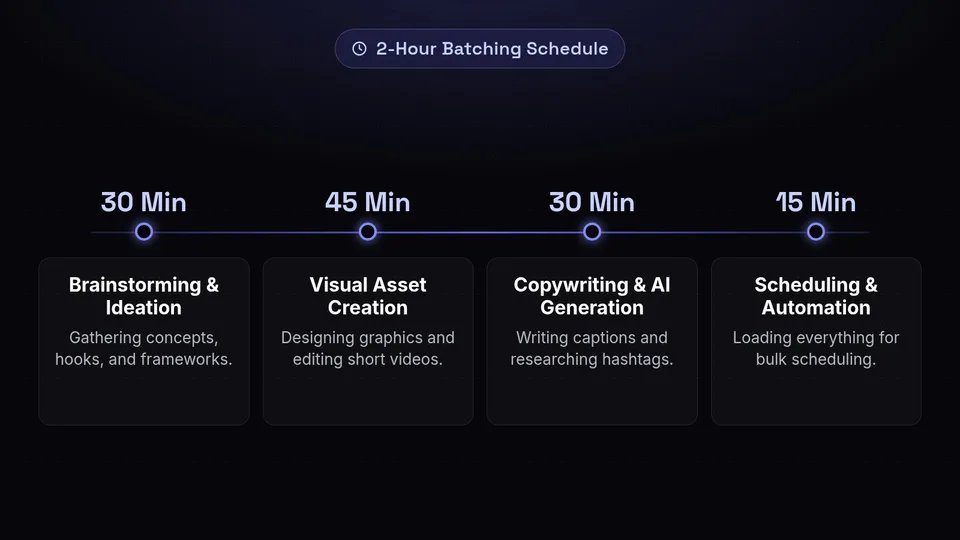
To successfully batch create social media posts in under two hours, you need a strict, time-blocked schedule. Parkinson's Law states that work expands to fill the time allotted for its completion. If you give yourself all day to create a week of content, it will take all day. If you give yourself two hours, you will get it done in two hours. Here is the exact breakdown we will be following:
- Phase 1: Brainstorming & Ideation (30 Minutes) - Gathering concepts, hooks, and frameworks.
- Phase 2: Visual Asset Creation (45 Minutes) - Designing graphics and editing short videos using Canva template workflows.
- Phase 3: Copywriting & AI Generation (30 Minutes) - Writing captions and researching hashtags using AI tools.
- Phase 4: Scheduling & Automation (15 Minutes) - Loading everything into SchedulifyX for bulk scheduling.
Let's break down each phase in detail so you can maximize your quick content creation tips and hit the ground running.
Phase 1: Content Idea Brainstorming Shortcuts (30 Mins)
The biggest bottleneck in any Sunday content creation session is staring at a blank page. If you spend 45 minutes just trying to figure out what to post, your two-hour window will vanish. The secret to rapid ideation is removing the guesswork through structured brainstorming shortcuts.
1. The Content Pillar Method
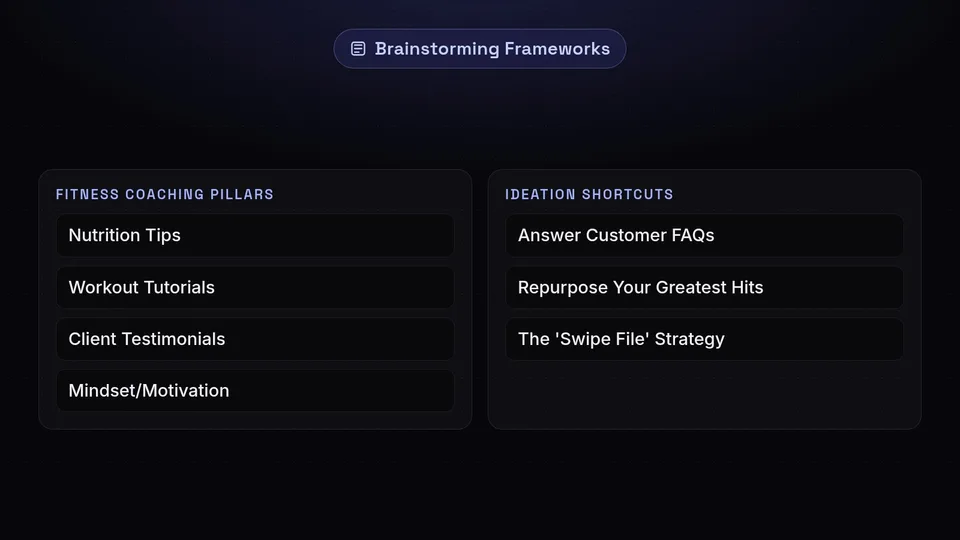
Never brainstorm from scratch. Instead, rely on your core content pillars. These are the 3 to 5 main topics your brand consistently discusses. For example, if you run a fitness coaching business, your pillars might be: Nutrition Tips, Workout Tutorials, Client Testimonials, Mindset/Motivation, and Behind-the-Scenes. To map out a week of content (assuming one post per day), simply assign a pillar to each day of the week. Suddenly, you aren't asking 'What should I post today?' You are asking, 'What is a quick nutrition tip I can share for Monday?' This simple framing dramatically speeds up the process.
2. Answer Customer FAQs
Your best social media content is often hidden in your inbox, your DMs, or your blog comments. What questions do your clients or customers ask you repeatedly? Every single FAQ is a potential social media post. If people are asking you in private, hundreds of others are wondering the same thing in public. Dedicate 10 minutes of your brainstorming time to listing out 5 common questions, and you instantly have 5 highly valuable, educational post ideas.
3. Repurpose Your Greatest Hits
Social media productivity is about working smarter, not harder. You do not need a brand new, groundbreaking idea every single day. Go into your analytics from 3 to 6 months ago and identify your top-performing posts. Take those core concepts and present them in a new format. If a tweet performed incredibly well, turn it into an Instagram Carousel. If a long-form LinkedIn post got massive engagement, extract the three main points and turn them into a short-form video script. Repurposing is the ultimate quick content creation tip.
4. The 'Swipe File' Strategy
Throughout the week, whenever you see a post, a hook, a trending audio, or a design you like, save it to a dedicated folder or a Notion board. This is your 'Swipe File.' When Sunday rolls around, you don't have to search for inspiration; you just open your Swipe File. You can draw inspiration from the structures and formats of these saved posts and adapt them to your own niche and brand voice.
Phase 2: Canva Template Workflows for Fast Design (45 Mins)
Now that you have your 7 ideas mapped out, it is time to create the visual assets. If you are not a professional graphic designer, this is where Canva becomes your best friend. To batch create social media posts efficiently, you must abandon the idea of designing from scratch every time. You need to establish rock-solid Canva template workflows.
Setting Up Your Brand Kit
Before you even start designing, ensure your Canva Brand Kit is fully set up. This includes your brand colors, your primary and secondary fonts, and your logos. Having these pre-loaded saves you the hassle of manually entering hex codes or searching for the right typography for every single post. Consistency is key in branding, and the Brand Kit enforces that consistency automatically.
Create Master Templates
To speed up your Sunday content creation, you should have a library of 5 to 10 master templates that you reuse constantly. Your audience does not care if you use the same layout for your quotes; in fact, visual consistency helps them instantly recognize your content in a crowded feed. Your master template library should include:
- The Quote Graphic: A simple, clean background with your brand font for sharing industry insights or motivational quotes.
- The Step-by-Step Carousel: A 5-to-10 slide template for educational breakdowns.
- The Tweet Mockup: A template that makes your text look like a native Twitter/X post, which historically performs very well on Instagram and LinkedIn.
- The Notification/Reminder: A graphic designed to look like a smartphone notification to grab attention.
- The Case Study/Testimonial: A visually appealing way to showcase client results or positive reviews.
The Canva Bulk Create Feature
If you really want to supercharge your social media productivity, you need to learn Canva's 'Bulk Create' tool. If you have a series of quotes or tips, you can write them all out in a simple spreadsheet (CSV file). You then upload that CSV into Canva, link the text data to a text box in your master template, and click generate. In three seconds, Canva will automatically generate a dozen unique graphics, each featuring a different tip from your spreadsheet. This is one of the most powerful quick content creation tips available today.
Phase 3: AI Caption Generation (30 Mins)
With your visuals ready to go, it is time to tackle the copywriting. Writing engaging captions, finding the right emojis, and researching hashtags can be incredibly tedious. This is where AI caption generation steps in to save the day, allowing you to breeze through this phase in just 30 minutes.
Mastering the AI Prompt
The quality of your AI-generated captions depends entirely on the quality of the prompt you provide. If you ask an AI to 'write a post about marketing,' you will get a generic, robotic response. Instead, you need to provide context, tone, and specific formatting instructions. Here is a framework for a perfect prompt:
'You are an expert social media manager for a [Your Niche] brand. Write an engaging Instagram caption about [Specific Topic]. The tone should be [Tone, e.g., witty, professional, encouraging]. Start with a strong hook that asks a question. Break the main points into a bulleted list. End with a clear call-to-action asking the audience to [Specific Action]. Include 5 relevant hashtags at the bottom.'
Tailoring Content for Different Platforms
One of the biggest mistakes creators make is copy-pasting the exact same caption across every platform. What works on LinkedIn (professional, story-driven, spacious formatting) does not necessarily work on Twitter (punchy, concise, hashtag-light) or Instagram (visually descriptive, emoji-heavy). When using AI tools, generate your base caption first, and then ask the AI to 'rewrite this for LinkedIn' or 'condense this into a 280-character Tweet.'
Leveraging SchedulifyX's Built-In AI
If you want to streamline this even further, you don't even need to leave your scheduling dashboard. SchedulifyX features powerful, built-in AI caption generation tailored specifically for social media. When you upload your Canva graphics into SchedulifyX, you can simply type a few keywords about the post, and the AI will instantly generate multiple caption variations optimized for your selected platforms. You can tweak the tone, instantly add trending hashtags, and finalize your copy without ever opening a separate tab. It is the ultimate hack for weekly content batching.
Phase 4: Bulk Scheduling Your Week (15 Mins)
You have your ideas, your visuals, and your captions. The final step in your Sunday content creation routine is to get everything loaded into your calendar. This is where you cross the finish line and truly reclaim your week.
Choosing the Right Times to Post
Before you schedule, you need to know when your audience is actually online. While there are general best practices (e.g., Tuesday mornings at 10 AM), every audience is unique. A good scheduling tool will analyze your past performance and suggest optimal posting times. If you don't have that data yet, space your posts out logically. Try mornings for LinkedIn (when professionals are commuting or starting their day) and evenings or lunch breaks for Instagram and TikTok (when people are relaxing).
The Power of Bulk Scheduling
Using SchedulifyX, bulk scheduling is a breeze. The intuitive drag-and-drop calendar allows you to visually map out your week. Simply drag your newly created Canva assets into the desired time slots, paste your AI-generated captions, and hit schedule. Because you are doing this all at once, you can easily review your weekly grid to ensure you have a good mix of educational, promotional, and entertaining content.
- Check for variety: Are you posting too many promotional posts in a row? Space them out with educational carousels.
- Verify platform specifics: Ensure your Instagram posts have the link-in-bio call to action, while your Facebook posts contain direct links.
- Set it and forget it: Once everything is queued up, you can literally close your laptop and enjoy the rest of your Sunday.
Tips for Unstoppable Social Media Productivity
Even with a perfect system, distractions can derail your goal of finishing in under two hours. To ensure your weekly content batching goes smoothly, implement these high-level productivity strategies.
1. Curate Your Environment
Your environment dictates your focus. Before you begin your Sunday routine, clear your workspace. Close all unnecessary browser tabs. Put your phone in another room or turn on 'Do Not Disturb' mode. Put on a playlist designed for deep work—instrumental music, lo-fi beats, or classical music work best because they lack distracting lyrics.
2. Use the Pomodoro Technique
If two straight hours feels daunting, break it up using the Pomodoro technique. Work in 25-minute sprints of intense, uninterrupted focus, followed by a 5-minute break. For this 2-hour workflow, you would complete four Pomodoro sessions. This keeps your energy levels high and prevents burnout.
3. Avoid the Perfectionism Trap
Perfectionism is the enemy of social media productivity. If you spend 20 minutes tweaking the exact shade of blue on a Canva graphic, you are wasting time. Social media is ephemeral; a post that goes live today will be buried in the feed by tomorrow. Aim for 'B+' work that is consistent, rather than 'A+' work that never gets published. Done is better than perfect.
4. Don't Edit While You Create
When you are in Phase 1 (Brainstorming) or Phase 3 (Copywriting), do not stop to edit yourself. Let the ideas flow freely, even if they seem messy. You can always refine and polish them later. Switching between the creative brain (writing) and the analytical brain (editing) slows you down significantly.
Conclusion: Reclaim Your Week with SchedulifyX
Learning how to batch create social media posts is one of the highest-leverage skills you can develop as a modern creator or business owner. By implementing this relaxed Sunday content creation routine, you eliminate the daily stress of the content treadmill. In just two hours, you can brainstorm brilliant ideas, execute fast Canva template workflows, leverage AI caption generation, and lock in your bulk scheduling for the entire week.
But to truly master weekly content batching, you need the right tools in your corner. That is where SchedulifyX comes in. As an all-in-one, AI-powered social media scheduling platform, SchedulifyX is designed specifically to make this 2-hour workflow a reality. From intelligent AI caption writers to a seamless, visual drag-and-drop calendar, SchedulifyX handles the heavy lifting so you can focus on what you do best: growing your business and connecting with your community.
Don't let social media dictate your schedule anymore. Take back your time, boost your social media productivity, and start your free trial with SchedulifyX today. Your future self will thank you next Tuesday when your content publishes flawlessly on autopilot.
