How to Compare Social Media Schedulers: 12 Evaluation Criteria
SchedulifyX Team · August 29, 2026
Discover how to effectively compare social media schedulers with our 12-point evaluation criteria. Learn to test tools against your actual digital workflow.
Selecting the right platform to manage your digital presence is one of the most critical decisions a marketing team can make. Yet, when professionals set out to compare social media schedulers, they are often met with a barrage of feature matrices and marketing claims that look identical on the surface. The reality is that a tool's true value only reveals itself when tested against your actual, day-to-day workflow.
As digital teams restructure and workflows become more demanding, relying on a static list of features is no longer sufficient. Instead, you need a robust framework for scheduler evaluation criteria. This guide will walk you through twelve essential criteria to test platforms like Buffer, Hootsuite, SchedulifyX, or any other alternative, empowering you to make an informed decision when choosing a smm tool.
Why You Need a Custom Framework for Choosing a SMM Tool
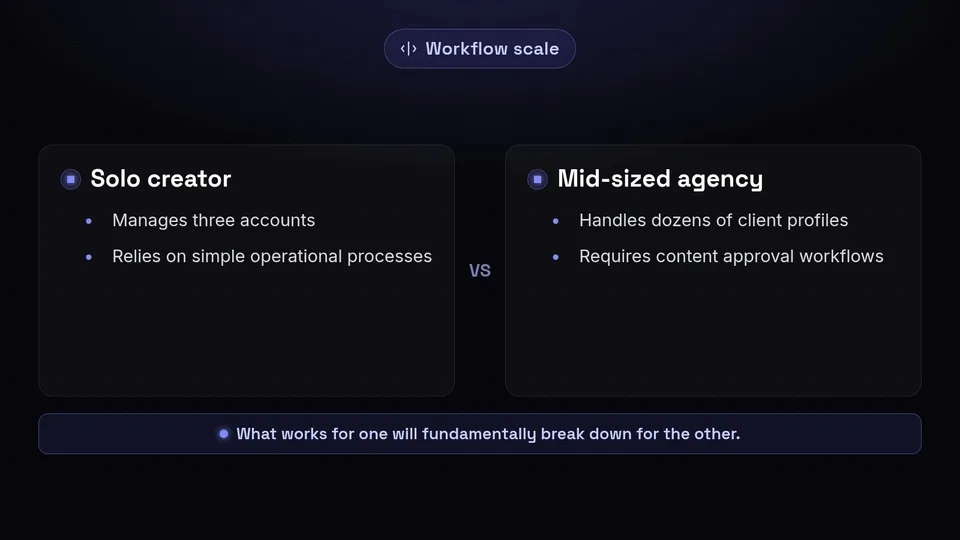
In August 2026, industry analysts at Buffer highlighted that the primary drivers for selecting a tool should be network compatibility and how well the platform's features align with your specific team workflows. What works for a solo creator managing three accounts will fundamentally break down for a mid-sized agency handling dozens of client profiles.
When you evaluate a platform, you are not just buying a piece of software; you are adopting a new operational process. A poorly chosen tool can create bottlenecks in content approval, obscure vital performance data, or fail to connect with the specific social networks your audience frequents. Therefore, running your own hands-on comparison is vital. You must move beyond reading landing pages and instead simulate your actual weekly tasks during a software trial.
12 Scheduler Evaluation Criteria to Test Against Your Workflow
Based on comprehensive industry evaluations, including insights from TechnologyAdvice and digital community breakdowns in late 2026, we have compiled the twelve most critical criteria to test when you compare social media schedulers.
1. Network Compatibility and Platform Integrations
The foundation of any social media management tool is its ability to connect seamlessly with the networks you actually use. As digital strategies diversify, limiting yourself to just Facebook and X (formerly Twitter) is rarely enough.
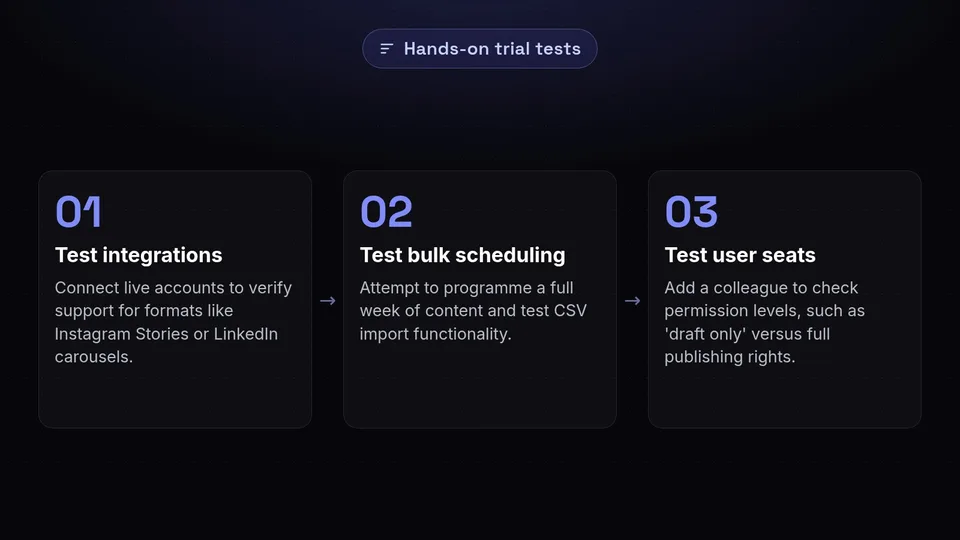
How to test this: During your trial, do not just look at the logos on the vendor's website. Connect your actual staging or live accounts. Verify if the platform supports the specific post types you rely on—such as Instagram Stories, TikTok videos, or LinkedIn carousels. For context, SchedulifyX currently supports multi-platform publishing across ten distinct networks, but you must verify that your specific network mix is fully supported by whichever tool you are testing.
2. Publishing and Bulk Scheduling Capabilities
Efficiency is the primary reason teams adopt these tools. If scheduling a post takes as many clicks as doing it natively on the social network, the tool has failed its primary purpose.
How to test this: Attempt to programme a full week's worth of content in one sitting. If you rely on bulk uploads, test the CSV import functionality. As of August 2026, Hootsuite's Advanced plan supports bulk scheduling of up to 350 posts via CSV file upload. If you process high volumes of content, you must test whether the platform can ingest, format, and schedule your spreadsheet data without throwing formatting errors.
3. User Seats and Account Limits
Community breakdowns frequently cite user and account limitations as a major friction point for growing teams. Pricing models often gate the number of users who can log in or the number of social profiles you can attach.
How to test this: Evaluate the platform's scalability. Add a colleague to your trial account and test the user permission levels. Can you restrict an intern to 'draft only' mode while giving a manager full publishing rights? Understanding these limits early prevents painful migrations later when your team expands.
4. AI Content Generation and Review
Modern AI ecosystems are redefining digital growth. The integration of artificial intelligence is no longer a novelty; it is a core component of content creation.
How to test this: Do not just accept that a tool 'has AI'. Test the quality of its output. For example, SchedulifyX features an integrated smart scheduling engine alongside AI captions and hashtags, as well as an AI caption review system. When testing any tool, input a basic prompt and evaluate whether the generated text sounds robotic or if it accurately captures your brand's tone of voice. Test if the AI can suggest relevant, trending hashtags rather than generic ones.
5. Approval Workflows and Collaboration
For agencies and larger internal teams, content must often pass through several hands before it goes live. TechnologyAdvice notes that collaboration features are a primary differentiator between basic and professional-grade tools.
How to test this: Create a dummy post and send it through the platform's approval loop. Does the reviewer receive a clear notification? Can they leave internal comments on the draft without publishing it? The workflow should feel intuitive and reduce the need for external communication via email or Slack.
6. Analytics and Performance Tracking
Publishing content is only half the battle; understanding how it performs dictates your future strategy. Hootsuite's 2026 guidance recommends conducting monthly audits to adjust posting frequency and content mix based on robust analytics.
How to test this: Navigate to the analytics dashboard. Are the reports visually clear? Can you export them easily for stakeholders? Test whether the platform offers aggregate data across all channels, as well as granular data for individual posts. Performance tracking should be immediate and actionable.
7. Visual Scheduling and Interface Ease of Use
A tool can have every feature in the world, but if the interface is cluttered and confusing, your team will resist using it. Visual scheduling—such as drag-and-drop calendar views—is essential for planning cohesive campaigns.
How to test this: Open the calendar view and try to move a scheduled post from Tuesday to Thursday using only your mouse. The interface should be responsive and visually indicate gaps in your posting schedule. Ease of use is highly subjective, which is why hands-on testing by the actual end-users is paramount.
8. Unified Inbox and Engagement Features
Social media is a two-way conversation. A unified inbox consolidates comments, direct messages, and mentions from across all your platforms into a single feed.
How to test this: Leave a comment on one of your scheduled posts from a personal account and see how quickly it appears in the tool's inbox. Can you reply directly from the platform? Can you assign the message to a customer service representative? Efficient community management relies heavily on this feature.
9. Social Listening and RSS Curation
Beyond your own feeds, you need to monitor what the wider internet is saying about your brand, competitors, and industry. Social listening and RSS curation allow you to stay ahead of trends and curate third-party content.
How to test this: Set up a listening stream for your brand name or a niche industry keyword. Evaluate how relevant the pulled-in conversations are. If the tool supports RSS curation, add a feed from your favourite industry blog and see how easily you can turn an article into a scheduled post.
10. Content Recycling and Evergreen Campaigns
Not every post needs to be entirely original. Content recycling allows you to automatically re-publish your best-performing evergreen content to ensure it reaches new followers.
How to test this: Look for features that allow you to categorise posts into 'evergreen' queues. Set up a test queue and observe if the smart scheduling engine spaces the repeated posts out appropriately to avoid spamming your audience.
11. API Access and Automation Workflows
For advanced digital teams, native features might not be enough. You may need to connect your scheduler to external CRMs, data visualization tools, or automation platforms.
How to test this: Check the developer documentation. Does the platform offer open API access? Do they have native integrations with automation tools? While you may not need this on day one, API access is a strong indicator of a platform's long-term scalability.
12. Free Tier Limits and Scalability
Finally, evaluating the entry point is crucial. In April 2026, SchedulifyX highlighted that testing free tier limits is a vital step in evaluating ease of use, platform integrations, and baseline analytics before committing budget.
How to test this: If you are starting small, scrutinise exactly what is gated behind the paywall. Does the free tier allow enough scheduled posts to run a meaningful trial? Understand the exact moment your workflow will require a paid upgrade, so you can budget accordingly.
Applying the Criteria: Buffer, Hootsuite, and SchedulifyX

When you compare social media schedulers using these twelve criteria, you will quickly notice that no single platform is universally perfect. Each tool has distinct strengths tailored to different operational models.
For instance, if your primary requirement is deep, enterprise-grade social listening or massive bulk upload capabilities, Hootsuite is currently stronger than SchedulifyX. As noted in industry evaluations from August 2026, Hootsuite’s Advanced plan allows bulk scheduling of up to 350 posts via CSV file upload—a highly robust feature for enterprise volume and legacy integrations.
Conversely, if you are a solo creator looking for the most stripped-back, minimalist interface for basic scheduling without advanced automation, Buffer’s strict alignment with simple team workflows remains incredibly strong.
SchedulifyX, launched globally in late 2025, centres its strength on modern AI ecosystems. If your workflow demands auto-posting combined with an intelligent smart scheduling engine, multi-platform publishing across ten networks, and rigorous AI caption review, SchedulifyX is designed to streamline those specific digital growth tasks. The choice ultimately depends entirely on which of the twelve criteria carry the most weight for your specific daily operations.
A Note on Pricing Models and Feature Matrices
You will notice that this guide does not list specific subscription prices or feature matrices. The SaaS landscape is highly dynamic. Pricing models—whether they charge per user seat, per social channel, or offer a flat rate—shift regularly to accommodate market demands. Feature limits, such as the exact number of posts allowed on a free tier, are equally subject to change.
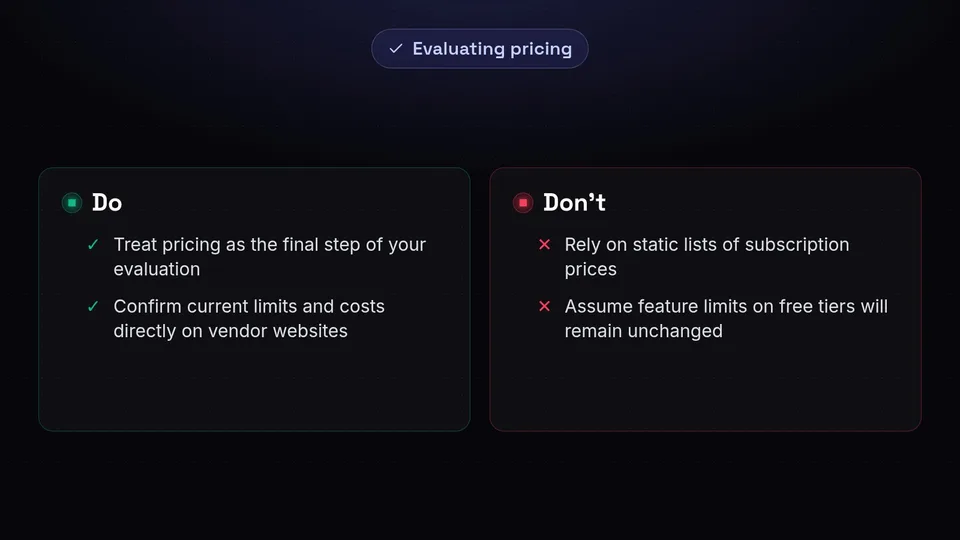
Therefore, any static list of prices will inevitably become outdated. When choosing a SMM tool, you must treat pricing as the final step of your evaluation. Once you have used the twelve criteria above to identify the tools that actually fit your workflow, please confirm current capabilities, plan limits, and costs directly on the vendors' own websites before making a final purchasing decision.
Conclusion: Building Your Ideal Digital Workflow
Learning how to properly compare social media schedulers is about looking past the marketing gloss and focusing on the mechanics of your daily work. By systematically testing network compatibility, AI content generation, approval workflows, and analytics, you ensure that the tool you choose will genuinely enhance your team's productivity rather than hinder it.
Remember that choosing a SMM tool is a strategic investment in your brand's digital future. Take the time to run practical tests, involve your team in the trial process, and audit your results regularly.
If you are ready to test a platform built for the modern, AI-driven digital landscape, we invite you to explore how SchedulifyX handles multi-platform publishing, AI caption generation, and performance tracking. Start your evaluation today and see how our smart scheduling engine fits into your unique workflow.
Sources
Facts checked against the sources below on August 29, 2026.
- Buffer Vs Hootsuite Vs Sprout Social 2026 — saascompared.io
- Social Media Scheduling Tools — blog.hootsuite.com
- Best Social Media Management Tools — buffer.com
- Social Media Posting Schedule — blog.hootsuite.com
- How Modern Ai Ecosystems Redefine Digital Growth — larksuite.com
- The Quiet Restructuring Of Small Digital Teams — reverbico.com
- Best Free Social Media Scheduling Tools 2026 — schedulifyx.com
- 229c99a5 443a 4eeb 91a8 D3cd8905e9bc — scouts.yutori.com
