Complete Pinterest SEO Guide 2026: Drive Massive Traffic
SchedulifyX Team · August 11, 2026
Master Pinterest SEO in 2026 with our complete guide. Learn how to optimize pins, boards, and leverage Idea Pins to drive massive traffic to your website.
When most marketers think of social media, they picture fleeting feeds, 24-hour stories, and an endless content treadmill. But Pinterest is different. Pinterest is not just a social network; it is a powerful visual search engine. If you want to drive traffic from Pinterest in 2026, you need to stop treating it like a traditional social platform and start treating it like Google. Welcome to the ultimate Pinterest SEO 2026 masterclass.
In this comprehensive guide, we will break down exactly how the Pinterest algorithm operates today. From uncovering high-converting Pinterest keywords to executing a flawless Pinterest marketing strategy, this article covers everything you need to know. Whether you are an e-commerce brand, a blogger, or a B2B company, mastering Pinterest SEO is the key to unlocking sustainable, evergreen Pinterest traffic.
Why Pinterest SEO is Different in 2026
The landscape of search engine optimization is constantly shifting, and Pinterest is no exception. In 2026, Pinterest has deeply integrated artificial intelligence and machine learning into its visual discovery engine. The platform now understands the context of images, text overlays, and user intent better than ever before.
The Shift to Intent-Based Discovery
Historically, Pinterest SEO relied heavily on exact-match keyword stuffing in pin descriptions and board titles. Today, the algorithm focuses on semantic search and user intent. When a user searches for "summer living room ideas," Pinterest isn't just looking for those exact words; it's looking for pins that visually represent that concept, linked to high-quality domains that historically satisfy user curiosity.
The Role of Visual Search and AI
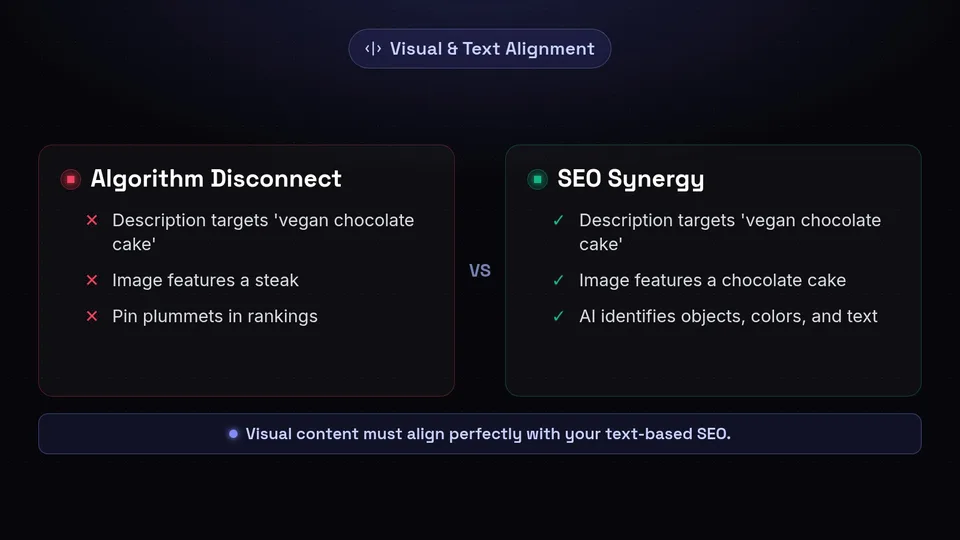
Pinterest's AI can "read" your images. It identifies objects, colors, and text within your pin design. This means your visual content must align perfectly with your text-based SEO. If your pin description targets "vegan chocolate cake" but your image features a steak, the algorithm will flag the disconnect, and your pin will plummet in rankings. Understanding this synergy between visual and textual data is the foundation of a modern Pinterest marketing strategy.
Mastering Pinterest Keywords

At the heart of every successful SEO campaign are keywords. Pinterest keywords are the terms and phrases your target audience types into the search bar. However, keyword research on Pinterest differs significantly from Google keyword research.
How to Find the Best Pinterest Keywords
There are several native tools you can use to unearth high-traffic keywords:
- The Guided Search Bar: Start typing a broad term related to your niche in the Pinterest search bar. The autocomplete suggestions are a goldmine of long-tail keywords. For example, typing "home office" might yield "home office ideas on a budget" or "home office setup for two."
- Pinterest Trends Tool: The Pinterest Trends tool is essential for 2026. It allows you to see the search volume trajectory for specific terms over the past 12 months. This is crucial for planning seasonal content. If you want to drive traffic from Pinterest during the holidays, you need to know exactly when searches for "DIY Christmas gifts" start spiking (usually as early as July!).
- Audience Insights: Dive into your Pinterest Business Hub to see what categories and interests your existing audience is engaging with. This can reveal unexpected keyword opportunities.
Short-Tail vs. Long-Tail Keywords
While short-tail keywords (e.g., "Marketing") have massive search volume, they are incredibly competitive. Long-tail keywords (e.g., "social media marketing strategy for small business") have lower volume but much higher intent. Your Pinterest SEO 2026 strategy should involve targeting long-tail keywords to build initial authority, which will eventually help you rank for broader terms.
Optimizing Your Profile and Boards
Before you start pinning, your foundation needs to be rock solid. Your profile and your boards send vital contextual signals to the Pinterest algorithm.
Claiming Your Domain and Social Accounts
The very first step in any Pinterest marketing strategy is claiming your website. When you claim your domain, Pinterest attributes all pins originating from your site to your account, regardless of who pinned them. This builds your domain authority on the platform. Furthermore, a claimed domain gives you access to comprehensive website analytics within Pinterest.
Optimizing Your Display Name and Bio
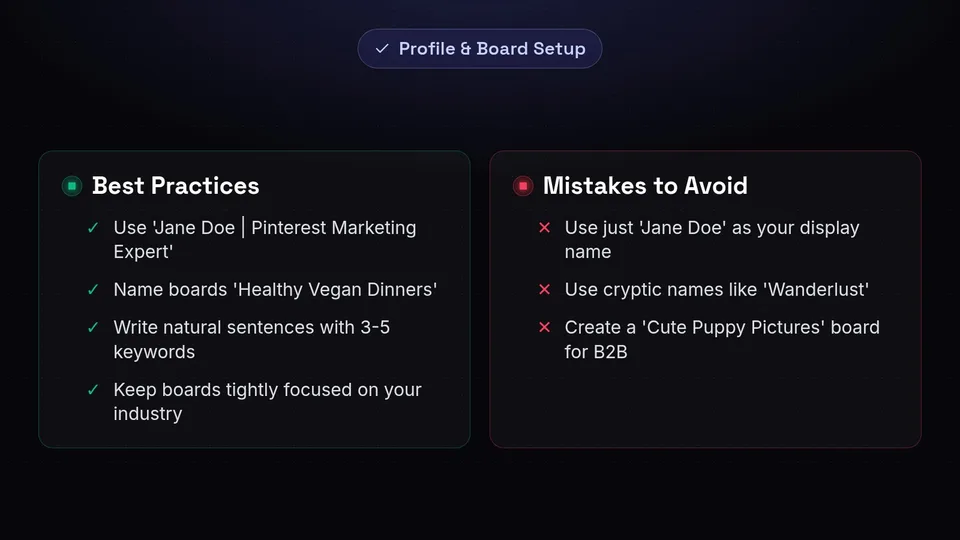
Your display name should include your brand name and a primary keyword. For example, instead of just "Jane Doe," use "Jane Doe | Pinterest Marketing Expert." Your bio should be a concise, keyword-rich explanation of who you help and how you help them, followed by a clear call-to-action (CTA) offering a lead magnet or linking to your best content.
Structuring and Naming Your Boards
Board names are not the place to be clever or cryptic. Avoid names like "My Favorite Things" or "Wanderlust." Instead, use clear, keyword-optimized titles like "Email Marketing Tips," "Healthy Vegan Dinners," or "Minimalist Wardrobe Ideas."
- Board Descriptions: Every board must have a detailed description. Use natural sentences that incorporate 3-5 relevant Pinterest keywords.
- Board Categorization: Ensure each board is assigned to the most relevant Pinterest category.
- Niche Relevance: Keep your boards tightly focused on your industry. If you are a B2B software company, having a board dedicated to "Cute Puppy Pictures" dilutes your account's topical authority.
Crafting Keyword-Rich Pin Descriptions

The text associated with your pin is what tells the algorithm exactly what your content is about. Crafting the perfect pin description is an art and a science.
The Anatomy of a Perfect Pin Description
A fully optimized pin description in 2026 should be up to 500 characters long, though the first 50-100 characters are the most important as they are what users see in the feed. Your description must include:
- A Strong Hook: Grab the user's attention immediately.
- Primary and Secondary Keywords: Weave your Pinterest keywords naturally into the text. Do not keyword stuff (e.g., "marketing, seo, business, tips"). Instead, write conversational sentences (e.g., "Looking for the best marketing SEO tips to grow your business?").
- A Clear Call to Action (CTA): Tell the user exactly what to do next. "Click here to read the full guide," "Save this for later," or "Download the free template now."
The Importance of Pin Titles
Pin titles carry massive SEO weight. Your pin title should be compelling, accurate, and contain your exact focus keyword. If your pin links to a blog post titled "10 Ways to Drive Traffic from Pinterest," your pin title should closely mirror that, ensuring alignment between the pin, the title, and the destination URL.
Text Overlay on Images
As mentioned earlier, Pinterest's AI reads the text on your images. Ensure that the text overlay on your graphic matches the keywords in your title and description. Use clear, easy-to-read fonts. Avoid overly scripty fonts that the AI might struggle to decipher.
The Fresh Pin Strategy Explained
If you want to maintain and grow your Pinterest traffic, you must understand the "Fresh Pin" strategy. In recent years, Pinterest has made it abundantly clear: the algorithm prioritizes fresh, new content over repins of old content.
What Constitutes a "Fresh Pin"?
A fresh pin is defined as an image or video that has never been uploaded to Pinterest before. Here is how it works:
- New Image, New Link: The ultimate fresh pin. A brand new graphic pointing to a brand new blog post or product page.
- New Image, Old Link: This is the secret weapon of Pinterest marketers. You can create multiple different graphics (different colors, text overlays, and layouts) that all point to the same existing URL. Pinterest considers each new image a "fresh pin."
- Same Image, New Link: This is NOT a fresh pin.
- Same Image, Same Link (Repin): This is heavily deprioritized in 2026. While saving your own pins to relevant boards is fine initially, endlessly looping the same pin will hurt your account's reach.
Scaling Your Fresh Pin Creation
Creating fresh pins daily can be exhausting. To sustain this Pinterest marketing strategy, you need to use templates. Tools like Canva or Adobe Express allow you to create batch templates. Simply swap out background images, change the text overlay, and adjust the colors to generate 5-10 fresh pins for a single piece of content in minutes.
Leveraging Idea Pins for Maximum Reach
Idea Pins (formerly Story Pins) evolved significantly leading up to 2026. Originally designed for in-app engagement without outbound links, Pinterest has since updated Idea Pins to be massive traffic drivers.
Why Idea Pins Matter for Pinterest SEO 2026
Idea Pins sit at the top of user feeds and are heavily pushed by the algorithm. They are multi-page canvases that allow you to share step-by-step guides, lists, or short-form video content. Because the algorithm favors video and interactive content, Idea Pins are the fastest way to build impressions and followers.
Optimizing Idea Pins for Traffic
To drive traffic from Pinterest using Idea Pins, follow these best practices:
- Use Video: The first slide of your Idea Pin should almost always be a video to capture attention as the user scrolls.
- Add Contextual Text: Use Pinterest's native text editor to add text to your slides. The algorithm reads this native text to index your Idea Pin for search.
- Fill Out the Details Section: Depending on your niche, fill out the ingredients (for recipes), supplies (for DIY), or notes section. This area is highly searchable.
- Include Links: Utilize the link sticker or native linking features (depending on your account's region and status) to drive users directly to your landing pages.
Setting Up and Using Rich Pins
Technical SEO is just as important on Pinterest as it is on Google. Rich Pins are a type of organic Pin that automatically syncs information from your website to your Pins. If something changes on your website, the Rich Pin updates to reflect that change.
The Types of Rich Pins
In 2026, there are three main types of Rich Pins you need to know about:
- Article Rich Pins: Ideal for bloggers and content marketers. These pins display the headline, the author, and a short description of the article directly on the pin. They signal to users that there is valuable, readable content behind the click.
- Product Rich Pins: Essential for e-commerce. These pins show the most up-to-date pricing, availability, and product information right on your Pin. They also include a direct "Shop" button, significantly increasing conversion rates.
- Recipe Rich Pins: Perfect for food bloggers. These pins add a title, serving size, cooking time, and a list of ingredients to pins that link to recipes.
How to Enable Rich Pins
Setting up Rich Pins requires a bit of technical work, but it is a one-time process:
- Step 1: Ensure your website has the proper Open Graph or Schema.org metadata installed. Most modern SEO plugins (like Yoast or RankMath for WordPress) handle this automatically.
- Step 2: Copy the URL of any page on your site that contains this metadata (e.g., a blog post).
- Step 3: Go to the Pinterest Rich Pins Validator tool, paste the URL, and click "Validate."
- Step 4: Once validated, click "Apply now." Your pins will start showing rich data within a few days.
Decoding Pinterest Analytics
You cannot improve what you do not measure. A robust Pinterest marketing strategy relies on data-driven decisions. Pinterest Analytics provides a wealth of information, but you need to know which metrics actually matter.
Vanity Metrics vs. Actionable Metrics
It is easy to get caught up in "Impressions." While seeing millions of impressions is great for brand awareness, it doesn't pay the bills. Impressions simply mean your pin appeared on a screen; it doesn't mean the user looked at it, engaged with it, or clicked it.
Instead, focus on these key metrics:
- Outbound Clicks (Link Clicks): This is the holy grail of Pinterest traffic. It tells you exactly how many people clicked through your pin to visit your website.
- Saves (Repins): Saves are a massive indicator of content quality. When a user saves your pin, they are telling the algorithm, "This is valuable." High save rates will cause the algorithm to show your pin to more people over a longer period.
- Engagement Rate: This is the total engagements (clicks, saves, close-ups) divided by total impressions. A high engagement rate indicates that your pin design and keywords are highly relevant to the audience seeing them.
Iterating Based on Data
Review your analytics monthly. Identify your top 10 performing pins by outbound clicks. Analyze them: What do the designs have in common? What keywords did you use? What was the call to action? Use these insights to inform your template designs and keyword targeting for the following month.
Automating Your Pinterest Marketing Strategy
By now, you realize that mastering Pinterest SEO 2026 requires consistency. Creating fresh pins, researching Pinterest keywords, and pinning at optimal times every single day is a full-time job. That is where automation comes in.
Why You Need a Scheduling Tool
Pinterest rewards consistency. Pinning 3-5 times a day, every day, yields far better results than dumping 30 pins on a Sunday and ignoring the platform for a week. However, manually pinning multiple times a day is unsustainable.
"The secret to explosive Pinterest growth isn't just great content; it's consistent, algorithmic delivery of that content over time."
Enter SchedulifyX
To truly scale your efforts and drive traffic from Pinterest on autopilot, you need a smart, AI-powered platform like SchedulifyX. SchedulifyX isn't just a basic queue; it is designed with modern Pinterest SEO in mind.
- AI-Powered Descriptions: Struggling to write 500-character, keyword-rich descriptions for every fresh pin? SchedulifyX utilizes advanced AI to generate highly optimized pin titles and descriptions based on your target keywords and destination URL.
- Smart Scheduling: SchedulifyX analyzes your audience's behavior to pinpoint the exact times they are most active on Pinterest, automatically scheduling your pins for maximum visibility and engagement.
- Visual Calendar & Campaign Management: Easily plan your seasonal content months in advance. Drag and drop your fresh pin designs into the visual calendar to ensure a steady stream of high-quality content hits your boards daily.
- Cross-Platform Synergy: While dominating Pinterest, SchedulifyX allows you to seamlessly adapt and schedule your visual content for Instagram, Facebook, and TikTok, ensuring a cohesive omnichannel marketing strategy.
Conclusion
Mastering Pinterest SEO 2026 is not about finding quick hacks or exploiting loopholes. It is about understanding Pinterest as a visual search engine, respecting the algorithm's desire for fresh, relevant content, and deeply understanding user intent.
By conducting thorough research for Pinterest keywords, optimizing your boards, crafting compelling pin descriptions, and leveraging the power of Idea and Rich Pins, you build an evergreen engine that will drive traffic from Pinterest for years to come.
Don't let the daily grind of content distribution hold you back. Implement these SEO strategies today, and let SchedulifyX handle the automation, AI generation, and scheduling. Sign up for SchedulifyX today and watch your Pinterest traffic soar to new heights!
