Mastering Multi Brand Social Analytics in SchedulifyX
SchedulifyX Team · August 25, 2026
Streamline your multi-brand management with SchedulifyX. Learn to leverage brand switching, per-brand dashboards, and analytics export for agency reporting.
Managing a single brand's social media presence requires meticulous attention to detail, a deep understanding of audience behaviour, and a consistent review of performance metrics. When you multiply this responsibility across several distinct brands, the complexity of the task increases exponentially. For marketing agencies, portfolio businesses, and freelance social media managers, understanding performance across a diverse roster of clients demands a streamlined, rigorous approach to multi brand social analytics. Without a structured method and the right environment, professionals often find themselves lost in a maze of disparate native platforms, struggling to compile cohesive reports and extract actionable insights.
SchedulifyX is designed to bring order to this complexity. By providing a unified environment, it removes the friction typically associated with managing multiple clients. This comprehensive tutorial explores how to leverage SchedulifyX for reading analytics across several accounts, focusing on per-brand dashboards, the analytics export function, and the establishment of a reliable, repeatable monthly agency reporting routine. Whether you are building your first multi-client workflow or refining an established process, mastering these core features will fundamentally improve how you analyse and report on social media performance.
The Challenge of Multi Brand Social Analytics
Before diving into the specific mechanisms of SchedulifyX, it is crucial to understand the inherent challenges of multi brand social analytics. Native social media platforms—such as Facebook, X, LinkedIn, and Instagram—offer their own built-in analytics tools. While these native insights are highly detailed, they are siloed. They are built for the individual user or the single-brand manager. For an agency managing ten, twenty, or fifty brands, relying on native analytics presents several significant operational hurdles.
The Cognitive Load of Context Switching
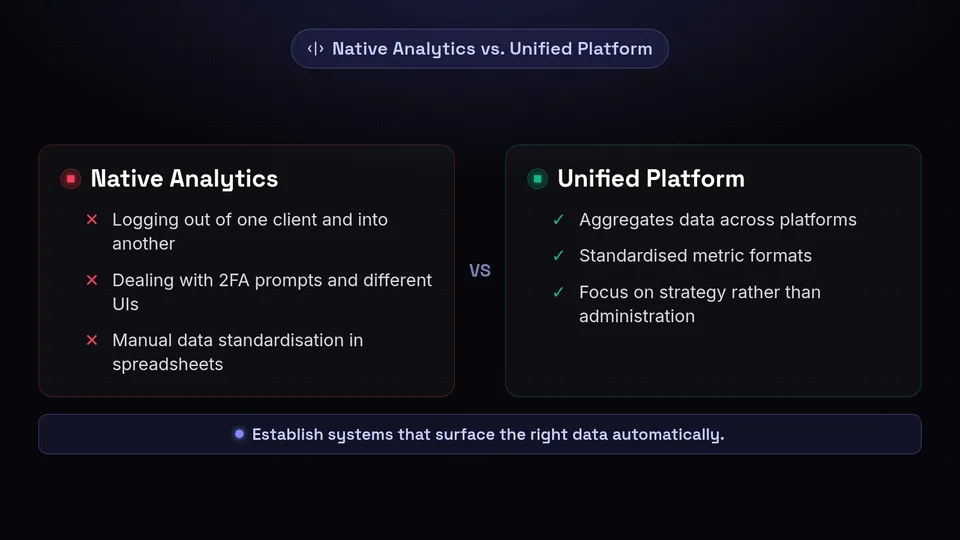
Every time a social media manager logs out of one client's native account and logs into another, they experience a disruption in their workflow. This constant logging in and out, dealing with two-factor authentication prompts, and navigating different user interfaces creates a heavy cognitive load. It fragments concentration and increases the likelihood of errors when compiling data. Multi brand social analytics requires a vantage point that allows a manager to see the broader picture without getting bogged down in the administrative friction of platform hopping.
Data Fragmentation and Standardisation
Another major challenge is data fragmentation. Different social networks define and calculate metrics differently. What constitutes an 'engagement' on one platform might differ slightly from another. When attempting to create a unified agency reporting routine, analysts must manually extract this data, clean it, and standardise it in external spreadsheets. This manual compilation is not only time-consuming but also highly susceptible to human error. A unified platform aims to aggregate this data, presenting it in a standardised format that makes cross-platform and cross-brand analysis feasible.
Effective multi-brand management is less about working harder to gather data, and more about establishing systems that surface the right data automatically, allowing you to focus on strategy rather than administration.
Seamless Navigation: The Mechanics of Brand Switching
To combat the friction of managing multiple accounts, SchedulifyX incorporates a streamlined brand switching mechanism. This feature is the foundational element of efficient multi brand social analytics, allowing users to transition between different client workspaces without losing their overall context within the application.
How Brand Switching Works
In SchedulifyX, each client or brand you manage operates within its own dedicated workspace. The brand switching feature acts as a central toggle—typically accessed via a persistent navigation menu. When you select a different brand from your roster, the entire SchedulifyX interface updates to reflect the data, schedules, and analytics specific to that brand. This means you do not need to log out of your SchedulifyX account; you simply shift your focus from one workspace to another.
The Impact on Workflow Efficiency
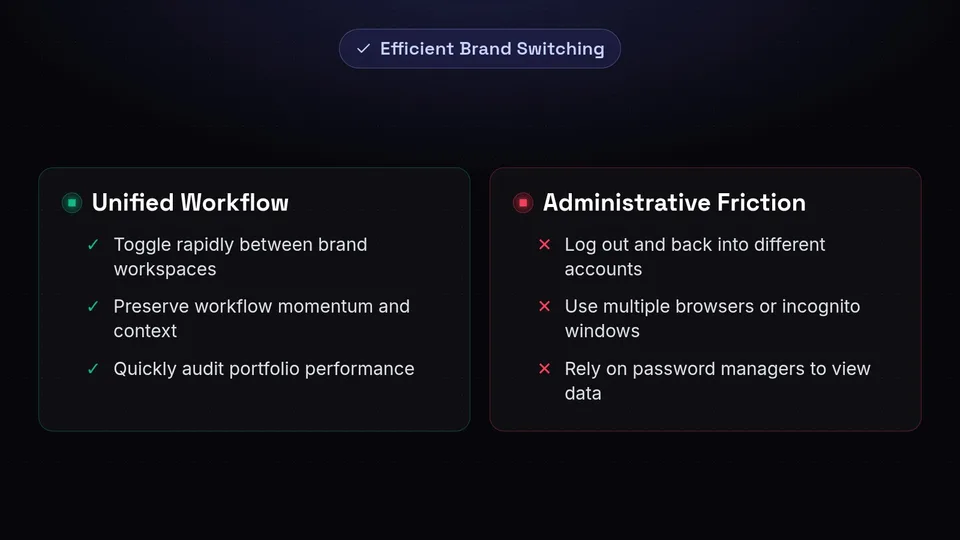
The primary benefit of instant brand switching is the preservation of workflow momentum. If you are conducting a comparative analysis of how different brands performed during a specific holiday weekend, you can toggle rapidly between Brand A, Brand B, and Brand C. You can view their respective dashboards, note the key metrics, and formulate your insights without ever leaving the analytics environment. This fluidity is essential for a smooth agency reporting routine, as it turns a disjointed, multi-step process into a continuous analytical exercise.
- Maintains Context: Keep your date ranges and analytical mindset intact as you move between clients.
- Reduces Administrative Overhead: Eliminate the need for multiple browsers, incognito windows, or password managers just to view different client data.
- Facilitates Rapid Auditing: Quickly check in on the daily performance of your entire portfolio in minutes rather than hours.
Deep Dive into Per-Brand Dashboards

Once you have selected a specific client using the brand switching tool, you are presented with their per-brand dashboard. This dashboard is the command centre for reading analytics across several brands, providing a consolidated view of that specific brand's performance across all connected social networks.
Aggregated Performance Metrics
The per-brand dashboard in SchedulifyX aggregates data from the various social channels connected to that specific workspace. Instead of viewing X analytics in one tab and LinkedIn analytics in another, the dashboard brings these metrics together. You can observe overarching trends in audience growth, total impressions, and overall engagement. This aggregation helps you understand the brand's total digital footprint and how different platforms contribute to the overall marketing objectives.
Identifying High-Performing Content
A critical component of any agency reporting routine is identifying what content resonates most with the audience. The per-brand dashboard highlights top-performing posts based on the metrics you prioritise, such as likes, shares, comments, or clicks. By reviewing this section of the dashboard regularly, you can discern patterns in content format (e.g., video versus static image), tone of voice, and posting times. Understanding these patterns allows you to refine your content strategy iteratively, ensuring that future campaigns are informed by historical performance.
Analysing Audience Behaviour
Beyond content performance, the per-brand dashboard provides insights into audience behaviour. By observing when your audience is most active and how they interact with different types of posts, you can optimise your publishing schedule. When managing multiple brands, you will quickly notice that the optimal posting times and engagement patterns vary wildly from one client to the next. The per-brand dashboard ensures that you are making data-driven decisions tailored to each specific audience, rather than applying a generic, one-size-fits-all approach across your entire agency portfolio.
Mastering the Analytics Export Feature
While the per-brand dashboard is excellent for day-to-day monitoring and immediate strategic adjustments, formal client communication requires structured documentation. This is where the analytics export feature becomes indispensable. Exporting data allows you to take the insights generated within SchedulifyX and format them for external stakeholders.
Customising Your Data Export
The analytics export function in SchedulifyX is designed to be flexible, accommodating the diverse needs of different clients. When preparing an export, you can typically define specific parameters to ensure the resulting data is highly relevant.
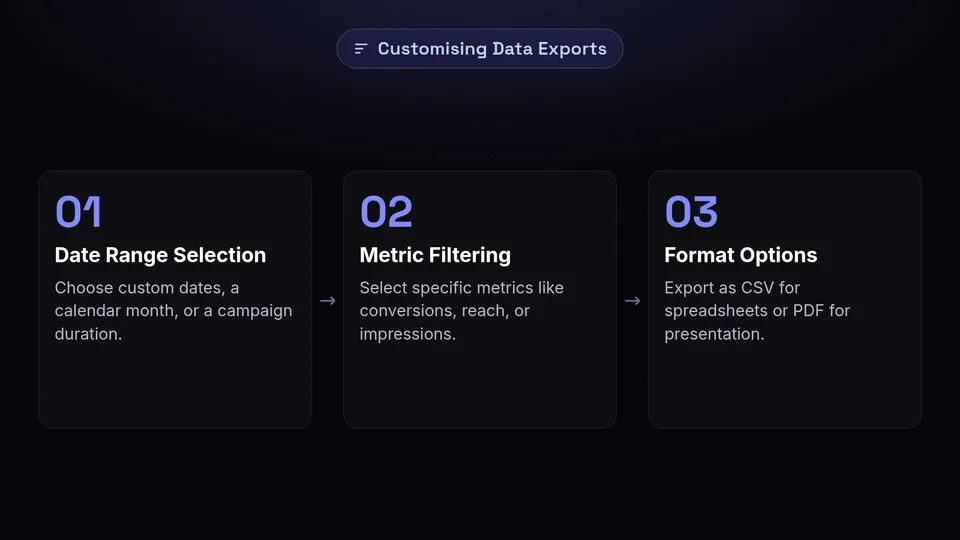
- Date Range Selection: Choose custom date ranges to align with your reporting periods, whether that is a standard calendar month, a specific campaign duration, or a year-to-date overview.
- Metric Filtering: Select which specific metrics to include in the export. Some clients may only care about bottom-line conversions and click-through rates, while others may want a granular breakdown of brand awareness metrics like reach and impressions.
- Format Options: Depending on your workflow, you can export data in formats suitable for further manipulation (like CSV files for spreadsheet analysis) or presentation-ready formats (like PDF summaries).
Integrating Exports into External Workflows
The true power of the analytics export feature lies in its ability to feed into broader agency workflows. For agencies that use proprietary reporting templates or third-party data visualisation tools, exporting raw CSV data from SchedulifyX allows for seamless integration. You can pull the multi brand social analytics data out of the platform and merge it with other marketing data—such as website analytics, email marketing performance, or paid advertising spend—to create comprehensive, omnichannel client reports.
Building a Robust Agency Reporting Routine
Having access to powerful tools like brand switching, per-brand dashboards, and analytics export is only half the equation. The other half is implementing a disciplined process. Establishing a monthly agency reporting routine ensures that multi brand social analytics are reviewed consistently, insights are documented, and clients are kept informed of their return on investment.
Step 1: The End-of-Month Data Extraction
The routine should begin on a designated day at the end of the reporting period (typically the first or second day of the new month). The first step is purely administrative: data extraction. Using the brand switching feature, navigate systematically through your client roster. In each workspace, utilise the analytics export feature to download the performance data for the preceding month. By batching this task, you ensure that all data is captured simultaneously, providing a consistent snapshot across your entire portfolio.
Step 2: Individual Brand Analysis
Once the data is exported and safely stored in your agency's filing system, the analytical work begins. Take each brand one by one. Review the exported data alongside the visual representations in the per-brand dashboards. During this phase, you should be looking to answer specific questions:
- Did the brand meet its social media objectives for the month?
- Which campaigns or content pillars drove the highest engagement?
- Were there any anomalies or unexpected drops in performance, and what caused them?
Document these findings. The goal here is to translate raw numbers into a narrative that explains why the metrics look the way they do.
Step 3: Cross-Brand Strategic Review
This is a step often missed by agencies, but it is where true multi brand social analytics adds value. After analysing each brand individually, take a step back and look at your portfolio as a whole. Are there macro trends affecting all your clients? For example, did a recent algorithm update on a major social network impact organic reach across the board? Did a specific style of short-form video perform exceptionally well for a B2B client as well as a B2C client? Identifying these cross-brand trends allows you to apply successful tactics from one account to another, elevating the overall quality of your agency's service.
Step 4: Client Presentation and Strategy Adjustment
The final step in the monthly agency reporting routine is presenting the findings to the client. Using the insights gathered from the dashboards and the data from the analytics export, construct a clear, concise report. Focus on actionable insights rather than just reading the numbers back to the client. Conclude the report with strategic recommendations for the following month. If a particular content format underperformed, propose a pivot. If an experimental campaign succeeded, suggest scaling it up. This ensures that your analytics routine is not just a historical record, but a forward-looking roadmap.
Conclusion: Elevating Your Analytical Workflow
Effectively managing multi brand social analytics is a complex but essential discipline for any agency or multi-brand business. Relying on fragmented native tools leads to inefficiency, increased cognitive load, and disjointed reporting. By centralising your efforts within SchedulifyX, you can transform a chaotic administrative burden into a streamlined, strategic advantage.
Utilising seamless brand switching allows you to navigate your client roster with ease, maintaining focus and momentum. Diving into per-brand dashboards provides the aggregated, cross-network visibility necessary to understand individual brand performance deeply. Finally, mastering the analytics export feature empowers you to extract these insights and build a highly professional, repeatable agency reporting routine.
By grounding your workflow in these structured processes, you move beyond merely reporting numbers; you begin to uncover the strategic narratives that drive real growth for your clients. If you are ready to streamline your multi-brand management and elevate your reporting capabilities, integrate these practices into your daily operations.
Ready to take control of your client analytics and build a better reporting workflow? Start optimising your multi-brand strategy today by visiting https://www.schedulifyx.com/signup and discovering how SchedulifyX can transform your agency operations.
