Reading Post Publishing History: Retries and Delays
SchedulifyX Team · October 5, 2026
Learn how to interpret your post publishing history, decode your publishing log, and master the failed post retry process to keep your social strategy on track.
You have spent hours meticulously crafting the perfect social media campaign. The copy is sharp, the images are perfectly cropped, and you have scheduled everything to go live at the optimal time. But once you hit 'Schedule', how do you actually know what happens next? The journey of a social media post does not end when it leaves your drafts; in fact, the complex digital handover between a scheduling tool and a social network is just beginning.
Understanding your post publishing history is a fundamental skill for any social media manager. It is the definitive record of what went out, what was delayed, and what failed to publish altogether. In this tutorial, we will explore how to read your historical data, interpret your publishing logs, and effectively utilise retry mechanisms within SchedulifyX to ensure your content reaches your audience exactly as planned.
The Importance of Your Post Publishing History
When you queue a post in a scheduling platform, you are essentially creating an instruction. You are telling the software: "At this specific date and time, send this package of text and media to this specific social network." However, an instruction is not a guarantee of execution. Networks experience downtime, application programming interfaces (APIs) change, and account authentications expire.
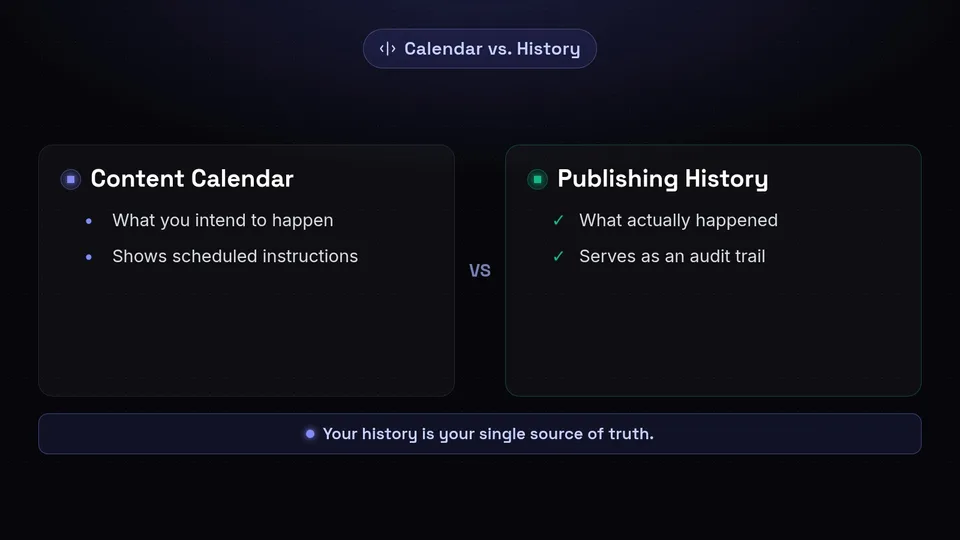
This is where your post publishing history becomes invaluable. It serves as your single source of truth. While your content calendar shows you what you intend to happen, your publishing history shows you what actually happened. Regularly reviewing this history allows you to identify patterns in delivery, verify that time-sensitive announcements went live, and maintain a clear audit trail of your brand's digital footprint.
Decoding the Publishing Log: What Actually Went Out?

To truly understand your history, you need to know how to read a publishing log. Think of the publishing log as a detailed receipt for every transaction between SchedulifyX and the social media platforms you use. Every time the system attempts to push a post live, it generates a log entry.
When you open your publishing log, you will typically encounter several distinct statuses:
- Published/Success: The social network's API accepted the post, processed the media, and confirmed that the content is now live on your profile.
- Pending/Processing: SchedulifyX has sent the content, but the social network is still processing it. This is highly common with video files, which require the native platform to compress and format the media before it can be displayed to users.
- Failed: The social network rejected the post. The publishing log will almost always include an error message returned by the platform, explaining why the rejection occurred.
By making it a habit to check your publishing log, you transition from hoping your posts go live to actively verifying their success. It removes the guesswork and provides immediate diagnostic information if something goes awry.
Understanding Delays in Social Media Publishing
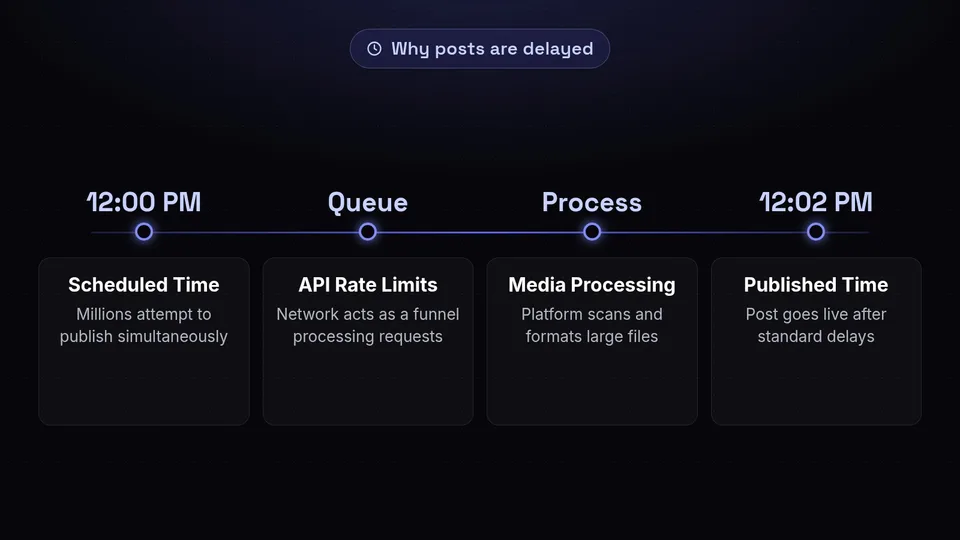
A common source of confusion for social media managers is a discrepancy between the scheduled time and the actual published time. You might schedule a post for 12:00 PM, but your post publishing history indicates it went live at 12:02 PM. Why does this happen?
Delays are a normal part of the automated publishing ecosystem. Social networks operate strict API rate limits to prevent spam and ensure server stability. If millions of users across various scheduling platforms all attempt to publish a post at exactly 12:00 PM, the social network acts as a funnel, processing these requests sequentially rather than simultaneously. This queueing mechanism ensures that no data is lost, but it can result in slight delays.
Furthermore, media processing takes time. High-resolution images and large video files must be uploaded from SchedulifyX to the platform's servers. The platform then scans the file for formatting requirements and potential copyright infringements before rendering it for public viewing. When reviewing your post publishing history, minor delays of a few minutes should be viewed as standard operational behaviour rather than a system failure.
Navigating the Failed Post Retry Mechanism
Even with the most meticulous planning, posts will occasionally fail. This is an unavoidable reality of working with external APIs. However, a failure does not mean your content is lost. This is where the failed post retry feature in SchedulifyX becomes your most vital safety net.
A failed post retry is exactly what it sounds like: a subsequent attempt to push the content to the social network after an initial rejection. The mechanism behind this depends on the nature of the failure.
Automated vs. Manual Retries
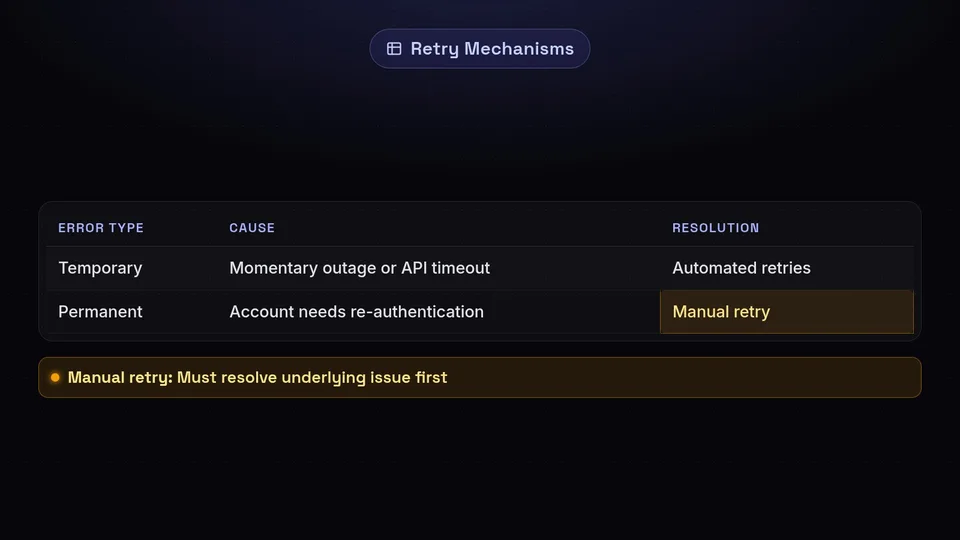
Some errors are temporary. For example, a social network might experience a brief momentary outage, or their API might time out whilst trying to process your request. In these instances, a failed post retry can often resolve the issue without any intervention. The system waits for a brief period and attempts the handshake again.
Other errors are permanent until you take action. If your post failed because your account requires re-authentication, no amount of automated retries will force the post through. You must first resolve the underlying issue—by logging back into the social network and refreshing your connection—before initiating a manual failed post retry from your SchedulifyX dashboard.
Common Reasons for Publishing Failures
To effectively manage your publishing log, it is helpful to understand the most frequent culprits behind failed posts. When you see a failure in your history, it is usually due to one of the following reasons:
- Expired Authentication Tokens: For security reasons, social networks do not grant scheduling platforms permanent access to your accounts. They use authentication tokens that periodically expire. When a token expires, SchedulifyX loses permission to publish on your behalf, resulting in a failed post.
- Media Format and Size Restrictions: Every platform has strict rules regarding aspect ratios, file sizes, and video lengths. If a video is too long for a specific network, the API will reject the entire post.
- Character Limits and Restricted Links: Exceeding the character limit of a specific platform will cause a failure. Additionally, if you include a link that the social network has flagged as spam or malicious, the API will refuse to publish the content.
- Duplication Filters: Many platforms actively block identical content from being published in quick succession to combat spam. If your publishing log shows a failure due to duplication, you will need to alter the copy or media before attempting a retry.
Best Practices for Managing Your Schedule
Now that you understand the mechanics of your post publishing history, you can implement robust workflows to safeguard your social media strategy.
Firstly, do not wait until the end of the month to review your publishing log. Incorporate a brief daily or weekly check into your routine. Skim your history to ensure all high-priority posts display a 'Success' status.
Secondly, when you encounter a failure, read the diagnostic message carefully before simply mashing the retry button. The error message provided by the social network's API will tell you exactly what needs to be fixed. If it is an expired token, reconnect your account. If the image is too large, compress it. Once the root cause is addressed, use the failed post retry feature to seamlessly push the content live without having to recreate the post from scratch.
Conclusion
Your post publishing history is much more than a simple list of past actions; it is a vital diagnostic dashboard that provides transparency into the complex mechanics of social media automation. By learning to accurately read your publishing log, understanding the natural delays inherent in API communication, and mastering the failed post retry feature, you can maintain total control over your digital presence.
Take the guesswork out of your social media strategy. Log in to your SchedulifyX account today, navigate to your publishing history, and start auditing your recent activity to ensure your content is always reaching its intended destination.
