Social Media Accessibility Guide: Create Inclusive Content
SchedulifyX Team · August 18, 2026
Learn how to create inclusive content with our ultimate social media accessibility guide. Discover best practices for alt text, captions, and screen readers.
Imagine scrolling through your favorite social media feed, but every image is a blank square, videos play in total silence without context, and captions are an unreadable jumble of symbols. For millions of users with disabilities, this frustrating experience is a daily reality. In today's digital-first landscape, social media accessibility is no longer just an optional add-on or an afterthought—it is a fundamental pillar of effective, modern marketing.
Creating inclusive content ensures that everyone, regardless of their physical or cognitive abilities, can engage with your brand. When you prioritize accessibility, you are not just ticking a compliance box; you are expanding your audience, boosting your brand's reputation, and fostering genuine connection. In this comprehensive guide, we will explore the essential strategies for accessible marketing, from mastering alt text to utilizing the best accessibility tools available to social media managers today.
Why Social Media Accessibility Matters
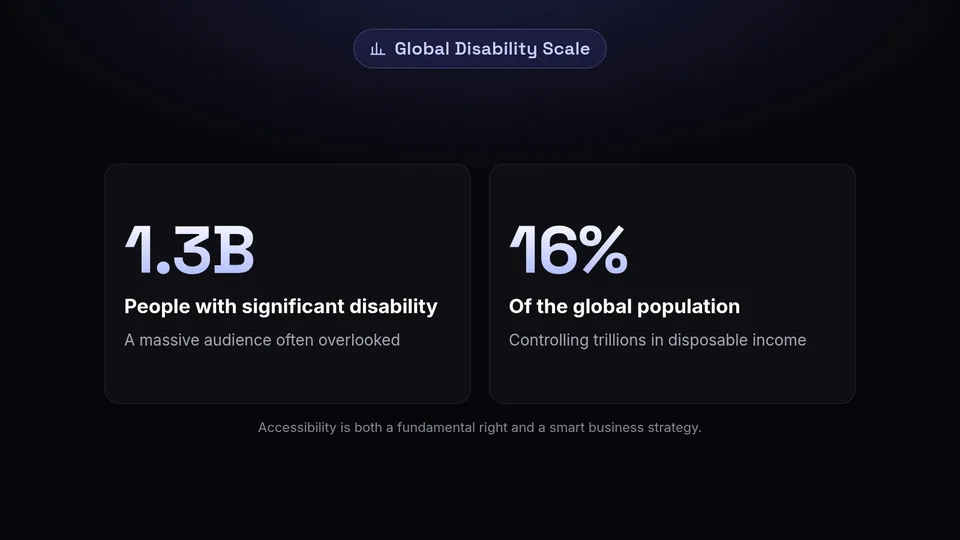
To truly understand the impact of social media inclusivity, we must first look at the sheer scale of the audience it serves. According to the World Health Organization (WHO), over 1.3 billion people—or roughly 16% of the global population—experience significant disability. This includes visual impairments, hearing loss, cognitive conditions, and motor disabilities.
The Business Case for Accessible Marketing
From a purely strategic standpoint, accessible marketing is smart business. By ignoring accessibility, brands effectively shut the door on up to 16% of their potential customer base. This demographic controls trillions of dollars in disposable income. When your content is accessible, it is inherently more consumable for everyone. For example, closed captions do not just help the Deaf and hard-of-hearing communities; they also benefit users watching videos in noisy environments or those who prefer scrolling with their volume turned off.
Legal and Ethical Considerations
Beyond the business benefits, there is a strong ethical imperative to create an inclusive digital space. Access to information is a fundamental human right. Furthermore, legal frameworks around the world, such as the Americans with Disabilities Act (ADA) in the United States and the European Accessibility Act (EAA), are increasingly being applied to digital spaces. Ensuring your social media content complies with Web Content Accessibility Guidelines (WCAG) helps protect your brand from potential legal risks while establishing you as a socially responsible entity.
"Accessibility is not a feature; it is a fundamental right. When we design for accessibility, we design for humanity."
Mastering Alt Text for Social Media
One of the most critical elements of social media accessibility is alternative text, commonly known as alt text. Alt text social media practices ensure that visually impaired users who rely on screen readers can understand the images you post.
What is Alt Text?
Alt text is a hidden, written description of an image. When a screen reader encounters an image on a platform like Instagram, Twitter, or LinkedIn, it reads this text aloud. If no alt text is provided, the screen reader might read the image's file name (e.g., "IMG_1234.JPG"), or simply say "Image," leaving the user completely in the dark about your post's visual context.
Best Practices for Writing Alt Text
Writing effective alt text is both an art and a science. Here are the core principles to follow:
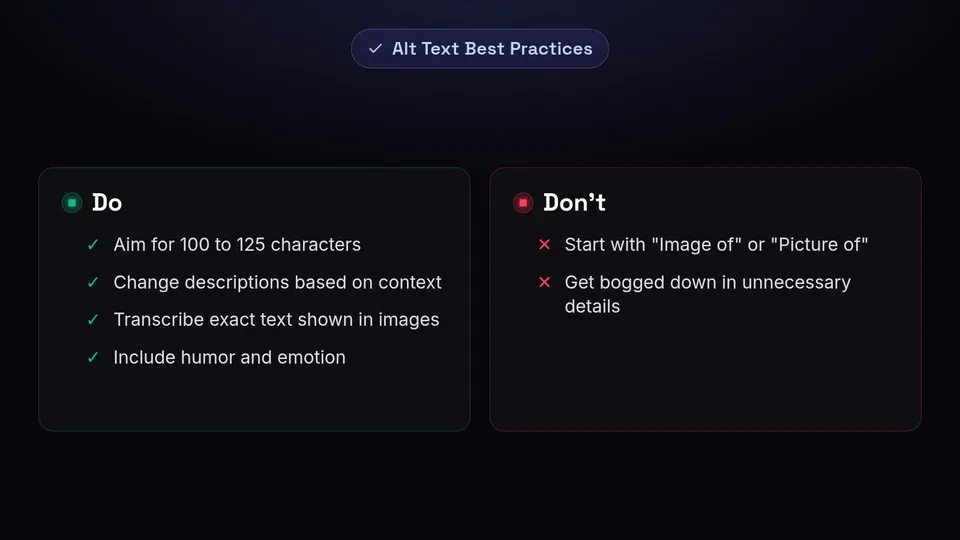
- Be Descriptive but Concise: Aim for 100 to 125 characters. Describe the most important elements of the image without getting bogged down in unnecessary details.
- Context is Key: The way you describe an image should change based on the context of the post. If the image is of a person wearing a specific brand of shoes, and the post is about the shoes, mention the shoes. If the post is about the park they are walking in, focus on the setting.
- Do Not Start with "Image of" or "Picture of": Screen readers already announce that the element is an image. Starting your alt text this way is redundant and wastes valuable characters.
- Transcribe Text in Images: If your image contains text (like a quote graphic or an infographic), you must include that exact text in your alt description.
- Include Humor and Emotion: If a meme or image is meant to be funny or convey a specific emotion, describe that! Accessibility includes access to joy and humor.
Examples of Good vs. Bad Alt Text
Let's look at an example of a photo showing a golden retriever catching a red frisbee in a sunny park.
- Bad Alt Text: "Dog playing." (Too vague, lacks context).
- Bad Alt Text: "Image of a dog catching a frisbee in the park on a sunny day with green grass and trees in the background." (Redundant "Image of" and slightly too verbose).
- Good Alt Text: "A golden retriever leaps into the air to catch a red frisbee in a sunny, green park." (Clear, concise, and descriptive).
Video Accessibility: Captions and Audio Descriptions
With the explosive growth of TikTok, Instagram Reels, and YouTube Shorts, video has become the dominant format on social media. However, video content can be highly exclusionary if not properly optimized for accessibility.
Closed Captions vs. Open Captions
Captions are essential for deaf and hard-of-hearing users, but as mentioned earlier, they benefit everyone. There are two main types of captions:
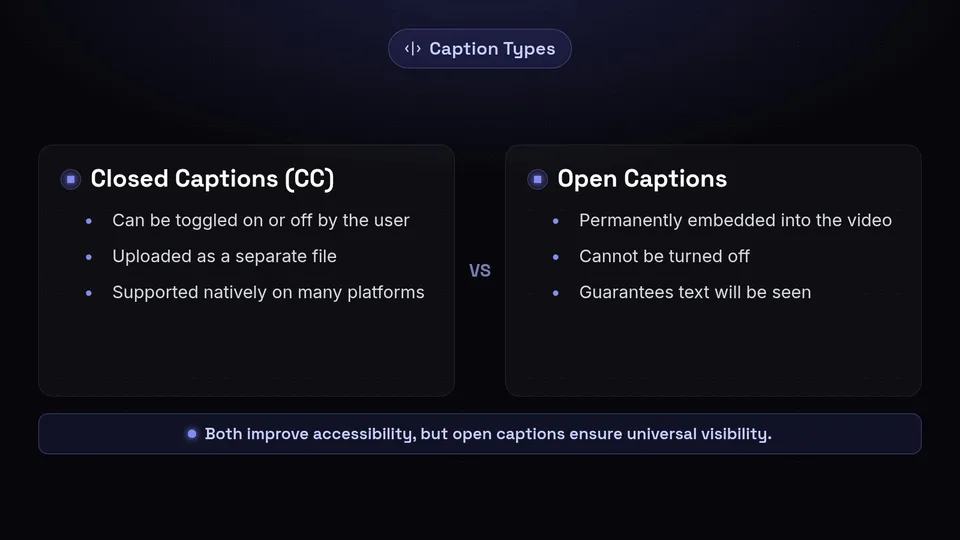
- Closed Captions (CC): These can be toggled on or off by the user. They are usually uploaded as a separate SRT or VTT file alongside the video. Platforms like YouTube and LinkedIn support closed captions natively.
- Open Captions (Burned-in Captions): These are permanently embedded into the video file and cannot be turned off. This is incredibly popular on TikTok and Instagram Reels, as it guarantees the text will be seen regardless of the platform's native captioning capabilities.
Best Practices for Video Captions
When creating captions, ensure they are accurate. While auto-captioning tools have improved dramatically, they still make mistakes. Always review and edit auto-generated captions before publishing. Ensure the text is large enough to read on a mobile screen and contrasts well with the background. Include non-speech audio cues in your captions, such as [upbeat music playing] or [doorbell rings], to provide full context.
Audio Descriptions
While captions help those who cannot hear, audio descriptions help those who cannot see. Audio description is an additional audio track that narrates the visual elements of a video (e.g., "The presenter smiles and points to a chart showing upward growth"). While native support for secondary audio tracks is still limited on some social platforms, you can practice "integrated description" by having your on-camera talent naturally describe visual elements as they speak.
Designing with Color Contrast and Visual Clarity

Visual content must be legible to users with low vision or color blindness. Accessible marketing requires a thoughtful approach to graphic design, specifically regarding color contrast and typography.
Understanding Contrast Ratios
Color contrast refers to the difference in light between the font (or foreground) and its background. The WCAG requires a contrast ratio of at least 4.5:1 for normal text and 3:1 for large text. If you place light gray text on a white background, or neon green text on a yellow background, it will be unreadable for many users.
Avoid Relying Solely on Color
Color blindness affects approximately 1 in 12 men and 1 in 200 women globally. If your social media graphic uses color as the only way to convey information—for example, a chart where "green means good" and "red means bad"—users with red-green color blindness will struggle to understand it. Always use secondary indicators, such as patterns, labels, or icons, to supplement color-coded information.
Typography and Readability
Choose clean, sans-serif fonts like Arial, Helvetica, or Open Sans for your graphics. Avoid overly decorative or cursive fonts, which can be difficult for individuals with dyslexia or visual impairments to decipher. Maintain adequate line spacing and avoid cramming too much text into a single graphic. If you have a lot to say, use the post caption instead of overloading the image.
Creating Screen Reader Friendly Posts
A screen reader reads the content of a screen from top to bottom, left to right. The way you format your text in captions, hashtags, and emojis drastically impacts how a screen reader interprets your post.
The Importance of CamelCase Hashtags
Hashtags are a staple of social media, but stringing multiple words together without spaces is a nightmare for screen readers. To fix this, use CamelCase (also known as PascalCase), which involves capitalizing the first letter of each word in a hashtag.
- Inaccessible: #socialmediaaccessibility
- Accessible: #SocialMediaAccessibility
When you use CamelCase, a screen reader will read the hashtag as individual words ("Social Media Accessibility"). If you use all lowercase, the screen reader will attempt to read it as one long, unintelligible word.
Emoji Etiquette
Emojis add personality to your posts, but they must be used thoughtfully. Screen readers translate emojis into text descriptions. For example, 😂 is read as "Face with tears of joy."
- Don't overuse them: Placing five clapping hands in a row means a screen reader user has to listen to "Clapping hands sign, clapping hands sign, clapping hands sign, clapping hands sign, clapping hands sign." This is incredibly tedious.
- Place them at the end: Put emojis at the end of your sentences or the end of your entire caption so they do not interrupt the flow of the text.
- Don't use emojis as bullet points: Use standard bullet points or hyphens, as emoji descriptions can confuse the list's context.
Avoid Custom Fonts and ASCII Art
You might have seen posts using external websites to generate bold, italic, or cursive fonts for Instagram or Twitter captions (e.g., 𝕿𝖍𝖎𝖘 𝖎𝖘 𝖆 𝖈𝖚𝖘𝖙𝖔𝖒 𝖋𝖔𝖓𝖙). These are actually mathematical alphanumeric symbols, not standard text. Screen readers cannot read them properly and will either skip them entirely or read out a string of mathematical symbols. Stick to the platform's native text. Similarly, avoid ASCII art (pictures made out of text characters), as it creates an auditory mess for screen reader users.
Championing Inclusive Language
Social media inclusivity goes beyond technical formatting; it extends to the very words you choose. Inclusive language respects and acknowledges diversity, ensuring that no one feels alienated or marginalized by your content.
Person-First vs. Identity-First Language
When discussing disabilities, there are generally two approaches: person-first language (e.g., "a person with a disability") and identity-first language (e.g., "a disabled person"). Preferences vary widely within different communities. For example, many in the autism community prefer identity-first language ("autistic person"), while others prefer person-first language. The best practice is to listen to the specific community you are addressing and mirror the language they use for themselves.
Avoiding Ableist Language
Ableist language involves words or phrases that intentionally or unintentionally devalue people with disabilities. Many of these terms are deeply ingrained in everyday slang, making them easy to overlook.
- Instead of saying a campaign was "tone-deaf," say it was "insensitive" or "out of touch."
- Instead of calling an idea "crazy" or "insane," use "wild," "unbelievable," or "bizarre."
- Instead of saying "blind spot," use "oversight."
By actively auditing your vocabulary, you create a more welcoming environment for all users.
Gender-Neutral and Culturally Sensitive Terms
Inclusive language also encompasses gender and culture. Use gender-neutral terms like "folks," "everyone," or "team" instead of "guys." Ensure your marketing campaigns reflect diverse cultures, body types, ages, and backgrounds in both imagery and messaging. When your audience sees themselves represented in your content, they are far more likely to engage with and trust your brand.
Top Accessibility Tools for Social Media Managers
Implementing all these practices might seem overwhelming, but you don't have to do it alone. There are numerous accessibility tools designed to help social media managers create inclusive content effortlessly.
Contrast Checkers
Before publishing a graphic, run its colors through a contrast checker. Tools like the WebAIM Contrast Checker or the Coolors Contrast Checker allow you to input your hex codes and instantly see if they pass WCAG guidelines. Many design tools, like Canva and Adobe Express, now have built-in accessibility checkers as well.
Captioning Tools
For video content, platforms like Rev, Descript, and Veed.io offer highly accurate auto-transcription services. They allow you to easily edit the text and export SRT files or burn the captions directly into your video with customizable, high-contrast fonts.
Platform-Native Accessibility Features
Always familiarize yourself with the native accessibility features of the platforms you use. LinkedIn, X (formerly Twitter), Facebook, and Instagram all have dedicated fields for adding alt text during the upload process. Make it a mandatory step in your social media workflow to fill out these fields before hitting "publish."
Conclusion: Automating Accessible Content with SchedulifyX
Embracing social media accessibility is an ongoing journey, not a one-time destination. By integrating alt text, video captions, high-contrast design, screen-reader-friendly formatting, and inclusive language into your daily workflow, you are actively dismantling digital barriers. You are telling your audience—all of your audience—that their experience matters.
Managing these best practices across multiple platforms can be time-consuming, but with the right technology, it becomes seamless. This is where SchedulifyX comes in. As an AI-powered social media scheduling platform, SchedulifyX is built with inclusive marketing in mind. Our platform allows you to easily input and manage alt text for all your image uploads across various networks from a single dashboard. Furthermore, our AI writing assistant can help you draft concise alt text, suggest CamelCase hashtags, and flag potentially non-inclusive language before your post goes live.
Don't let accessibility be an afterthought. Elevate your brand, expand your reach, and create a more inclusive digital world. Sign up for SchedulifyX today and start scheduling content that truly connects with everyone.
