Later Alternatives for Visual-First Teams: What to Test Before Switching
Evaluating Later alternatives for visual-first teams? Discover exactly what to test before switching, from pricing structures to visual grids. Try SchedulifyX.
SchedulifyX is the AI-powered social media command center built for creators, businesses, and agencies. Schedule posts across 10+ platforms, generate content with 9 specialized AI agents, collaborate with your team using approval workflows, analyze performance with deep analytics, and manage all social engagement from a unified inbox. Trusted by professionals worldwide — free plan available, paid plans from
For years, visual-first marketing teams have relied heavily on grid-centric scheduling tools to curate the perfect aesthetic. However, as social media strategies evolve beyond static imagery into dynamic short-form video, cross-platform campaigns, and complex client approval processes, many agencies and brand teams find themselves outgrowing their initial setups. If you are exploring later alternatives for visual-first teams: what to test before switching becomes the most critical question in your procurement process.
As of October 2026, the social media management software market is saturated with options. Industry publications frequently highlight tools ranging from lightweight creator apps to enterprise-grade suites. But reading a comparison blog is only the first step. To make an informed decision, you must conduct hands-on evaluations of how a platform handles your specific daily workflows. What looks seamless in a marketing video might introduce friction when managing twenty distinct client accounts.
The Core Challenge: Scaling Visual Strategies
Visual planning is no longer restricted to a single platform. Today, a unified aesthetic must translate across vertical video, carousel posts, and traditional feeds. When evaluating alternatives, your testing must prioritise scalable account structures, robust media handling, and frictionless team collaboration.
Account Structure
Multi-Account Scaling Mechanism
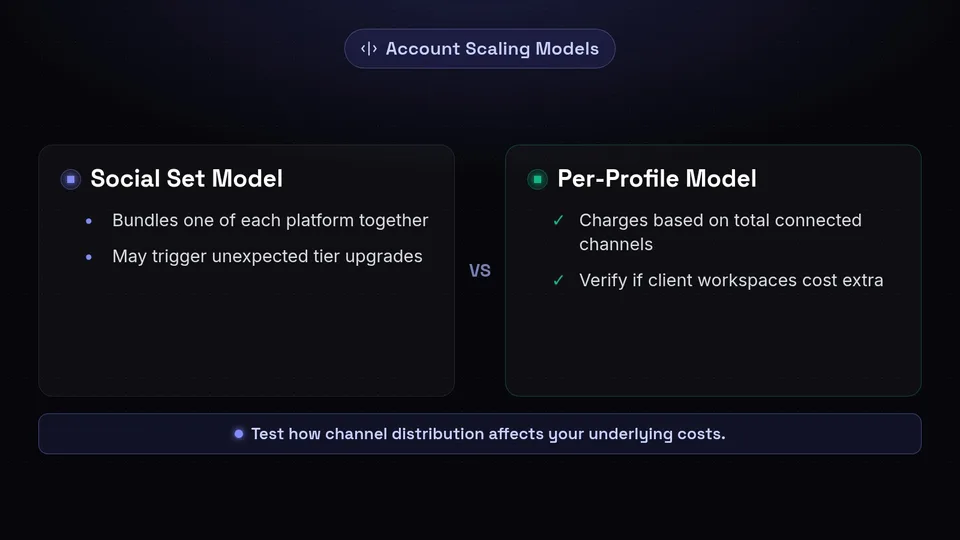
One of the most common catalysts for seeking a new platform is friction around account scaling. Many scheduling tools utilise a "Social Set" pricing model. In this structure, a single set typically includes one profile from each major network (e.g., one Instagram, one Facebook, one X/Twitter, one LinkedIn).
This model works perfectly for a single brand. However, if you are an agency managing five Instagram accounts but zero X/Twitter accounts, a rigid social set model might force you to purchase multiple sets just to accommodate the asymmetric platform distribution. Before committing to a new platform, you must test how the addition of extra channels affects the underlying account structure and overall costs.
The Social Set Model
Bundles one of each platform together. Test this by attempting to add multiple profiles of the same platform type to see if it triggers an unexpected tier upgrade.
The Per-Profile Model
Charges based on total connected channels, regardless of platform. Test this by verifying if client workspaces or grouping features cost extra.
What to test: Navigate to the pricing pages of vendors like Buffer, SocialPilot, Publer, or Blotato. Simulate your exact channel breakdown. If you need 12 Instagram profiles and 2 LinkedIn pages, see how the pricing calculator adapts. Furthermore, test the workspace limitation—can you group these profiles by client without incurring additional fees? You can review how SchedulifyX approaches transparent scaling on our pricing page.
Aesthetic Planning
Visual Grid and Feed Previews

For visual-first teams, the grid is non-negotiable. The ability to preview how a post will look in-situ before it goes live is essential for brand consistency. However, not all grid planners are created equal. Some platforms only show scheduled posts, while others sync seamlessly with your live feed to provide an accurate representation of the future grid.
- Drag-and-Drop Fluidity: Does moving a post in the visual planner automatically update the scheduled time in the main calendar?
- Live Feed Synchronisation: Does the tool pull in posts published natively or via third-party apps to ensure the preview is accurate?
- Multi-Platform Previews: Can you preview TikTok grids and Facebook mobile feeds, or is the visual planner restricted solely to Instagram?
- Placeholder Functionality: Can you add un-scheduled media placeholders to map out an aesthetic before the copy is written?
What to test: When evaluating tools known for visual planning like Planoly, Hopper HQ, or PostMCP AI, upload a batch of varied aspect ratio images. Drag them around the calendar and verify if the changes reflect instantly in the list view. Crucially, test how the platform handles multi-image carousels in the preview mode.
Streamline Your Visual Planning
Experience seamless drag-and-drop scheduling across all major platforms with SchedulifyX.
Start Your Free Trial →Content Formats
Short-Form Video Execution
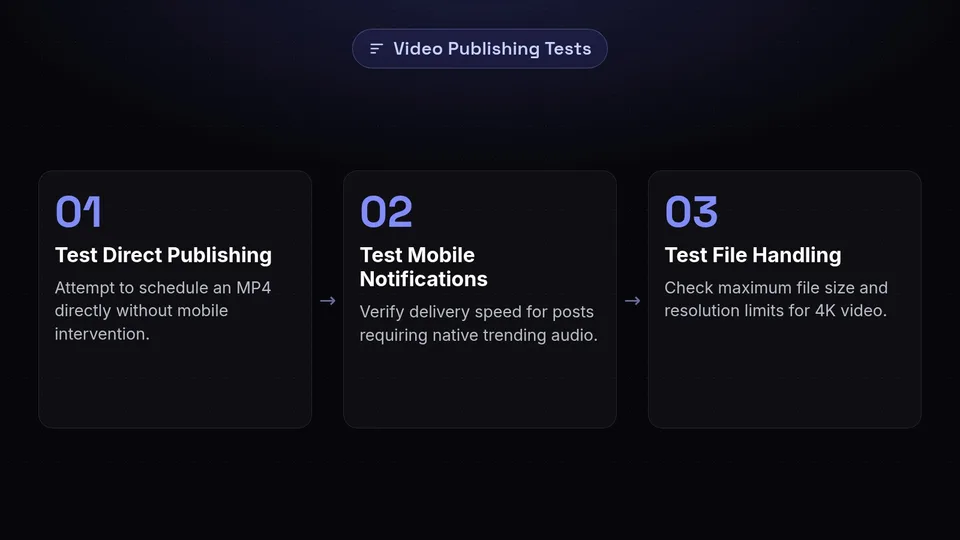
The pivot to video has exposed the limitations of many legacy scheduling tools. Short-form video (TikToks, Reels, Shorts) requires different workflows than static imagery. The primary friction point usually involves the divide between direct API publishing and mobile push notifications.
Because social networks frequently restrict certain features (like trending audio selection or interactive stickers) to their native mobile applications, scheduling tools must offer a reliable workaround.
Test Direct Publishing
Upload a standard MP4 video and attempt to schedule it directly to TikTok, Instagram Reels, and YouTube Shorts without any mobile intervention.
Test the Mobile Notification Workflow
Schedule a post that requires native trending audio. Verify how quickly and reliably the mobile app delivers the push notification to the designated team member.
Test File Handling
Check the maximum file size and resolution limits. Visual-first teams often work with high-bitrate 4K video, which some platforms compress heavily or reject outright.
What to test: Verify the current platform support directly on vendor feature pages. Some platforms claim "video support" but restrict it to desktop, leaving mobile-first creators stranded. Ensure the tool supports your specific video workflow before migrating.
Operations
Approval and Collaboration Workflows
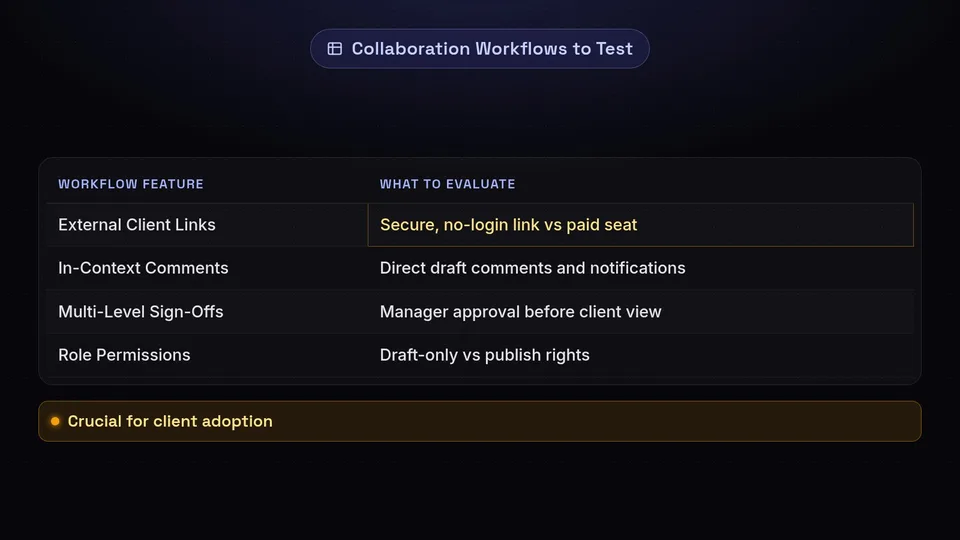
As teams grow, the bottleneck shifts from content creation to content approval. A visual-first team often includes graphic designers, copywriters, social media managers, and external stakeholders or clients. Transitioning to a new platform requires rigorous testing of how these individuals interact within the software.
When reviewing platforms that emphasise collaboration (such as Planable, Loomly, or Agorapulse), you must evaluate the granularity of their team collaboration settings.
| Workflow Feature | Why You Must Test It |
|---|---|
| External Client Links | Can you send a secure, no-login-required link to a client for post approval, or do they require a paid seat? |
| In-Context Comments | Can team members leave comments directly on a specific draft, and are notifications routed efficiently? |
| Multi-Level Sign-Offs | Can you enforce a hierarchy where a post must be approved by a manager before the client sees it? |
| Role Permissions | Can you restrict a junior designer to 'Draft Only' mode while giving a manager 'Publish' rights? |
What to test: Create a dummy client account and attempt to share a week's worth of visual content. Document how many clicks it takes for the "client" to approve, reject, or comment on a post. If the process requires them to create an account or navigate a complex dashboard, client adoption will fail.
Measurement
Analytics Depth and Engagement Tools
Visual planning is only half the equation; understanding how those visuals perform dictates future strategy. When evaluating later alternatives for visual-first teams: what to test before switching includes diving deep into historical data retention and cross-network reporting.
Enterprise-leaning platforms like Sprout Social, Hootsuite, Metricool, or Agorapulse often boast extensive analytics suites. However, the depth of these tools varies significantly.
What to test: Check current specifications on official feature pages regarding data backfilling. If you connect an existing Instagram account today, will the platform pull in data from the last 12 months, or does it only start tracking from the day of connection? Furthermore, test the unified inbox handling. Can you filter comments by sentiment, or assign specific customer service queries to different team members? Your analytics workflow must be as seamless as your publishing workflow.
Comparison
Where SchedulifyX Fits (And Where It Doesn't)
No single platform is the perfect fit for every team. A transparent evaluation requires acknowledging where different tools excel. When comparing SchedulifyX against the wider market in October 2026, it is important to understand our specific focus alongside the strengths of legacy enterprise alternatives.
✗ Where Legacy Enterprise Tools Excel
- Deep Social Listening: Tools like Sprout Social or Hootsuite offer advanced, enterprise-grade brand monitoring and sentiment analysis that taps into global data streams.
- Years of Historical Data: Some legacy platforms specialise in archiving years of historical performance data for massive multinational corporations.
- Complex Customer Service Routing: Platforms built primarily for customer support teams often have deeper native integrations with CRM software (like Salesforce or Zendesk) for ticketing.
✔ Where SchedulifyX Excels
- AI-Powered Efficiency: Our AI Studio is built natively into the publishing workflow, helping visual teams generate complementary copy, hashtags, and variations instantly.
- Broad Platform Support: We support 10+ platforms out of the box, allowing teams to scale from visual networks to text-heavy networks without switching tools.
- Streamlined Core Scheduling: We prioritise a fast, intuitive scheduling interface over bloated enterprise features that small-to-medium teams rarely use.
If your primary requirement is complex CRM ticketing or global sentiment listening, a legacy enterprise suite is likely your best route. However, if your goal is to empower a visual-first team to schedule faster, leverage AI for copywriting, and manage multiple platforms efficiently, SchedulifyX is designed specifically for that workflow.
Pro Tip: Always run a parallel test. Keep your current tool active for two weeks while testing the alternative with a subset of your accounts. This reveals the day-to-day friction points that a guided sales demo will never show.
The Final Verdict on Switching
Migrating your entire social media operation is a significant undertaking. The key to a successful transition is defining your non-negotiables before you ever start a free trial. Whether it is the flexibility of the account scaling mechanism, the accuracy of the visual grid, or the efficiency of the approval workflows, document exactly what your team needs to function.
Important Note on Pricing
Software pricing, plan structures, and feature limitations change frequently across the industry. The mechanisms described in this guide reflect the market landscape as of October 2026. Always verify current account structures, seat limits, and platform capabilities directly on the vendor's official pricing and feature pages before making a final purchasing decision.
Ready to see how SchedulifyX can streamline your visual planning and cross-platform distribution? Explore our tools and test our workflows today.
Sources
Facts checked against the sources below on October 13, 2026.
Get started free — no credit card required.
