How to Repurpose Video Content: One Video, a Week of Posts
SchedulifyX Team · October 19, 2026
Learn how to repurpose video content into Shorts, Reels, and Pins. Master a video repurposing workflow to turn one video into many posts with SchedulifyX.
In the modern digital landscape, the pressure to maintain a consistent presence across multiple social media platforms can feel overwhelming. Content creators and marketing teams often find themselves on a treadmill, constantly producing new material only for it to disappear into the depths of a feed within hours. However, there is a more efficient way to manage your digital output without sacrificing quality or burning out. The secret lies in the ability to repurpose video content.
By taking a single piece of long-form video—such as a webinar, an in-depth tutorial, or a podcast episode—and breaking it down into smaller, platform-specific segments, you can fuel your entire social media calendar for a week or more. This strategy, often referred to as the "pillar content" model, ensures that your message reaches different audiences in the formats they prefer. In this guide, we will explore a professional video repurposing workflow that transforms one video into many posts, helping you maximise your reach with SchedulifyX.
The Power of Pillar Content
The concept of pillar content is simple: you create one substantial piece of high-quality content and then derive multiple smaller assets from it. Long-form video is the ideal candidate for this because it contains a wealth of information, visual cues, and emotional beats that can be isolated and highlighted.
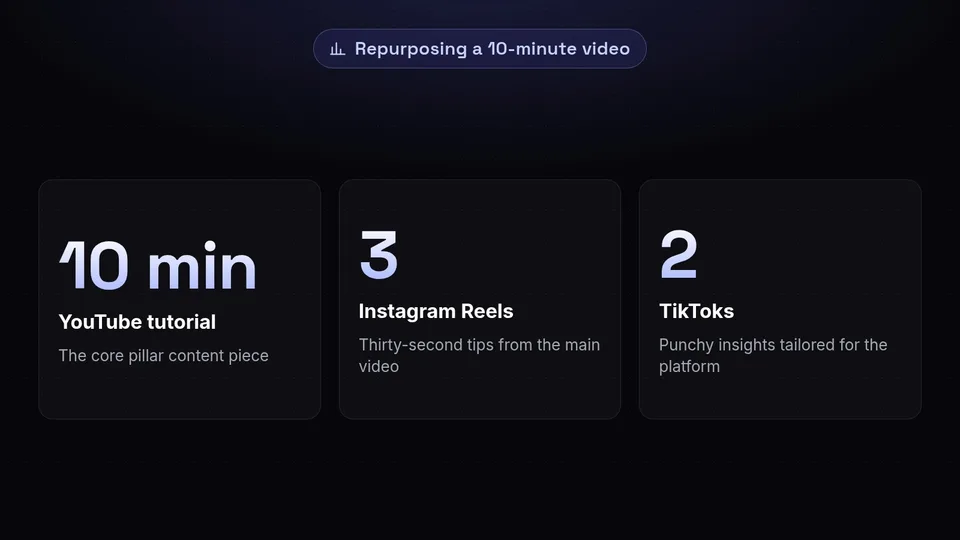
When you repurpose video content, you are not just repeating yourself. You are adapting your message to suit the unique environment of different social networks. For example, a ten-minute YouTube tutorial can be distilled into three thirty-second tips for Instagram Reels, two punchy insights for TikTok, and a visual step-by-step guide for Pinterest. This approach ensures that your brand remains visible without requiring you to film something new every single day.
The Ultimate Video Repurposing Workflow
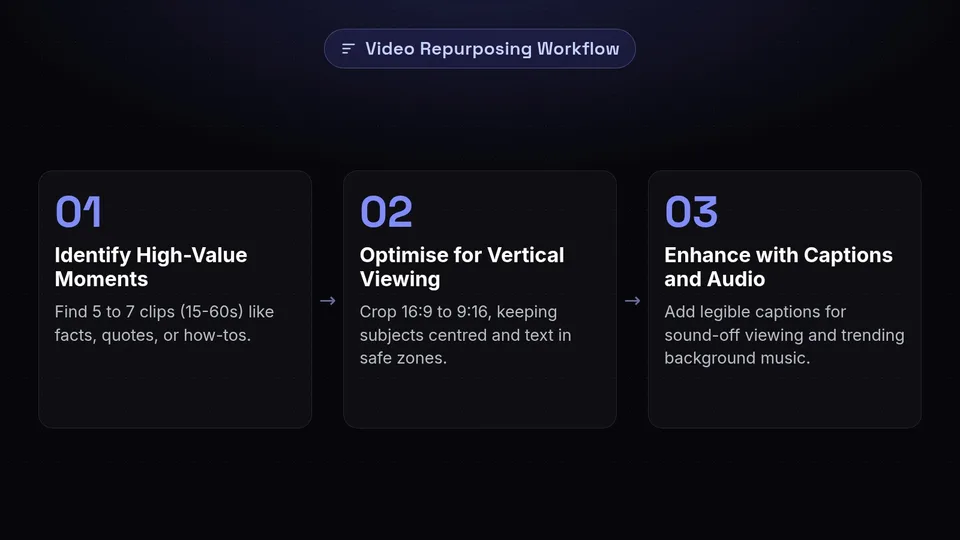
To successfully turn one video into a week of content, you need a structured workflow. Without a plan, the process of editing and exporting can quickly become chaotic. Follow these steps to streamline your production.
1. Identify High-Value Moments
Watch your long-form video with a critical eye. Look for "micro-moments" that stand alone without needing the context of the full video. These could be:
- A surprising fact or insight.
- A quick "how-to" demonstration.
- An inspiring or motivational quote.
- A funny or relatable anecdote.
- A clear answer to a common customer question.
Mark the timestamps for these segments. Ideally, you want to find 5 to 7 clips that are between 15 and 60 seconds long.
2. Optimise for Vertical Viewing
Most short-form platforms—including YouTube Shorts, Instagram Reels, and TikTok—favour vertical video (9:16 aspect ratio). When you repurpose video content originally filmed in landscape (16:9), you must crop the footage carefully. Ensure the subject remains centred and that any on-screen text is within the "safe zones" where it won't be obscured by platform UI elements like the like button or caption text.
3. Enhance with Captions and Audio
A significant portion of social media users watch videos with the sound off. Adding clear, legible captions is essential for accessibility and engagement. Furthermore, each platform has its own library of trending audio. While your original audio is the core of the post, subtle background music can help the content feel native to the platform you are posting on.
Adapting Content: Shorts, Reels, and Pins
While the visual content might be similar, the way you present it should vary depending on the platform. Understanding these nuances is key to the one video many posts strategy.
YouTube Shorts
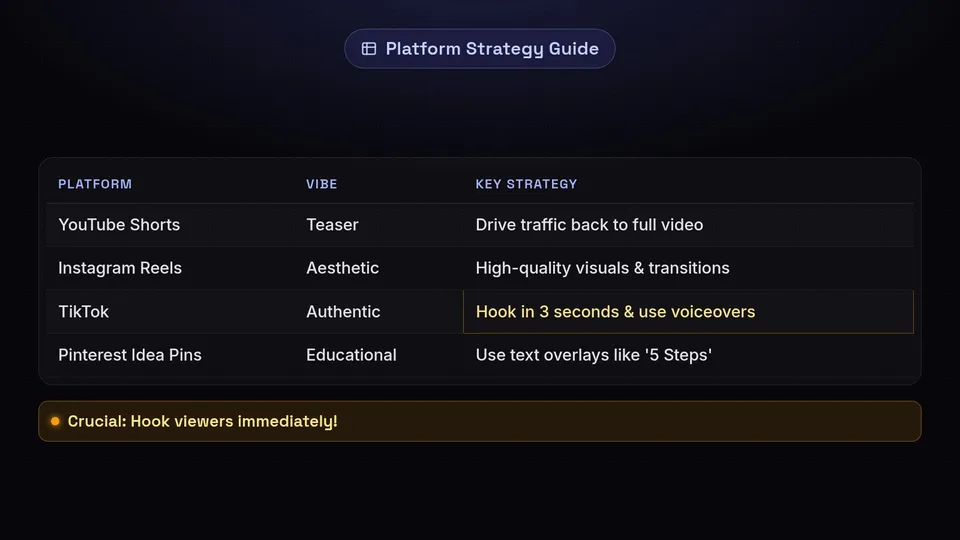
YouTube Shorts are an excellent way to drive traffic back to your main channel. Use these clips to highlight the most exciting parts of your long-form video. The goal here is to provide enough value to satisfy the viewer while leaving them curious enough to click through to the full-length version.
Instagram Reels
Instagram is a highly visual and aesthetic-driven platform. When repurposing for Reels, focus on high-quality visuals and smooth transitions. Reels often perform well when they tap into current trends or provide quick, digestible value that encourages users to save the post for later reference.
TikTok
TikTok rewards authenticity and a less "produced" feel. You might choose to add a voiceover or use the "Stitch" or "Duet" features to interact with other creators using your repurposed footage. The first three seconds are vital; you must hook the viewer immediately before they swipe away.
Pinterest Idea Pins
Pinterest is a discovery engine rather than a traditional social network. Users go there for inspiration and to learn new things. Repurpose your video into an Idea Pin by focusing on the educational aspect. Use text overlays to clearly state what the viewer will learn, such as "5 Steps to Better SEO" or "Morning Routine Hacks."
Managing One Video, Many Posts

Once you have your clips ready, the challenge becomes distribution. Posting manually across four or five platforms every day is a recipe for inconsistency. This is where a strategic approach to scheduling becomes vital.
By using a tool like SchedulifyX, you can organise your repurposed assets into a cohesive content calendar. Instead of posting everything at once, you can stagger your content throughout the week. This keeps your brand at the top of your followers' feeds and gives your content more opportunities to be discovered by new audiences. A well-organised video repurposing workflow allows you to spend one day on production and the rest of the week on engagement and growth.
Conclusion: Work Smarter, Not Harder
The demand for video content is not slowing down, but that doesn't mean you have to work twice as hard to keep up. By learning how to repurpose video content effectively, you turn your existing assets into a powerful engine for social media growth. Remember, the goal is to provide value in a format that feels natural to the user, regardless of which platform they are on.
Embracing the one video many posts philosophy will save you time, reduce creative fatigue, and ensure a consistent brand voice across the digital space. Ready to take control of your social media strategy? Start streamlining your video repurposing workflow today and let SchedulifyX handle the heavy lifting of scheduling and distribution. Your audience is waiting—make sure they see your best work, every single day.
