How to Schedule TikTok Posts with Privacy Controls
Discover how to schedule TikTok posts with privacy controls. Learn step-by-step methods to protect your videos and automate publishing with SchedulifyX.
SchedulifyX is the AI-powered social media command center built for creators, businesses, and agencies. Schedule posts across 10+ platforms, generate content with 9 specialized AI agents, collaborate with your team using approval workflows, analyze performance with deep analytics, and manage all social engagement from a unified inbox. Trusted by professionals worldwide — free plan available, paid plans from
Managing a robust TikTok presence requires consistency, but that consistency should never come at the expense of control. For content creators, brands, and digital agencies, knowing how to schedule TikTok posts with privacy controls is a fundamental requirement for executing a secure and strategic content plan. Whether you are staging a complex product launch, awaiting final client approval, or simply organising your video library in advance, applying the correct visibility settings before a video goes live ensures your content is only seen by the intended audience at the precise moment you choose.
When you utilise a professional scheduling platform, you are not merely automating the time of publication; you are defining the exact parameters of how that content interacts with TikTok's ecosystem. By mastering these controls, you can prevent premature leaks, manage exclusive community content, and maintain a highly organised digital workflow.
Core Concepts
Understanding TikTok Privacy Settings
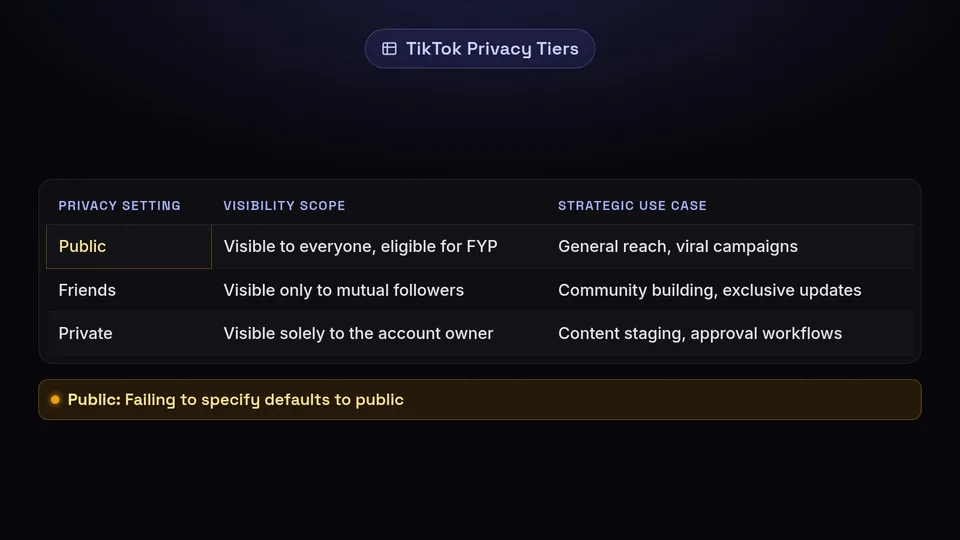
Before diving into the scheduling process, it is essential to understand the native privacy parameters that TikTok enforces. When a video is transmitted to TikTok via an API (Application Programming Interface), it carries a specific privacy flag. If this flag is misconfigured, your content could be exposed to the wrong audience. TikTok generally categorises video visibility into three distinct tiers:
| Privacy Setting | Visibility Scope | Strategic Use Case |
|---|---|---|
| Public | Visible to everyone on TikTok, eligible for the For You Page (FYP). | General reach, viral campaigns, standard brand content. |
| Friends | Visible only to mutual followers (accounts you follow that follow you back). | Community building, exclusive updates, highly targeted messaging. |
| Private | Visible solely to the account owner. | Content staging, approval workflows, archiving, and testing. |
When you schedule a post through an integration with TikTok, you must actively select which of these three tiers applies to your upcoming video. Failing to specify this often results in the platform defaulting to public visibility.
Strategic Benefits
Why Programme Your Content Securely?
Scheduling content with predefined privacy controls offers several operational advantages for social media managers. It moves the process from reactive posting to proactive content management.
Content Staging
Upload your entire month's content in one sitting and set it to 'Private'. This allows you to populate your feed behind the scenes, ensuring all videos are successfully processed by TikTok's servers before they are made public.
Approval Workflows
For agencies, scheduling a video as 'Private' allows clients to log into the native TikTok app and view the final, compressed video exactly as it will appear, without risking public exposure before sign-off.
Time Zone Management
Programme your exclusive 'Friends-only' content to go live precisely when your specific community is most active, even if that falls outside of your standard working hours.
Tutorial
Step-by-Step Guide: Scheduling with Privacy Controls
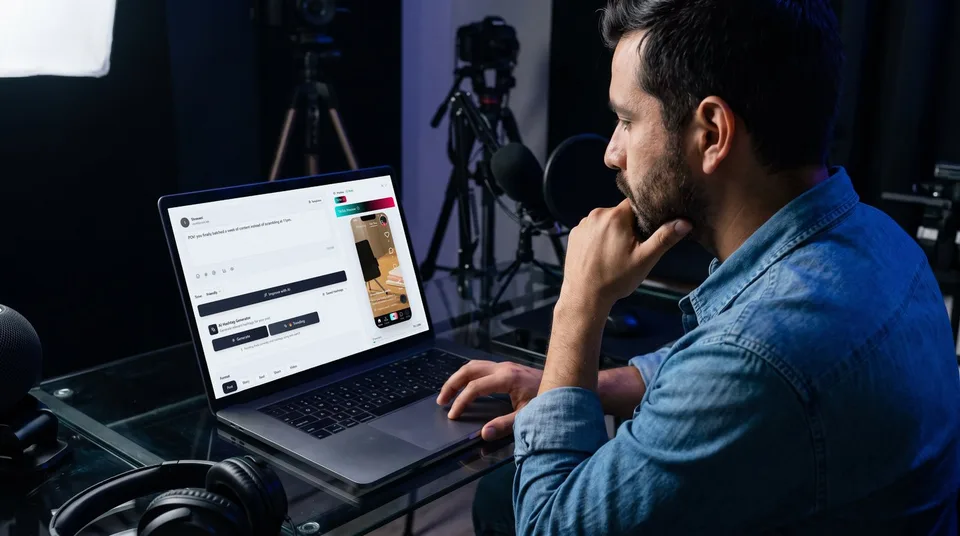
Executing this process requires a systematic approach to ensure that the correct video file is paired with the correct privacy flag and timestamp. Follow these steps to schedule your TikTok posts securely.
Authenticate Your TikTok Profile
Begin by linking your TikTok account to your scheduling dashboard. This process uses OAuth authentication, meaning you grant the scheduling tool permission to publish on your behalf without sharing your actual password. Ensure you authorise all requested permissions, specifically those relating to video publishing and reading profile data, as these are necessary for the privacy flags to function correctly.
Upload and Optimise Your Media
Navigate to the composer and upload your video file. TikTok requires specific formats (typically MP4 or WebM) and aspect ratios (9:16 is standard). Once uploaded, add your caption, relevant hashtags, and any necessary mentions. This is also the stage where you should select your cover image.
Configure the Privacy Parameters
This is the critical step. Locate the privacy or visibility settings within the composer window. Instead of leaving it on the default setting, actively select your desired tier:
- Select Public if the video is ready for immediate, widespread consumption upon publishing.
- Select Friends if you are running a closed community campaign.
- Select Private if you are staging the video for internal review or delaying its public release.
Define the Publishing Schedule
Choose the exact date and time you want the API to transmit the video to TikTok. If you have selected 'Private', this timestamp dictates when the video will appear in your private native feed on the TikTok app.
Verify in the Content Calendar
Navigate to your content calendar to review your scheduled post. Double-check the visual indicators on the calendar card to confirm that the privacy setting (e.g., a padlock icon for private posts) has been successfully applied to the scheduled item.
Pro Tip: When utilising team collaboration features, establish an internal rule that all draft videos must be scheduled as 'Private' by default. Only senior managers or editors should have the authority to change the scheduled status to 'Public' prior to the publication time.
Ready to take control of your TikTok strategy?
Manage your visibility, stage your content securely, and automate your publishing workflow with SchedulifyX.
Start Scheduling Securely →Advanced Techniques
Device Drafts vs. Private Scheduling
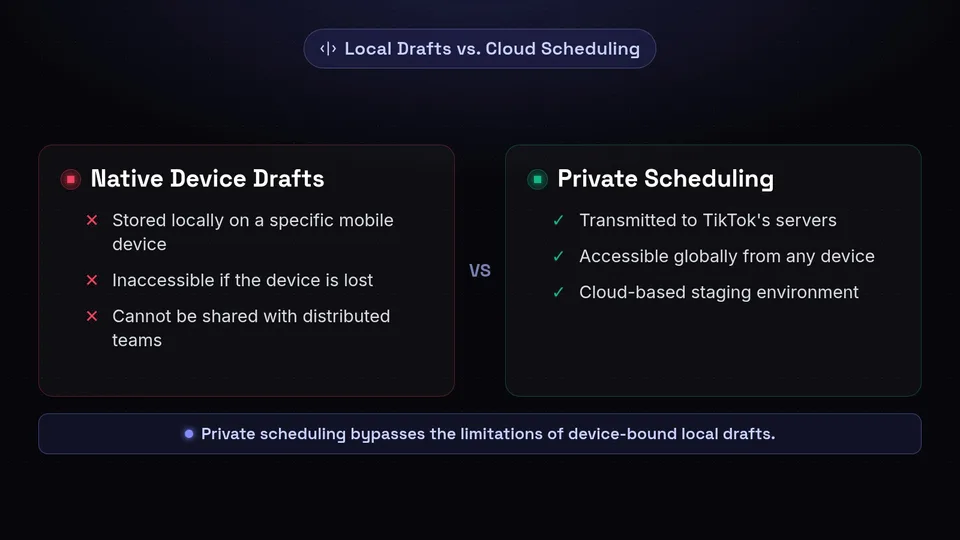
A common point of confusion for social media managers is the distinction between saving a draft natively within the TikTok app and scheduling a private video via a third-party platform. Understanding the mechanical differences is vital for secure content management.
When you save a draft natively in the TikTok application, the video file is stored locally on that specific mobile device. It is not uploaded to TikTok's servers. If you lose the device, or if a colleague needs to access the draft from a different location, the content is inaccessible.
Conversely, when you schedule a post with the privacy control set to 'Private', the scheduling platform transmits the video file to TikTok's servers at the designated time, tagged with a private visibility flag. The video is fully processed and hosted by TikTok, but restricted so only the account owner can view it. This means any team member with access to the TikTok account credentials can log in from any device, anywhere in the world, and view the staged private video.
Key Takeaway
Scheduling private videos acts as a cloud-based staging environment, entirely bypassing the limitations of device-bound local drafts. This is essential for distributed marketing teams.
Troubleshooting
Common Pitfalls and How to Avoid Them
Even with robust systems in place, human error can compromise your privacy strategy. Here are the most frequent issues encountered when scheduling TikTok posts with privacy controls, and the mechanisms to resolve them.
Time Zone Discrepancies
A frequent error occurs when the scheduling platform is set to a different time zone than the social media manager's local time. Always verify your account-level time zone settings to ensure your private staging or public launches happen precisely when intended, rather than hours early or late.
API Disconnections
Security tokens that connect scheduling tools to TikTok periodically expire to protect your account. If this token expires, scheduled posts will fail to publish. Regularly check your integration status and re-authenticate your TikTok profile immediately if prompted to ensure uninterrupted service.
By strictly adhering to these protocols, you can leverage the full power of automation while maintaining absolute authority over who sees your content and when. Scheduling TikTok posts with privacy controls is not merely a feature; it is a fundamental workflow for professional social media management.
Get started free — no credit card required.
