Productivity Tools for Social Media Managers: The 2026 Guide
SchedulifyX Team · October 2, 2026
Master your content workflow with our guide to the best productivity tools for social media managers. Learn what to batch, what to automate, and how to scale.
In the fast-paced world of digital marketing, the role of a social media manager has evolved from simply posting updates to managing complex ecosystems of content, community, and commerce. The pressure to be "always on" is a recipe for burnout, yet the most successful creators and managers seem to navigate the chaos with ease. The secret isn't more hours in the day; it is a refined content workflow supported by a lean, effective stack of productivity tools for social media managers.
To truly excel, you must stop treating social media as a single, monolithic task. It is a series of distinct jobs: capturing ideas, planning strategy, producing assets, scheduling distribution, and reporting results. When these phases bleed into one another, efficiency plummets. This guide breaks down an honest productivity stack for 2026, identifying which social media manager tools are worth your investment and which ones simply add unnecessary ceremony to your day.
Capture: Separating the Idea Layer from the Scheduling Layer
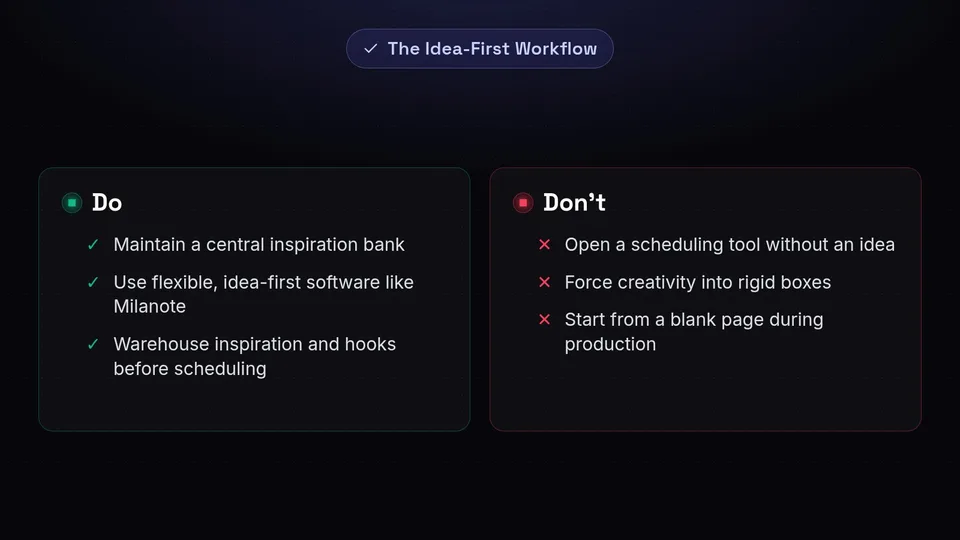
One of the most common mistakes in social media management is opening a scheduling tool when you don't yet have an idea. This leads to the dreaded "blank cursor syndrome." High-performing managers separate the idea layer from the scheduling layer. Before you ever think about a calendar, you need a place to warehouse inspiration, hooks, and raw concepts.
The Rise of Idea-First Tools
Instead of forcing your brain to be creative within the rigid boxes of a publishing tool, use flexible, "idea-first" software. Tools like Storyflow, Notion, and Milanote are excellent for organizing hook banks and post angles. These platforms allow you to visualize content before it becomes a "task." For instance, Milanote’s spatial canvas lets you drag and drop visual inspiration alongside text snippets, helping you see the aesthetic flow of a campaign before a single graphic is designed.
Maintaining a Central Inspiration Bank
Creativity is rarely a scheduled event. You might find a brilliant hook while scrolling through your personal feed or see a unique color palette in a magazine. Rather than starting from a blank page during your production sessions, maintain a central inspiration bank. This can be as simple as a dedicated folder in your notes app or a platform-specific "Save" folder. By the time you sit down to work, you should have a library of vetted ideas ready to be refined. To help you get started, you can access our curated collection of free utility templates at SchedulifyX Tools.
Plan: Structuring Your Content Week for Maximum Output
Once the ideas are captured, the next phase of a content workflow is planning. Planning is not the same as creating; it is the strategic mapping of what goes where and when. To avoid the mental fatigue of constant context-switching, you must learn the art of batching.
What to Batch in the Planning Phase
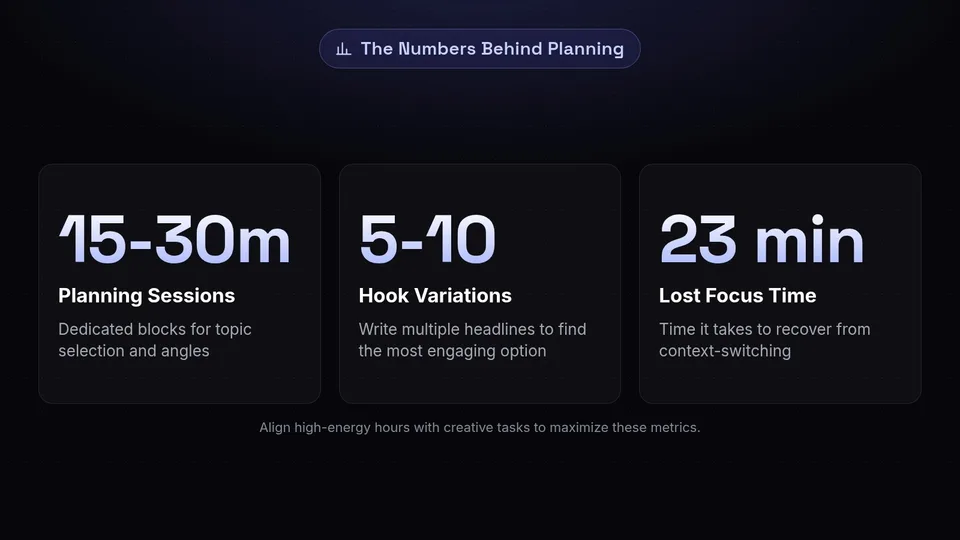
Batching is the practice of grouping similar tasks together to maintain a state of flow. In the planning phase, you should dedicate 15–30 minute sessions specifically for:
- Topic Selection: Choosing which ideas from your capture bank will be developed this week.
- Content Pillars: Ensuring your planned posts align with your brand's core themes.
- Angle Planning: Deciding the specific "spin" for each post (e.g., educational, controversial, or behind-the-scenes).
- Hook Generation: Writing 5-10 variations of a headline for a single video or post to find the most engaging option.
High-Energy vs. Low-Energy Hours
A sustainable content week is built around your natural energy cycles. Reserve your high-energy hours—typically the morning for most people—for creative ideation and drafting. This is when your brain is best equipped to handle the heavy lifting of storytelling and strategy. Conversely, reserve low-energy hours for administrative tasks that require less cognitive load, such as link verification, tagging, and the final stages of scheduling. By aligning your tasks with your energy levels, you reduce the friction of the best apps for productivity.
Eliminating Context-Switching
Every time you jump from writing a caption to checking a notification on LinkedIn, it takes your brain an average of 23 minutes to return to full focus. Eliminate this by structuring your production into fixed blocks. For example, set a timer for 20 minutes of topic planning followed by a 35-minute block of focused writing. To see your entire multi-network campaign in one place, use a centralized calendar view like the SchedulifyX Content Calendar, which helps you visualize the gaps in your strategy without jumping between tabs.
Produce: Creative Batching and Tools Worth Paying For

The production phase is where your plans become reality. This is often the most time-consuming part of the job, making it the most critical area for optimization. The goal here is to minimize the "setup cost" of your creative work.
What to Batch in Production
Production batching is about equipment and software readiness. If you are filming video, the time it takes to set up lights, microphones, and backgrounds is a significant hurdle. Therefore, you should film your entire week’s (or month’s) worth of video content in a single session. Similarly, editing visual templates in Canva or drafting captions in bulk allows you to stay in the "creative zone."
For high-end video editing, tools like DaVinci Resolve and Adobe Premiere Pro remain industry standards. While they have a steeper learning curve, they offer the precision needed for professional-grade content. However, for daily social assets, the speed of Canva is often more productive than the power of Photoshop.
What Never to Batch
While batching is a superpower, it has its limits. Some elements of social media management require a human touch in real-time. Never batch the following:
- Live Community Interaction: Responding to comments and DMs should be done authentically and promptly.
- Real-Time Trend-Jacking: Trends move too fast for a weekly batching schedule. If a meme is blowing up on Tuesday, waiting until your Friday batching session will make your brand look out of touch.
- Crisis Management: Sensitive messaging requires immediate, nuanced attention that cannot be pre-planned.
Tools: Streamlining vs. Ceremony
There is a fine line between a tool that streamlines your work and one that adds "ceremony"—unnecessary steps that feel like work but don't produce results. Dedicated design and workspace tools like Canva, ClickUp, and Wrike are worth paying for because they consolidate assets and project statuses. However, be wary of using social schedulers for project management or brainstorming. These tools are often too rigid and siloed for the messy early stages of creation, adding a layer of ceremony that can actually stifle productivity.
Schedule: Automation That Saves Hours (and Where it Fails)

Scheduling is the bridge between production and the audience. In 2026, the landscape of social media manager tools is diverse, with options catering to every budget and team size. Choosing the right tool depends on your specific needs for oversight and automation.
Honest Review of Scheduling Tools (as of 2026-10-02)
- Buffer: Remains a top choice for those looking for affordable multi-channel queuing. It is designed for simplicity and speed.
- Metricool: Offers a robust free plan for one brand, which includes valuable post-time heatmaps to help you identify when your audience is most active.
- OneUp: A specialized tool that excels in areas others neglect, such as auto-threads for X (formerly Twitter) and Google Business Profile photo scheduling.
- Sprout Social: As of 2026-10-02, Sprout Social’s starting tier is priced at 99/month. It is a premium enterprise-level tool that offers unmatched oversight, listening features, and deep CRM integrations.
- Statusbrew: Ideal for larger teams that require strict approval workflows and permission management to ensure brand consistency.
Note: Pricing and features for these third-party tools are subject to change. Always verify the latest details on the vendor's official pricing page.
Where Automation Genuinely Saves Hours
Automation is at its best when it handles repetitive, low-value tasks. Multi-platform cross-posting allows you to share a single piece of content across Instagram, LinkedIn, and Facebook with one click. Automated asset resizing ensures your images meet the specific requirements of each platform without manual cropping. Furthermore, programmatic paid partnership ad tagging can save hours of manual coordination for managers handling influencer campaigns.
Where Automation Creates Review Work
Automation is not a "set it and forget it" solution. In fact, over-automation can create more work in the form of quality control. Unedited AI caption generation often lacks the brand voice and nuance required for high engagement. Unverified automated posting without link checks can lead to broken URLs and lost conversions. Finally, auto-publishing sensitive brand announcements during a global event or crisis can lead to significant PR backlash. Automation should be a tool for efficiency, not a replacement for editorial judgment.
Report: Consolidating Metrics for Actionable Insights
The final stage of the content workflow is reporting. Checking individual native analytics on every platform is a time-sink that provides a fragmented view of your performance. To be productive, you must consolidate your data.
Unified Dashboards
Utilize tools that aggregate metrics into unified dashboards. Metricool provides excellent heatmaps, while Sprout Social is widely regarded for its automated, client-ready reporting. By using analytics tools connected to official Graph APIs, you can evaluate aggregated views, likes, comments, and Reels re-shares across both organic and boosted content. This high-level view allows you to see patterns that are invisible when looking at posts in isolation.
The Role of SchedulifyX
While competitors like Sprout Social are undeniably stronger for enterprise-level oversight and deep social listening capabilities, SchedulifyX is designed for the modern manager who needs an AI-powered, agile workflow. We focus on the intersection of productivity and intelligence, helping you move from idea to post faster than traditional enterprise software allows. Our platform is built to minimize the "ceremony" and maximize the output for teams that need to stay lean and fast.
Conclusion: Building Your Perfect Stack
Productivity in social media management isn't about finding a single "magic" app; it's about building a stack that supports each phase of your workflow. By separating your capture, planning, and production phases, you can reclaim hours of your week and focus on what truly matters: creating content that resonates with your audience.
Start by auditing your current process. Are you spending too much time in the "ceremony" of complex tools? Are you failing to batch your high-energy tasks? By implementing the strategies outlined in this guide—and leveraging the right productivity tools for social media managers—you can transform your social media management from a source of stress into a streamlined engine of growth.
Ready to take control of your content calendar? Explore our AI-powered scheduling features and see how SchedulifyX can simplify your workflow today.
Sources
Facts checked against the sources below on October 2, 2026.
- Best Social Media Planning Tools 2026 — storyflow.so
- Content Batching Rules — mysocialboutique.co
- Social Media Batching Workflow — postoria.io
- clickup.com
- livingabstracts.com
- Batch Content Creation — evergreenfeed.com
- Social Media Project Management Tools — wrike.com
- Best Social Media Management Tools — zapier.com
- Social Media Management Tools — oneupapp.io
- Best Social Media Management Tools — casamedia.com
