The Ultimate Guide to the Link in Bio: Maximize Your Social Traffic
SchedulifyX Team · September 14, 2026
Discover why social platforms restrict outbound links, how to build a high-converting link in bio page, track clicks with UTMs, and turn followers into customers.
Have you ever crafted the perfect social media post, written a compelling and engaging caption, and ended it with those three ubiquitous words: "link in bio"? If you are a social media manager, content creator, or business owner, you already know that your profile's bio link is arguably the most valuable piece of digital real estate you possess. Yet, despite its importance, thousands of brands are drastically underutilizing this single point of conversion.
In the modern social media landscape, platforms are engaged in a fierce battle for user attention. They want to keep users scrolling, liking, and sharing within their own ecosystems. Consequently, driving traffic away from these platforms has become increasingly difficult. This is exactly why the link in bio tool was invented, evolving from a simple workaround into a critical component of any successful digital marketing strategy.
In this comprehensive guide, we will explore the psychology and mechanics behind the link-in-bio pattern. We will dive deep into why platforms restrict outbound links, what exactly belongs on your bio landing page, how to avoid overwhelming your audience with too many choices, and how to properly track your traffic. By the end of this article, you will understand the profound difference between a basic link list and a genuine conversion page.
The Walled Garden: Why Platforms Restrict Outbound Links
To understand the necessity of a dedicated linkinbio solution, we first must understand the underlying economics of social media platforms like Instagram, TikTok, and X (formerly Twitter). These platforms operate on an advertising-based revenue model. Their primary objective is to maximize "time-in-app"—the total amount of time a user spends consuming content on their platform.
When a user clicks an outbound link and leaves the app to visit your website, the platform stops generating ad revenue from that user. To mitigate this, social networks have intentionally designed their interfaces to restrict outbound traffic. This strategy is commonly referred to as building a "walled garden."
The Mechanics of Restriction
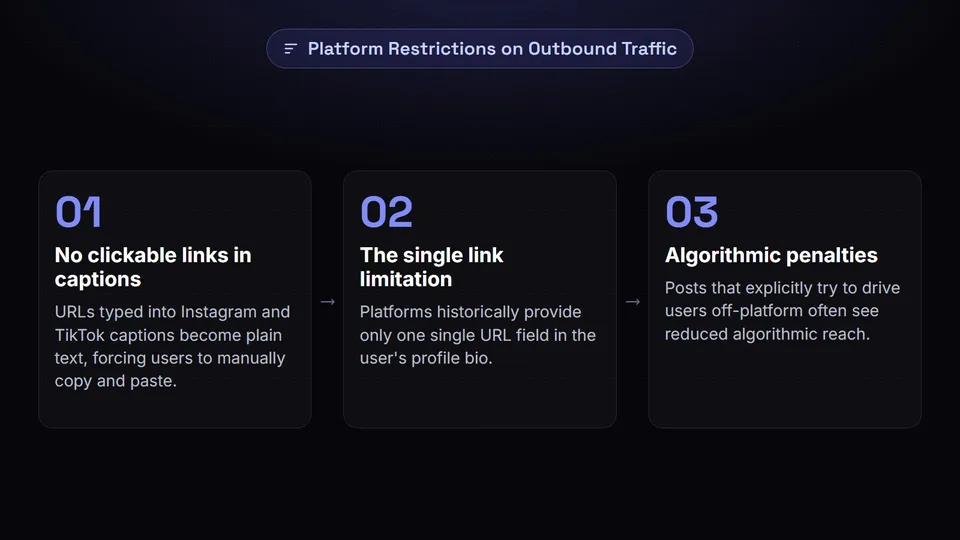
Platforms enforce these walled gardens in several key ways:
- No clickable links in captions: Instagram and TikTok notoriously do not allow clickable hyperlinks in standard post captions. Any URL typed into a caption becomes plain text, forcing users to manually copy and paste it into a browser—a high-friction action that drastically reduces click-through rates.
- The single link limitation: Historically, platforms only provided one single URL field in the user's profile bio. While some platforms have slightly relaxed this (allowing a few native links), the real estate remains highly constrained.
- Algorithmic penalties: Posts that explicitly try to drive users off-platform often see reduced algorithmic reach. The algorithm favors native content consumption.
Because you are largely restricted to a single, prominent instagram bio link, you cannot afford to constantly swap out the URL every time you publish a new post, launch a new product, or release a new YouTube video. Doing so breaks the user experience for anyone who discovers an older post and clicks the link in your bio, only to find it now points to a completely different campaign. The link-in-bio pattern solves this by providing a single, permanent URL that houses a dynamic, easily updatable menu of your most important destinations.
What Actually Belongs on a Bio Landing Page?
Once you secure your link in bio tool, the immediate temptation is to link to every single page on your website, every social profile you own, and every product you have ever created. This is a critical mistake. Your bio link page is not a sitemap; it is a highly focused landing page designed to capture intent generated by your social media content.
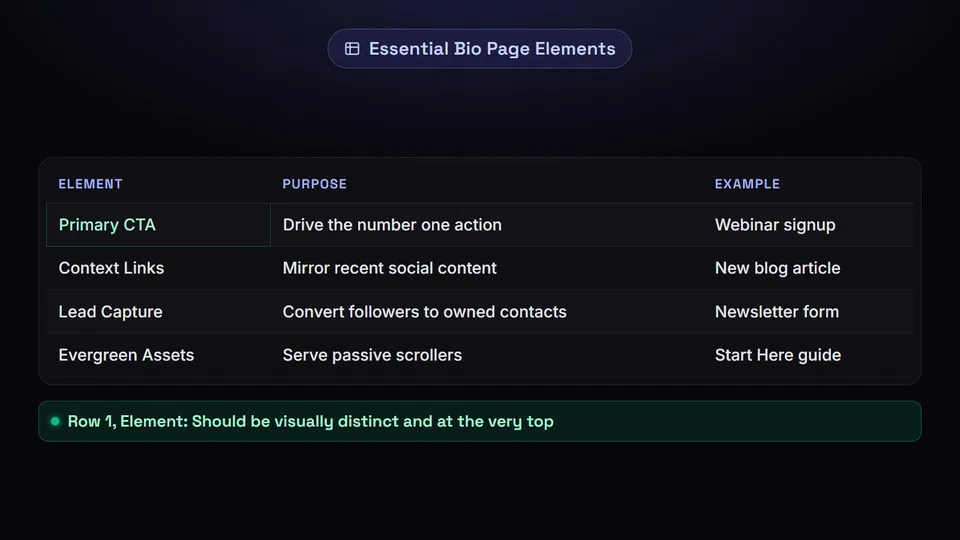
To maximize conversions, your landing page should be carefully curated. Here is a breakdown of what genuinely belongs on a high-converting bio page:
1. The Primary Call to Action (CTA)
What is the number one action you want a follower to take today? Whether it is signing up for your upcoming webinar, buying your newly launched e-book, or booking a consultation, this link needs to be at the very top. It should be visually distinct from the rest of the page—perhaps using a contrasting color, an animation, or a larger button size.
2. The "Recent Post" Context Links
Because your social media content is chronological, users will often click your bio link looking for the specific item you mentioned in your most recent post or reel. You should have a dedicated section (or dynamic integration) that directly mirrors your recent content. If you posted about a new blog article yesterday, that article must be incredibly easy to find.
3. A Lead Capture Mechanism
Social media followers are "rented" audience members. You do not own the connection; the platform's algorithm does. Therefore, a core function of your link in bio should be converting followers into owned contacts. Including a direct email newsletter signup form or an SMS opt-in directly on your bio page is essential. Offer a compelling lead magnet, such as a free template or a discount code, to incentivize sign-ups.
4. Evergreen High-Value Content
Include two or three links to your best-performing, evergreen assets. This could be your flagship product, your "Start Here" guide, or a highly requested FAQ page. These links serve the passive scroller who clicked your profile out of general curiosity rather than a specific post's prompt.
The Paradox of Choice: How Many Links is Too Many?

One of the most common questions marketers ask is: How many links should I have on my link in bio page?
To answer this, we must look at a psychological principle known as Hick's Law (or the Hick-Hyman Law). Hick's Law states that the time and effort it takes for a person to make a decision increases logarithmically with the number of choices presented to them. In simpler terms: more choices equal more cognitive load, which leads to decision paralysis and, ultimately, a bounce.
If a user clicks your instagram bio link and is greeted by a wall of 25 identically styled buttons, they are highly likely to become overwhelmed and close the page without clicking anything. This is the exact opposite of what you want to achieve.
Finding the Sweet Spot
Extensive A/B testing across digital marketing campaigns suggests that the optimal number of links on a mobile-first bio page is between three and seven. If you must include more than seven links, you need to ruthlessly prioritize and categorize them.
- Hierarchy is crucial: Do not treat all links equally. Use visual hierarchy to guide the user's eye. Your most important link should be at the top and visually prominent.
- Use folders or categories: If you are a publisher with dozens of articles, use a link in bio tool that allows you to group links under collapsible headers (e.g., "Read Latest Articles," "Shop My Setup," "Work With Me").
- Audit regularly: Treat your bio link like a living document. Every month, review your click analytics. If a link at the bottom of your list hasn't received a click in 30 days, remove it. It is nothing more than digital clutter.
Link List vs. Genuine Conversion Page
As the creator economy has matured, so too has the technology supporting it. In the early days, a linkinbio was literally just a list of rectangular buttons on a plain background. Today, relying on a basic "link list" means you are leaving money and engagement on the table.
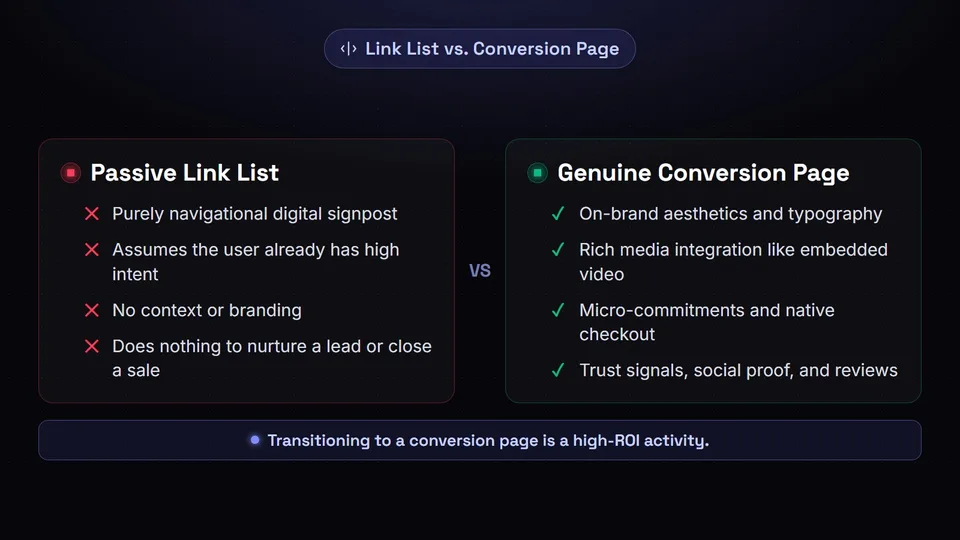
We must distinguish between a passive Link List and an active Conversion Page.
The Passive Link List
A basic link list is purely navigational. It assumes the user already has high intent and knows exactly what they are looking for. It offers no context, no branding, and no persuasion. It is the digital equivalent of a physical signpost. While functional, it does nothing to nurture a lead or close a sale.
The Genuine Conversion Page
A genuine conversion page treats the bio link destination as a micro-website optimized for mobile users. It incorporates elements of Conversion Rate Optimization (CRO) to guide the user journey. Here is what sets a conversion page apart:
- On-Brand Aesthetics: It doesn't look like a generic third-party tool. It uses your brand colors, your exact typography, and custom background imagery to ensure a seamless transition from your social profile to your ecosystem.
- Rich Media Integration: Instead of just a text link saying "Watch my new video," a conversion page embeds the actual YouTube or TikTok video directly on the page. This allows users to consume the content without extra clicks, lowering friction.
- Micro-Commitments: It allows users to take action directly on the page. Whether it's tipping the creator, signing up for a newsletter, or even purchasing a digital product via a native checkout integration, the user does not have to load a separate, heavy website.
- Trust Signals: It includes brief text descriptions, social proof, or small reviews next to key products, reassuring the user before they click away.
Transitioning from a link list to a conversion page is one of the highest-ROI activities a social media manager can execute.
Tracking Clicks Properly with UTM Parameters
You cannot improve what you cannot measure. If you are driving thousands of followers to your website via your instagram bio link, but you don't know which specific link they clicked or which social platform they came from, you are flying blind.
This is where UTM (Urchin Tracking Module) parameters become your best friend. UTMs are simple snippets of text added to the end of a URL that tell analytics tools (like Google Analytics) exactly where your traffic is coming from.
The Anatomy of a UTM Link
A standard URL looks like this: https://yourwebsite.com/product
A UTM-tagged URL looks like this: https://yourwebsite.com/product?utm_source=instagram&utm_medium=social&utm_campaign=bio_link_launch
Let's break down the three most important parameters you should be using in your bio link tool:
- utm_source: This identifies the specific platform driving the traffic. (e.g., instagram, tiktok, twitter).
- utm_medium: This identifies the broader channel or type of traffic. For a bio link, this should almost always be social or organic_social.
- utm_campaign: This identifies the specific promotion, product, or placement. You might use bio_link to track all general bio traffic, or something like summer_sale_2026 for a specific button.
By tagging every single link on your bio page with UTM parameters, you can log into your analytics dashboard and see exactly how much revenue, how many sign-ups, and how much time on site your bio link is generating. You can even A/B test different button copies by using different utm_content tags to see which phrasing drives more sales.
Pro Tip: Manually typing out UTM parameters is tedious and prone to typos. We highly recommend using a dedicated tool to generate these links flawlessly. Check out our free UTM builder to instantly create perfectly formatted tracking links for your bio page.
Choosing the Right Link in Bio Tool
With dozens of options on the market, choosing the right link in bio tool can feel overwhelming. Many basic tools offer a free tier, but they severely limit your design capabilities, slap their own branding over your page, and withhold crucial analytics data behind expensive paywalls.
When evaluating a tool, look for the following non-negotiable features:
- Custom Domain Support: You should be able to use your own URL (e.g., links.yourbrand.com) rather than a generic third-party domain. This builds trust and improves brand equity.
- In-Depth Analytics: The tool must provide native click-tracking, device breakdowns, and geographic data, while also playing nicely with your custom UTMs and Meta/Google tracking pixels.
- Dynamic Content Blocks: Look for the ability to embed videos, Spotify tracks, RSS feeds, and email capture forms natively.
- Automated Social Syncing: The best tools can automatically pull in your latest social posts and match them with specific URLs, saving you hours of manual updating.
At SchedulifyX, we realized that managing your social media scheduling and your bio link in two separate platforms was inefficient. That is why we built a seamless, conversion-optimized solution directly into our ecosystem.
Our intelligent link in bio tool allows you to design stunning, brand-aligned conversion pages in minutes. Because it is integrated with your SchedulifyX publishing calendar, you can automatically schedule links to appear and disappear on your bio page exactly when your social posts go live. No more waking up at midnight to manually update a link for a new product drop.
Conclusion
The link-in-bio pattern was born out of platform restrictions, but it has evolved into a powerful marketing channel in its own right. By understanding the psychology of choice, moving away from cluttered link lists toward focused conversion pages, and rigorously tracking your traffic with UTM parameters, you can turn your social media profile into an automated sales engine.
Stop sending your hard-earned audience to a generic, unbranded list of buttons. Take control of your social traffic today, optimize your user journey, and watch your conversion rates soar.
