Crisis-Ready: A Pause Plan for the Day Something Goes Wrong
SchedulifyX Team · November 17, 2026
When something goes wrong, scheduled posts keep going out. A social media crisis plan that starts with a pause: what to stop, who decides and how to resume.
When something goes wrong, the first problem is often not what you are about to say but what you have already scheduled. A product launch post, a jokey video or a weekend sale goes out on time, in the voice you planned weeks ago, while everyone else is talking about something serious. Nobody did anything careless that day, yet the brand looks as if it is not paying attention.
A social media crisis plan does not have to be long, but it should start with a pause. This guide covers telling a crisis from a complaint, what to stop, who decides, what to say first, what to watch, a crisis checklist and how to come back without making things worse.
What counts as a social media crisis
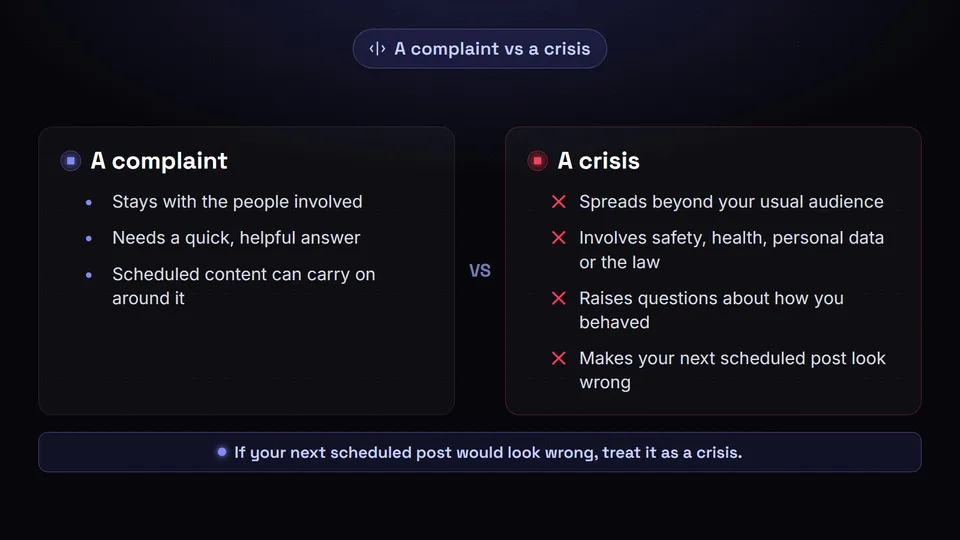
Not every bad moment on social media is a crisis. A late delivery, a critical review or an angry reply is a complaint, part of normal community work: it deserves a quick, helpful answer, and your scheduled content can carry on around it.
A crisis is different in kind, not just in volume. Four questions sort one from the other:
- Is it spreading? A complaint stays with the people involved. A crisis travels beyond your usual audience, into other people's posts, the press or search results.
- Is anyone at risk? Safety, health, personal data, the law and serious harm to people make it a crisis, however small it looks at first.
- Is it about how you behaved? A faulty product is a problem to fix; a careless remark from a senior person or a policy that looks unfair raises questions about the organisation itself, which need an answer from the top.
- Would your next post look wrong? If the posts queued for the next day would read as tone-deaf next to what people are discussing, treat it as a crisis until you know more.
That last test also covers events that have nothing to do with you. A disaster, an attack or a period of national mourning can make a cheerful promotion look careless even though your brand did nothing wrong. The response is lighter, often no statement at all, but the pause is the same.
What to pause first
Scheduling is built for ordinary days. Every queued post was written for a mood that may no longer exist, and automation cannot tell that the mood has changed. A post that goes out mid-crisis can become a fresh screenshot, and deleting it later does nothing about the copies already taken. So the first decision is to pause scheduled posts, before anyone drafts a response.
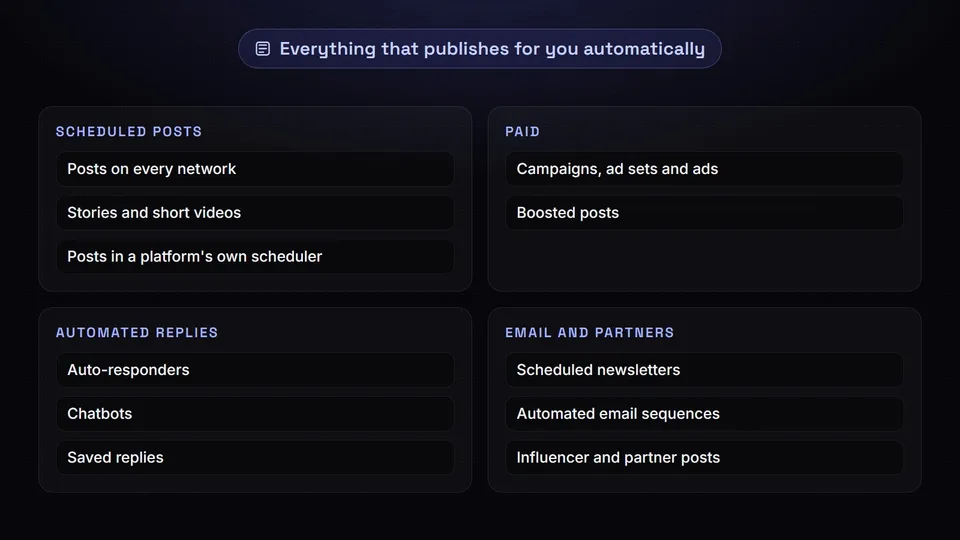
That means more than the posts in your calendar. Work through everything that publishes for you without a person pressing a button:
- Scheduled posts on every network, including stories, short videos and anything set up in a platform's own scheduler.
- Paid campaigns and boosted posts. In Meta Ads Manager, campaigns, ad sets and ads each have an on/off toggle; switching off a campaign turns off everything inside it, and nothing is deleted, as Meta's help page explains. Facebook also lets you pause and resume a boosted post, and a paused ad set in LinkedIn's Campaign Manager can be edited and reactivated later.
- Automated replies. Auto-responders, chatbots and saved replies that greet people cheerfully can make a bad moment worse.
- Email and partners. Scheduled newsletters, automated email sequences, and influencer or partner posts due to go live.
Keep people answering. The pause is for automated and pre-planned content, not customer service: people who are affected need replies, and silence in the comments reads as avoidance.
If your team schedules with SchedulifyX, the Pause posting control on the Read the Room page deals with the posts scheduled there. It pauses a brand's scheduled posting for a period you choose, from a few hours to a few days, and everything due before the pause ends waits instead of going out. Held posts wait on the Paused posts page, where you can send each one or give it a new time, and End the pause now lifts the pause whenever you are ready.
Pause posting is available on the Agency and Enterprise plans, and it does not pause posts to X, so move or remove anything scheduled for X by hand.
Who decides, and how fast
A pause only helps if it happens quickly, and it only happens quickly if someone can call it without a meeting. Name that person in your plan, plus a deputy for when they are on holiday, asleep or travelling. Both need access to every account and tool that publishes for you, without depending on one person's phone.
Set the bar for pausing low and the bar for resuming high. A pause is cheap and reversible: at worst, a few posts go out late. A post that goes out at the wrong moment cannot be taken back. If the person on duty is unsure, the plan should tell them to pause first and ask afterwards.
Decide in advance who joins once the pause is on: usually someone who can approve public statements, someone from customer service, and legal or HR when people, safety or the law are involved. Keep their contact details somewhere that still works if your usual tools are part of the problem.
Write the holding statement in advance
A holding statement is a short public message that says you know about the issue, you are looking into it and you will update people by a stated time. It fills the silence honestly while you find out what happened, so other people's guesses are not the only thing in the conversation.
A good holding statement:
- names the issue plainly, in the words people are already using;
- shows concern for anyone affected before it says anything about the brand;
- promises only what you can deliver, usually a time for the next update;
- avoids speculation, blame and marketing language;
- tells affected people where to get help.
For example:
We know some customers can't sign in to their accounts this morning. We're working on it now and will post an update here by midday. If you need help in the meantime, please send us a message.
Draft two or three versions now for the situations most likely in your line of work, and agree who approves them: a draft the right people have already read can go out in minutes. Pin it where the platform allows, and keep the promised update time even if all you can say is that work continues. For the fuller response that follows, see our step-by-step crisis response plan.
Monitor while you wait
Once the schedule is stopped and the statement is out, the job is to watch and keep a record. Search for your brand name, product names and common misspellings; check comments on older posts, which people sometimes use to raise a new issue; and keep an eye on direct messages, review sites and staff accounts.
Keep a simple log with times: what you saw, what you decided and what you posted. It keeps everyone working from the same facts and feeds the review afterwards. Share updates in one internal channel, so nobody acts on old information.
Do not argue in the replies. Correct a clear factual error once, calmly, ideally by pointing to your statement, and move detailed conversations to private messages. Our guide to social monitoring and social listening explains how each helps day to day.
Your crisis checklist
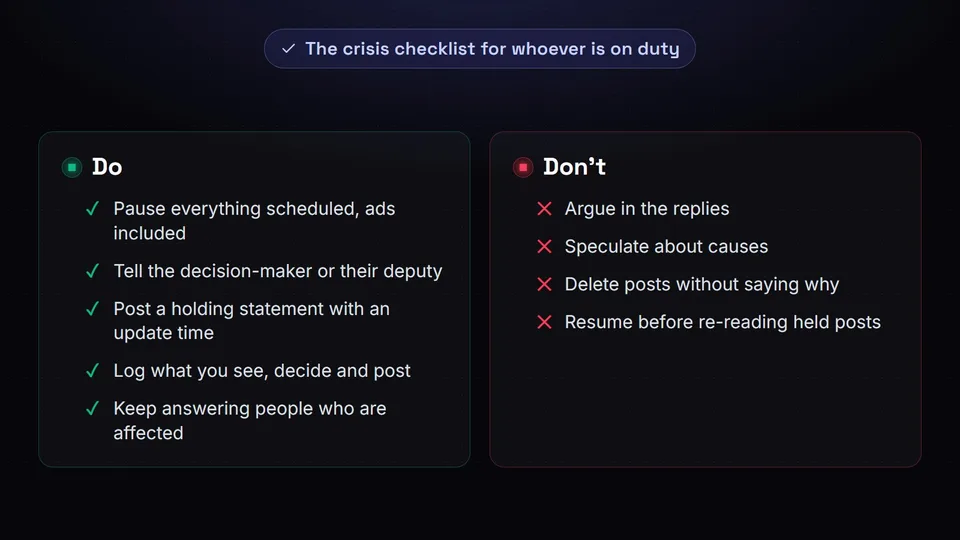
Print this, or pin it where the person on duty will find it. A crisis rarely arrives at a convenient time, and the response should not depend on the one person who remembers how everything is set up.
- Pause everything scheduled: posts on every network, ads and boosted posts, auto-replies, newsletters and partner content.
- Tell the named decision-maker, or their deputy, and agree who speaks for the brand.
- Write down what you know and what you do not, then post the holding statement with a time for the next update.
- Monitor mentions, replies, comments and messages, and log what you see, decide and post.
- Keep answering people who are affected, but do not argue in the replies, speculate about causes or delete posts without saying why.
- Give each update at the time you promised.
- Resume only after every held post has been re-read.
Keep what the checklist depends on up to date as well: the contact list, who can log in to what, your draft statements and an inventory of every tool and automation that publishes for you. A missing line in that inventory is how a forgotten newsletter slips out during a pause.
When and how to resume
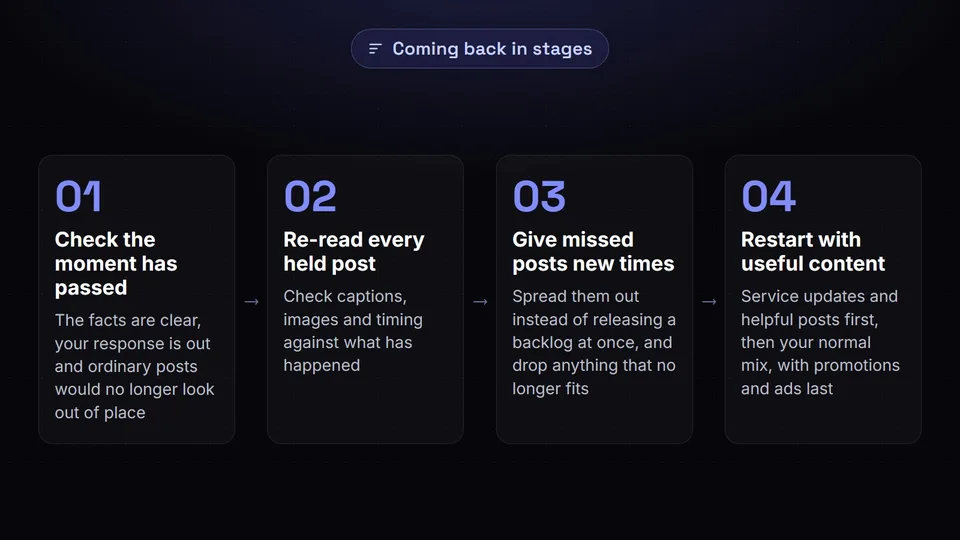
There is no fixed length for a pause. Resume when the facts are clear, your response is out and the conversation has moved on, or, after an outside event, when ordinary posts would no longer look out of place. If you are unsure, extend the pause: another quiet day costs far less than a post that lands badly.
Then come back in stages:
- Re-read every held post. Check captions, images and timing against what has happened. A joke, a countdown or a word such as "explosive" can read very differently after a bad week.
- Give missed posts new times. Spread them out rather than releasing a backlog in one afternoon, and drop anything that no longer fits.
- Restart with useful content. Service updates and helpful posts first, then your normal mix, with promotions and ads last.
- Do not pretend nothing happened. If your audience is still talking about it, a cheerful return with no acknowledgement looks evasive.
In SchedulifyX, when a pause ends, posts whose time is still ahead go out as planned, and anything that missed its slot stays on Paused posts until you publish it or give it a new time, so nothing floods out at once. Check X separately, since it was never paused. In the weeks after, keep the voice human; our guide to scheduling without a robotic brand voice covers how.
Review afterwards
Once things have settled, and while memories are fresh, run a short review with everyone involved. Use the log to rebuild the timeline, and ask practical questions rather than looking for someone to blame: how long it took to notice and to pause, what was missed, whether the statement said the right things and whether you resumed at the right time.
Turn each answer into a change to the plan: add the automation nobody remembered to the inventory, update the contact list and rewrite the statement that felt wrong. Then rehearse: a short run-through with someone playing the decision-maker shows whether the plan still works, and is worth repeating whenever your team or tools change.
Conclusion
A social media crisis plan works best when its first step is simple: stop everything that publishes automatically, then think. Decide in advance what counts as a crisis, who calls the pause, what the holding statement says and how you will come back, and keep the crisis checklist where the person on duty can find it.
If you schedule with SchedulifyX on the Agency or Enterprise plan, make Pause posting the first line of that checklist. It holds a brand's scheduled posts for the period you choose, they wait on Paused posts until you are ready, and End the pause now brings posting back when the moment has passed; just remember to handle X separately. See how scheduling in SchedulifyX fits around a plan like this.
